GD1 Page 65 of 76 850-816926-EN R06
Observation 3! Example 3 shows that different cloud can give same measured value.
Therefore the GD1 is typically used as a “safe fence” around an installation to signal if there
is an abnormal and potentially unsafe situation, and not to measure the actual
concentration of the gas.
10.5. How to connect to the web interface with the Ethernet cable
In some circumstances it might be requested by the user to be able to connect with cable
and not the Wireless router. Below is a description on how to connect to the GD1 Service
Interface with a web browser:
Note! When connecting with the Ethernet cable, it is necessary to configure the network
interface card to static IP and the following settings:
IP address 192.168.1.236
Subnet mask 255.255.255.0
Default gateway 192.168.1.253
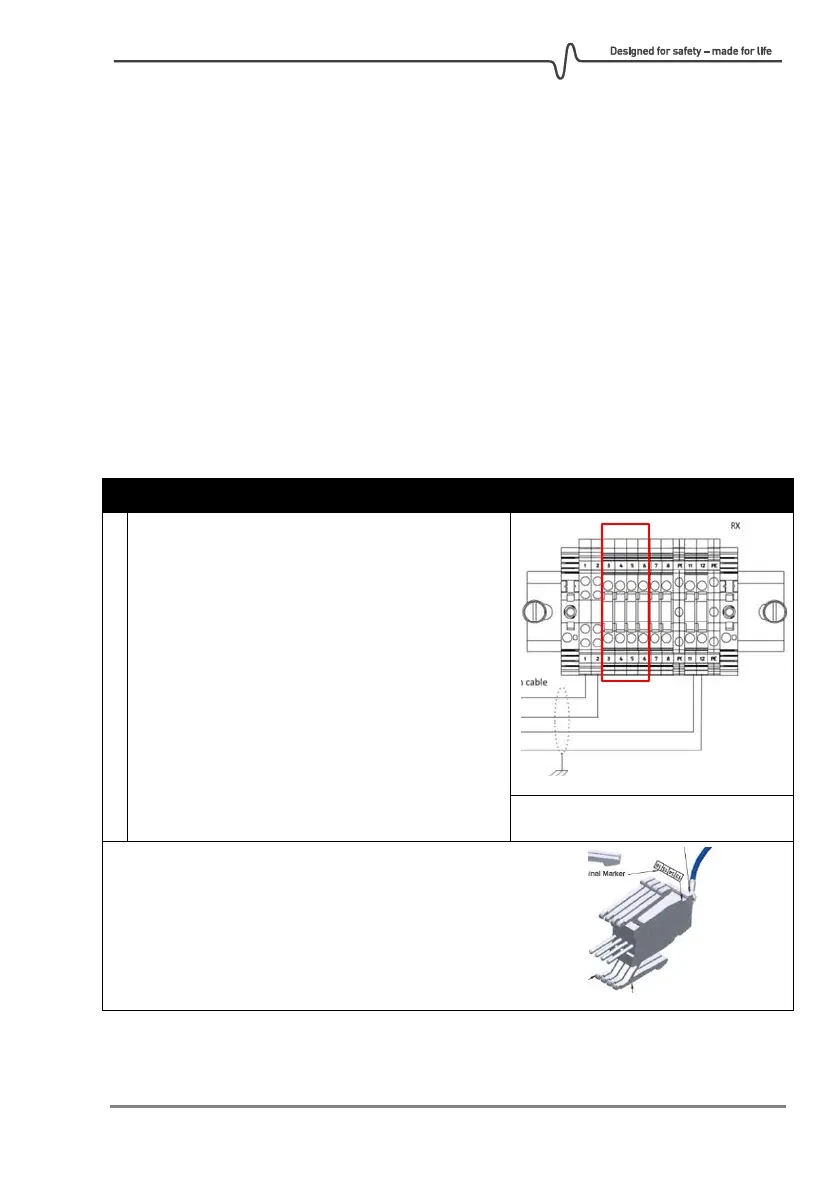
On the transmitter, connect the Ethernet
adapter to the Junction Box terminals 3-6.



 To Next Page