Page 27/38
15. Stitch length –continued--
In case of large deviation, adjust as follows:
Setting
1. Turn off power switch.
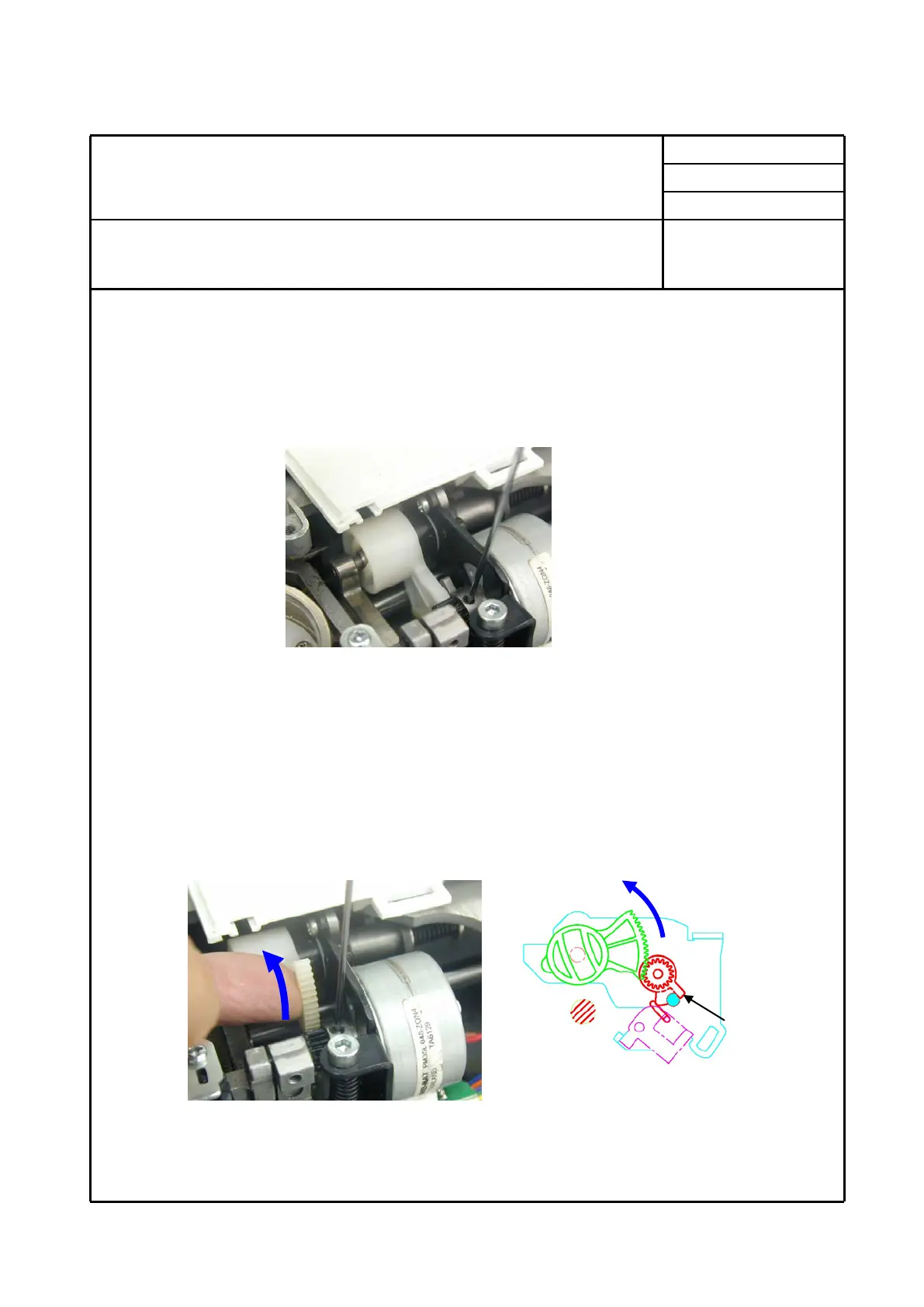
2. Loosen one of two screws on motor gear.
3. Turn on power switch and rotate hand wheel towards you, and this motor shaft will be
held at one of exciting position continuously after motor for stitch width is held at exciting
position.
4. Loosen other screw on motor gear for adjustment and motor gear will become free from
motor shaft.
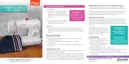
5. Rotate gear of stitch regulator cam until projection of motor gear touches with stopper
pin and you will get position for origin point positioning.
6. Temporarily tighten one screw which is located for easier access for adjustment.
This completes point positioning.
Projection


 To Next Page