=
+
B
C
F
20 – Operating Your Machine
English
20 – Operating Your Machine
English
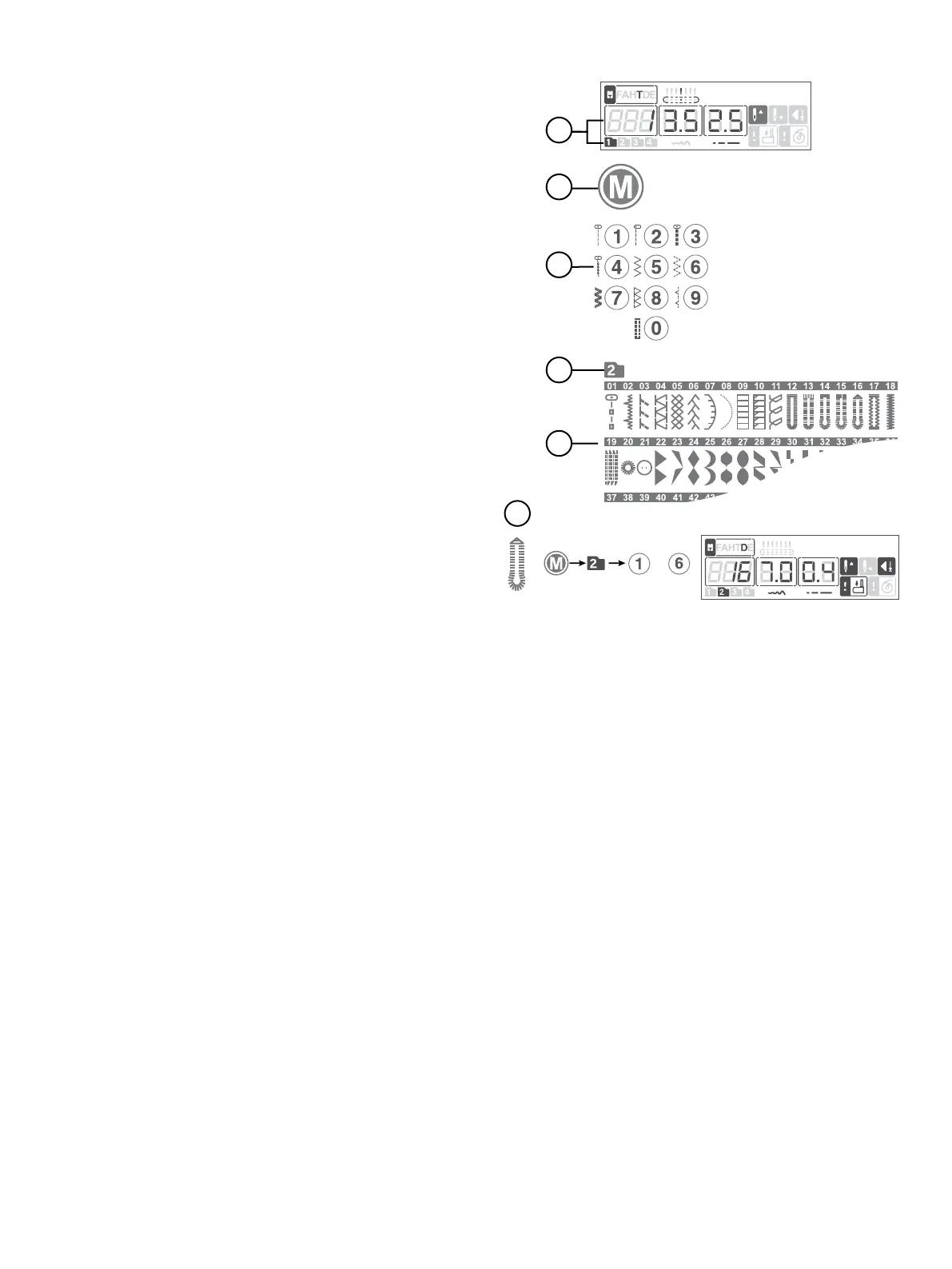
Your machine has four stitch menus. Menu 1 includes the most
frequently used utility stitches, and are printed on the machine
next to the stitch selection buttons. Menus 2–3 have both utility
and decorative stitches. Menu 4 is a Font menu. Here, you will
nd letters and numbers you can use to create sequences.
When you turn on your machine, stitch menu 1 is activated and
straight stitch (stitch no. 1) is selected (A).
Press “Stitch Menu” (B) to toggle between the stitch menus.
The currently selected menu is shown on the display (A).
The stitches on Menu 1 have a direct selection. Once Menu 1 is
selected, just press the button next to the stitch to select it
(C).
The stitches on Menus 2–4 are pictured on the Stitch Reference
Charts that slide out for viewing at the bottom of the machine.
The Stitch Menu number is listed within a folder above the
stitches (D). The Stitch Number is printed above the picture of
respective stitch (E).
By pressing the digits in quick succession you will be able to
select a stitch from 10 and up from the selected stitch menu (F).
If the stitch number does not exist in the selected menu you
will hear a beep and the latest selection will remain.
To select another stitch in the same menu just press the number
of the stitch.
To select a stitch in another menu you will rst need to change
stitch menu and then select the stitch.
Select a Stitch





 To Next Page