2 3 4
8 9
7
1
5 6
Operating Your Machine – 21
English
Operating Your Machine – 21
English
Sequence Mode
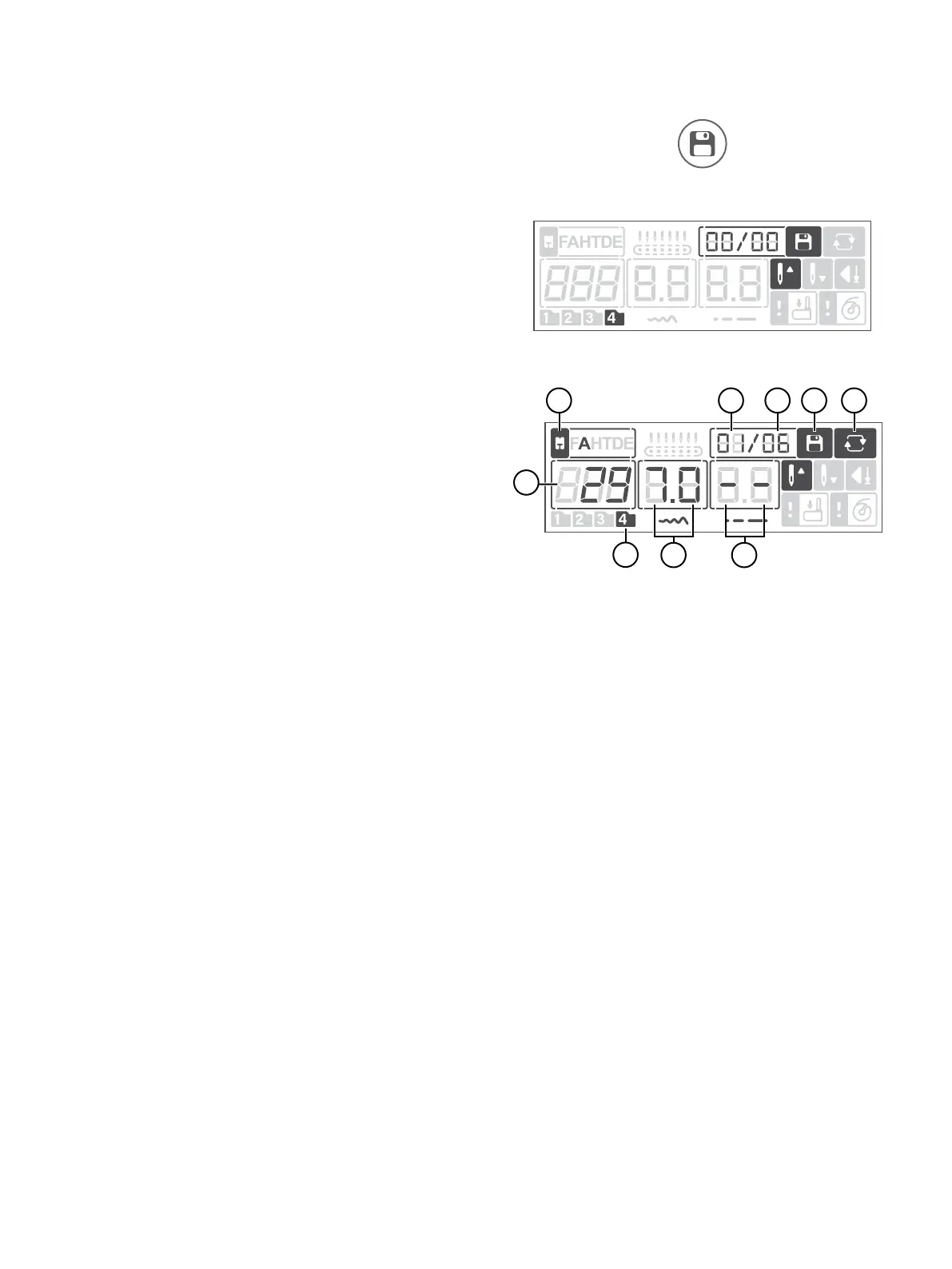
Display in Sequence Mode
Press the Sequence Button to enter sequence mode. Letters
and numbers that can be programmed and are found on Stitch
Menu 4, Fonts. This menu is selected automatically when ente-
ring sequence mode.
1. Number of currently selected stitch
2. Recommended presser foot — indicates which presser foot is
recommended to use for the selected stitch to obtain the
best stitch result
3. Position of the currently selected stitch — indicates what posi-
tion the currently selected stitch has in the sequence
4. Total number of stitches in the sequence — total number of
stitches allowed (40 positions)
5. Sequence Mode — indicates that sequence mode is active
6. Repeat — indicates that repeat sequence is activated. The
sequence will be sewn repeatedly until you stop sewing.
7. Active stitch menu — Stitches that can be programmed are
found on Stitch Menu 4, Fonts. This menu is selected auto-
matically when entering programming mode.
8. Width of the currently selected stitch
9. Length of the currently selected stitch
Note: When the settings shown on the display are set to default,
their corresponding gures will be framed. If you change the
settings the frame around the gures will be will be removed.
Sequence Button
Sequence Mode, no stitches in memory
Sequence Mode, stitches in memory





 To Next Page