OPERATING THE MACHINE
GTJZ0612E&0812E&1012E&1212E Operation Manual 7-7 © Jun 2020
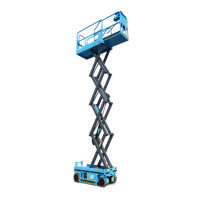
• Select outdoor mode, the maximum working
platform height is 9m (30ft). that is, the platform
cannot rise after reaching 9m (30ft).
• Select indoor mode, the maximum working platform
height is 11.9 m (39ft). However, when the platform
height rises to 9m, the platform will stop rising and a
sound alarm will appear. "id" will appear on the
platform control box. At this point, return the control
handle to the middle position and release the
handle. Then hold the enable switch of the control
handle and push the handle forward. The platform
can continue to rise to 11.9m.
Indoor/outdoor mode setting steps are as follows:
1. Turn the key switch of the ground controller to the
ground control position.
2. Push the emergency stop button on the platform
controller to the ON position.
3. Push the emergency stop button on the ground
controller to the ON position while holding down the
enter button for five seconds, and the program
setting interface appears on the display screen.
4. Press page down key until the display appears "Set
Option", then press the enter button.
5. When "In or Out door" appears on the screen, then
press the enter button.
6. At this time, two options "In Door" and "Out Door"
appear on the screen.
7. Select "In Door" or "Out Door" by clicking page up
and page down keys.
8. Select "In Door", then press the enter button., The
indoor mode is set successfully.
9. On the contrary, select "Out Door", then press the
enter button., The outdoor mode is set successfully.


 To Next Page