9
4.2 Meter set up
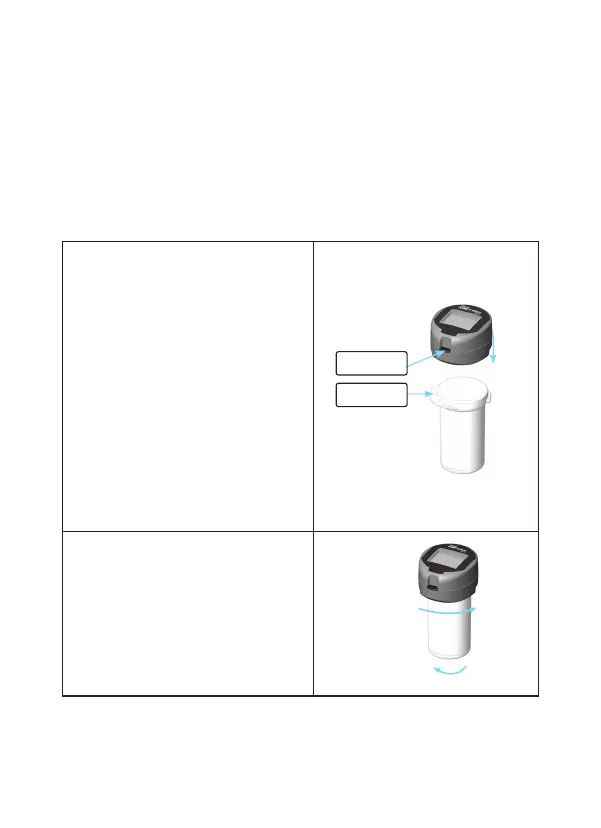
To attach:
1.Set test strip vial on flat
surface with vial lip facing to
the left.。
2. With Test Port facing front,
place bottom of meter firmly
on vial top. Meter must be
seated flat on top of vial cap.
3. Holding the vial, twist the
meter 1/4 turn clockwise. The
Test Port area on the meter
should cover the vial lip if
attached properly.
To remove:
1.Holding the vial, twist the
meter 1/4 turn counter
clockwise.
2.Lift off meter off the vial
top.
To Attach/Remove Meter to Test Strip Vial
The meter may also be used for testing without attach-
ing to the vial.
Test Port
Vial Lip



 To Next Page