EasyManua.ls Logo

Sinocare Safe-Accu 2 - User Manual

Default Icon
27 pages
Print Icon
To Next Page IconTo Next Page
Loading...
36300436
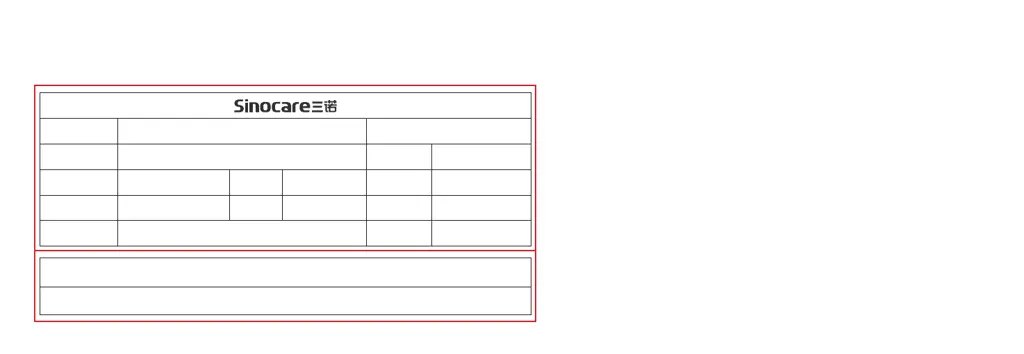
封面:250G铜卡纸覆哑膜单色印刷
内页:105G双铜纸 彩色印刷 骑马钉装 最后1页压点线
须符合HSF检测
2018年11月
毫米(mm)单位
按质检检验标准
公差
181107-1
物料编码
图文比例
设计日期
修改次序
130 X 90,52p
1:1
181107 Safe-Accu2 白皮仪器说明书 第一版
第 1 次设计
三诺生物传感股份有限公司公司名称
文件名称
版本编号
图文尺寸
制作材料
* 红色框不印刷
设计人: 黎辉雄 2018 11 07
审批人: ____________________ _____ ___ ___

Questions and Answers

  • J
    Jason LynchAug 15, 2025
    What to do if Sinocare Blood Glucose Meter doesn’t begin test after applying a blood sample?
    • N
      Nathan JamesAug 15, 2025
      If the meter doesn’t start after applying blood, consider these possibilities: * There might not be enough blood sample. In this case, repeat the test using a new test strip and ensure you provide an adequate sample. * The blood sample may have been applied to the wrong area of the test strip. Repeat the test with a new strip, making sure the blood is drawn into the correct area. * The test strip may be used. Repeat the test with a new test strip. * The test strip was exposed to air too long after opening. Finish the test immediately after taking a test strip from a vial or package.
  • K
    Kimberly DaltonAug 18, 2025
    What to do if Sinocare Blood Glucose Meter shows result above measurement limit?
    • K
      Kelly JonesAug 18, 2025
      If your Sinocare Blood Glucose Meter displays a result above the measurement limit, which is higher than 600 mg/dL or higher than 33.3 mmol/L, use a new test strip and test again. If the meter continues to display “HI”, it is important to immediately contact a healthcare professional for assistance.
  • J
    James FoleyAug 22, 2025
    What to do if Sinocare Blood Glucose Meter shows result below measurement limit?
    • S
      sherijacksonAug 22, 2025
      If your Sinocare Blood Glucose Meter shows a result below the measurement limit (less than 20 mg/dL or less than 1.1 mmol/L), use a new test strip to test again. If the meter still displays “LO”, call your healthcare professional immediately.
  • K
    Keith LevineAug 26, 2025
    How to fix low battery power on Sinocare Blood Glucose Meter?
    • S
      Scott GordonAug 26, 2025
      If your Sinocare Blood Glucose Meter indicates low battery power, replace the batteries immediately.
  • J
    Jennifer AnthonyAug 28, 2025
    Why Sinocare Blood Glucose Meter shows test method error?
    • C
      Courtney WardAug 28, 2025
      The Sinocare Blood Glucose Meter shows a test method error because the test strip was inserted into the meter after the sample was applied to the strip. To correct this, insert the test strip into the meter before applying the sample to the strip.
  • T
    Terri BuchananAug 31, 2025
    What to do if I used test strip with Sinocare Blood Glucose Meter?
    • R
      Ryan HerreraSep 1, 2025
      If you've used a test strip with your Sinocare Blood Glucose Meter, you need to use a new test strip to test again.
  • A
    Adam PopeSep 4, 2025
    What to do if I have expired test strip or damped test strip for Sinocare Safe-Accu 2 Blood Glucose Meter?
    • L
      Laura FloresSep 4, 2025
      If you have an expired or damped test strip for your Sinocare Blood Glucose Meter, use a new test strip to test again.
  • R
    Richard PhelpsSep 7, 2025
    What happens if test strip exposed to air more than 3 minutes for Sinocare Safe-Accu 2 Blood Glucose Meter?
    • R
      Ronald WrightSep 7, 2025
      If the test strip has been exposed to air for more than 3 minutes when using the Sinocare Blood Glucose Meter, you should use a new test strip to test again.
  • M
    Matthew SmithSep 12, 2025
    How to fix incorrectly installed battery in Sinocare Blood Glucose Meter?
    • N
      nicolemillerSep 12, 2025
      To fix an incorrectly installed battery in your Sinocare Blood Glucose Meter, check that the battery is correctly installed with the right position of sign “+” and “-.”

Summary

Blood Glucose Meter User Manual

Introduction to the Blood Glucose Monitoring System

Intended Use

Defines the system's purpose for quantitative glucose measurement in blood samples.

Test Principle

Explains the electrochemical method used by the meter to measure glucose levels.

Important Safety Information

Patient Cautions

Lists specific precautions for users, including age and patient type restrictions.

Important Health-Related Information

Provides guidance on normal blood glucose ranges and when to consult a professional.

About Your Safe-Accu 2 Meter

Meter Display and Button Functions

Full Screen Display Overview

Details the symbols and units shown on the meter's screen during operation.

Meter Button Functions

Explains the function and action for each button on the blood glucose meter.

Setting Up Your Safe-Accu 2 Blood Glucose Meter

Insert Batteries

Instructions for correctly inserting the AAA alkaline batteries into the meter.

Set Date and Time Mode

Guides on how to enter the date and time setting mode on the meter.

Setting the Year

Procedure for adjusting and confirming the year setting on the meter.

Control Solution Testing

Why Perform a Control Solution Test

Explains the importance of control solution tests for meter and strip accuracy.

When to Perform a Control Solution Test

Lists the specific conditions and scenarios that necessitate a control solution test.

Important Information for Control Solution

Provides crucial details regarding the use, storage, and expiration of control solutions.

Questionable Control Solution Results

Blood Glucose Testing Procedure

Viewing Test Results

Memory Function

Information for Healthcare Professional Use

Comparing Meter with Laboratory Results

Cleaning and Disinfecting the Meter

Disinfecting the Meter

Power Saving Features

Performance Characteristics

Maintenance and Care

Changing the Batteries

Step-by-step guide for replacing the meter's batteries.

Troubleshooting Common Issues

Explanation of Symbols

Product Warranty Information

References and Further Reading

Index

Sinocare Safe-Accu 2 Specifications

General IconGeneral
Measurement Range20-600 mg/dL
Sample TypeCapillary whole blood
DisplayLCD
Sample Volume0.6 μL
Battery TypeCR2032
Operating Temperature10°C to 35°C
Operating Humidity10% to 90% RH
Battery3V

Related product manuals