Full Screen Display Button Functions
7 8
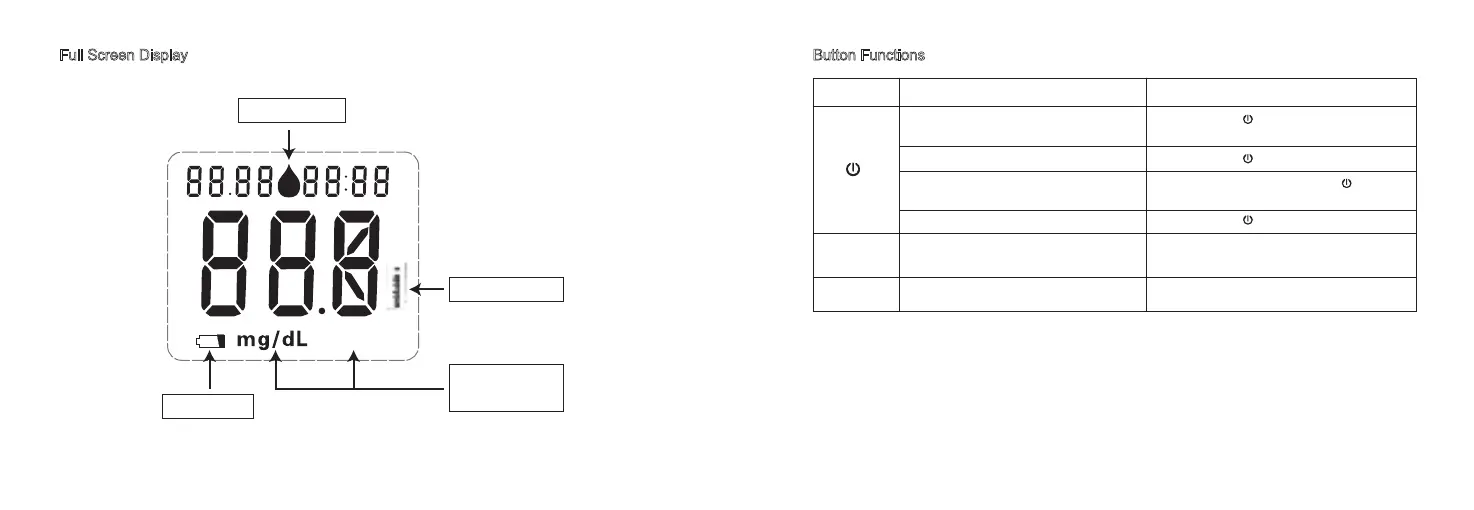
Blood drop symbol
Battery symbol
Temperature symbol
Unit of measure
•mmol/L or mg/dL
mmol/L
Button Function
To turn the meter on and enter the blood
glucose test result review mode.
To turn the meter off.
To delete the blood glucose test results
To confirm date/time settings.
To enter date-time setting mode. Press and hold ▼ for 3 seconds.
To adjust settings for date-time/ scroll
through test results.
Press and release ▼ or ▲.
▲and ▼
▼
Press and hold for 3 seconds.
Action
Press and hold for 3 seconds.
In test results review mode, press and ▲
together to delete all blood glucose test results.
Press and hold .



 To Next Page