4
3. TURN ON THE DEVICE
⚫ Open the rubber cover; insert the SIM card (chip up) to the slot.
⚫ The indicator light is on when SIM card is inserted.
⚫ The device gets GPS location when there is GPS signal and gets LBS
location when there is no GPS signal.
⚫ The device automatically turns off when the SIM card is removed.
4.SMS TRACKING
Note: The yellow space is a blank in SMS command.
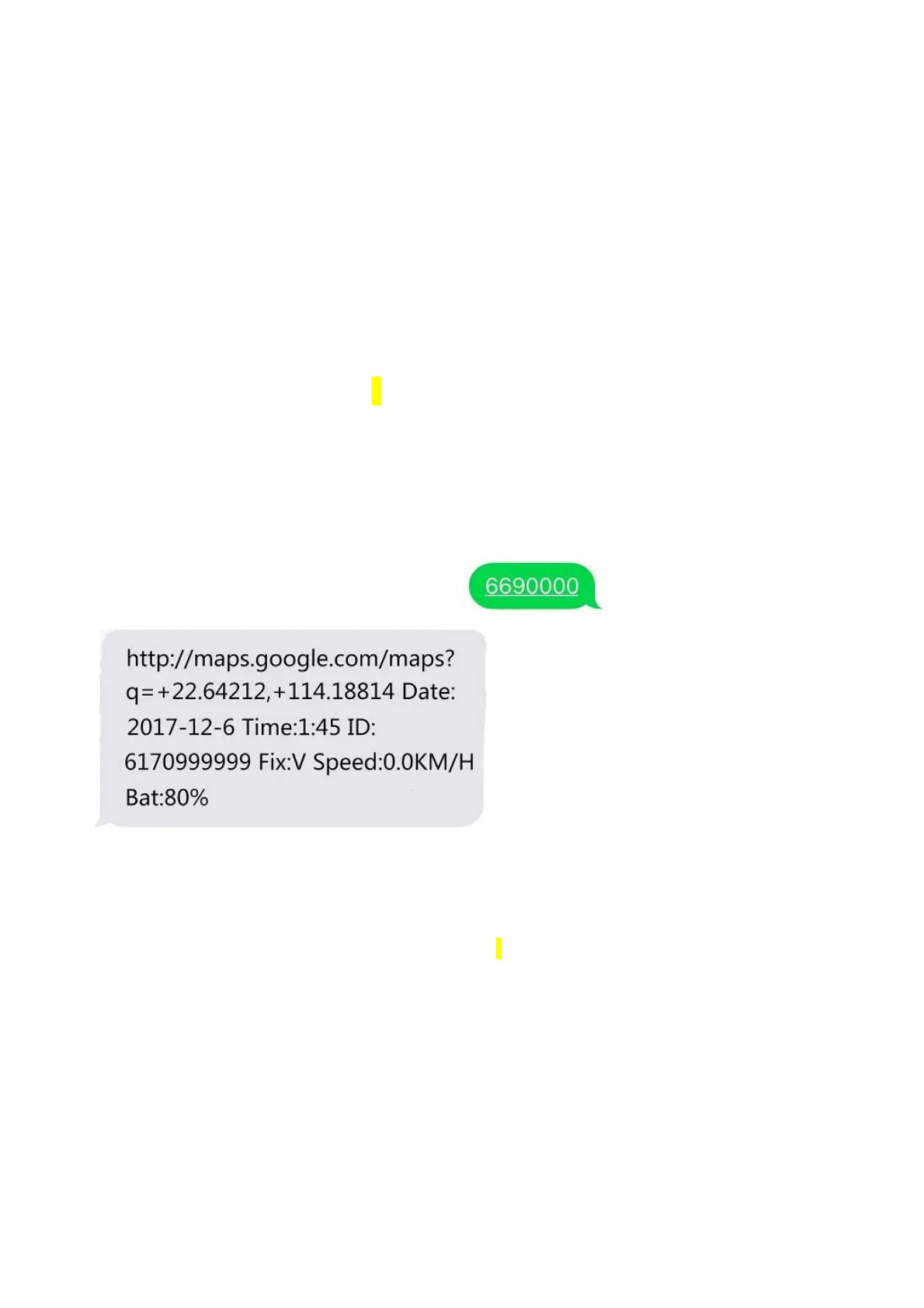
4.1. Call the SIM card phone number in tracker, you will receive a
Google Maps link of position,or sending message “6690000” to SIM
card phone number in tracker .
E.g:
4.2. Admin number setting (After admin number setting, all SMS
operations to the device are under this number only.)
Command: phone number+password 1(This phone number is your
own mobile phone number , not the SIM card number in tracker .)
Reply: SET OK!
E.g: 132657901800000 1
Voice Monitor:
Send command 66 to the GPS Tracker from control number,
The tracker will call back to this control number.



 To Next Page