7
Warning! It is the responsibility of the owner and the operator to read, understand and
comply with the following:
You must check all electrical products, before use, to ensure that they are safe.
You must inspect power cables, plugs, sockets and any other connectors for wear or damage.
You must ensure that the risk of electric shock is minimised by the installation of appro-priate safety
devices; A residual current circuit Breaker (RCCB) should be incorporated in the main distribution board.
We also recommend that a residual current device (RCD) is used. It is particularly important to use an
RCD with portable products that are plugged into a supply which is not protected by an RCCB. If in any
doubt consult a qualified electrician.
Connecting to the power supply:
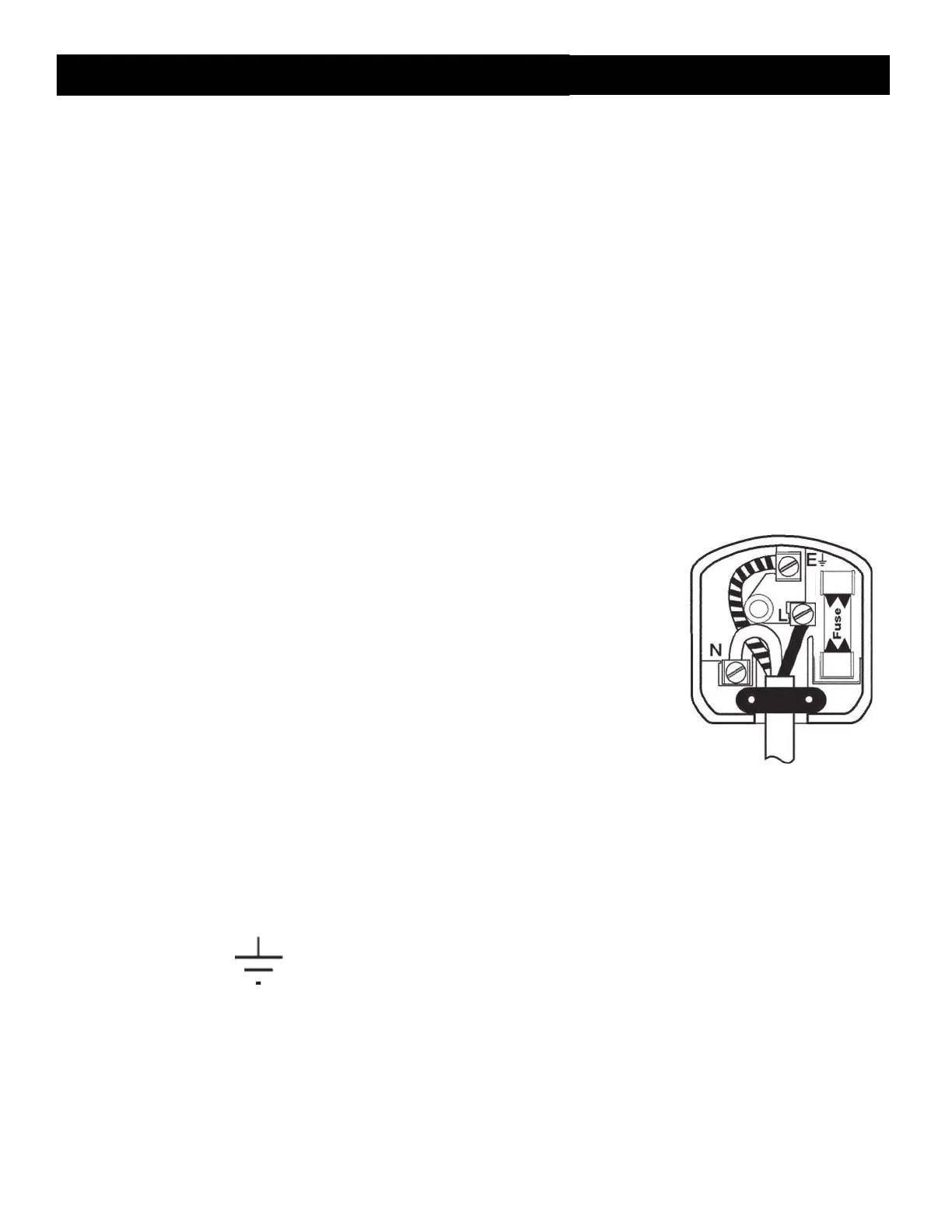
The 01557 / 01558 Planer Thicknesser are fitted with a standard 230V ~ 13 amp type plug. Before every
usage, inspect the mains lead and plug to ensure that neither are damaged. If any damage is visible
have the welder inspected / repaired by a suitably qualified person. If it is necessary to replace the
plug a heavy duty impact resistant plug would be preferable.
The wires for the plug are coloured in the following way:
Earth
Neutral
Yellow /
green Blue
Brown
Live
As the colours of the wires may not correspond with the markings in your plug, proceed as
follows:
The wire which is coloured blue, must be connected to the terminal marked with N or coloured
black (or blue).
The wire which is coloured brown, must be connected to the terminal, which is marked L or
coloured red (or brown).
The wire which is coloured yellow / green should be connected to the terminal which is coloured
the same or marked
Always secure the wires in the plug terminal carefully and tightly. Secure the cable in the cord grip
carefully.
ELECTRICAL CONNECTION



 To Next Page