1 2
3
4 5 6
Reader Software Installation
INfinity 510 User’s Guide, P1.04
7
Reader Software Installation
Installing Reader Configuration Software
The INfinity 510 is equipped with a Microsoft Windows PC application called
Reader Startup Tool (RST). You can use this application to configure the
reader as well as read and display tag data.
Install RST
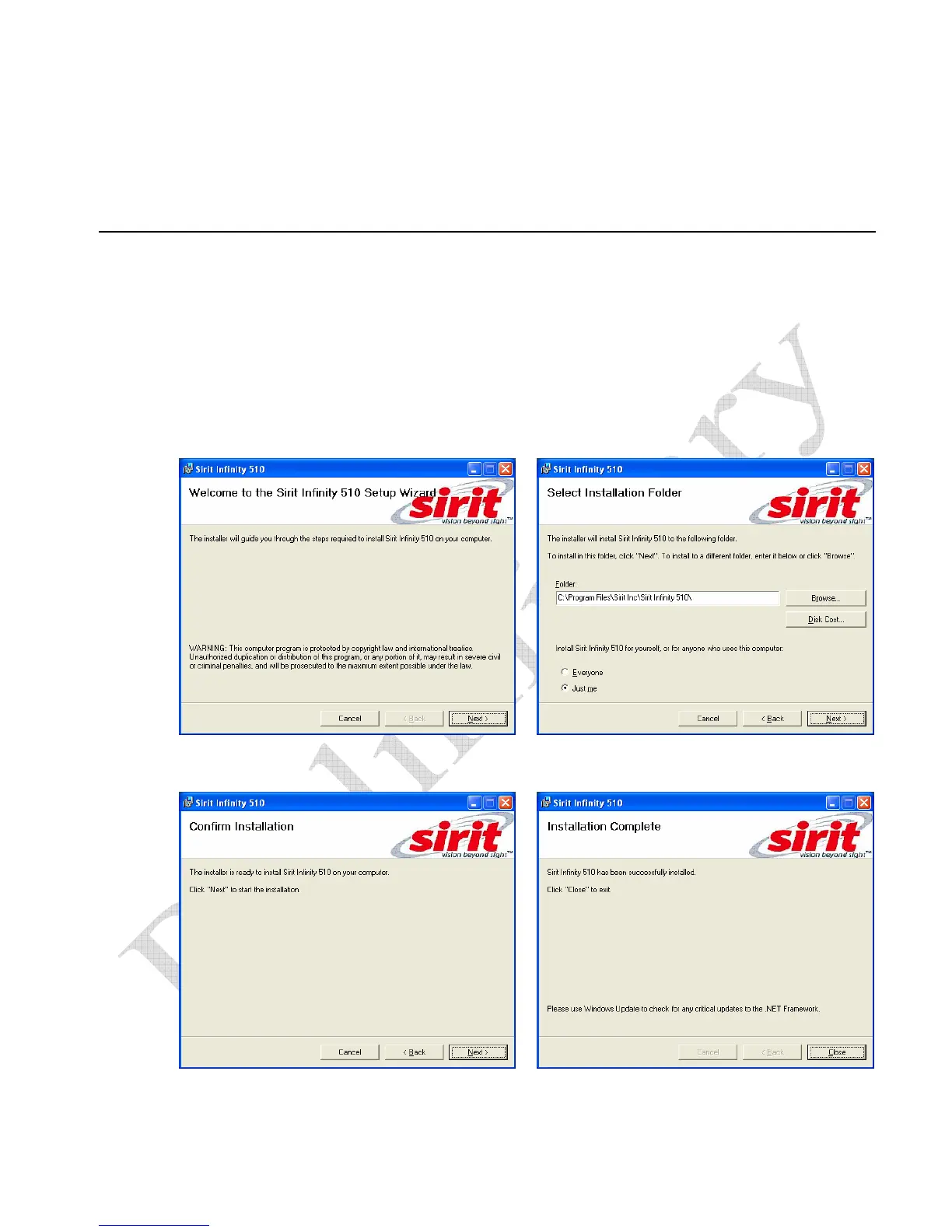
1 To install RST, load your system CD and double-click the Setup.exe file:
2 Press Next>
3 Verify the directory and path where the
RST files will be installed. Press Next>
4 Press Next> 5 Press Close when the installation is
complete.


 To Next Page