N7 Autopilot User Manual (ArduPilot) v1.0
35
Calibration Steps
1. Ensure your remote controller has been bound to the receiver, and their
communication to flight controller is good.
2. Connect the flight controller to PC and run Mission Planner GCS.
3. On the Mission Planner press the “Connect” button and open Mission Planner’s
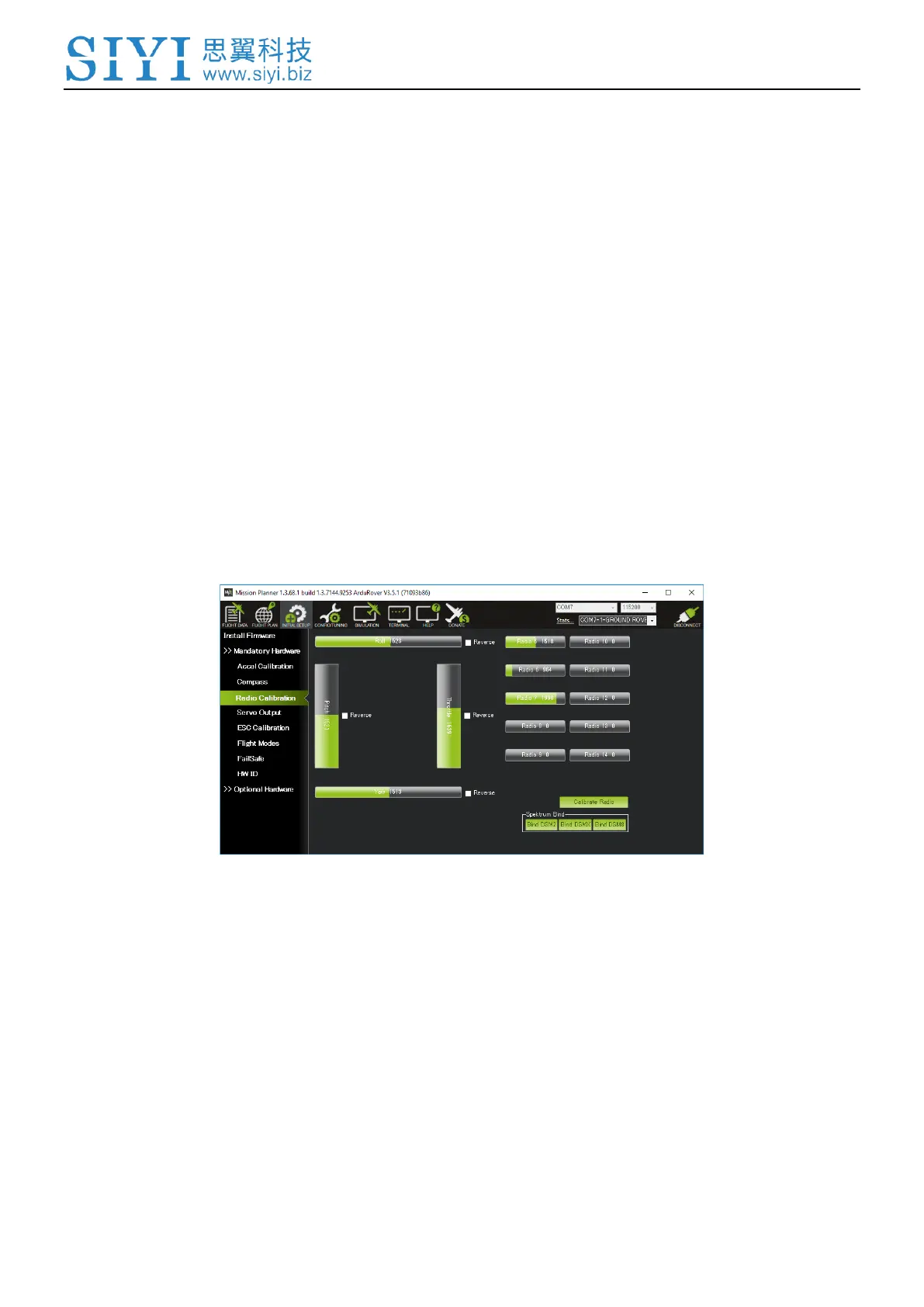
INITIAL SETUP | Mandatory Hardware | Radio Calibration page.
4. Check the channel mapping in the remote controller (ie. check which inputs
channels are controlled by the sticks, switches, and knobs) by moving the sticks,
knobs and switches and observing which (if any) green bars move.
5. Click on the green “Calibrate Radio” button on the bottom right. Press “OK” when
prompted to check the radio control equipment is on, battery is not connected,
and propellers are not attached.


 To Next Page