11
SKOPE VF Series
Operation
User Manual
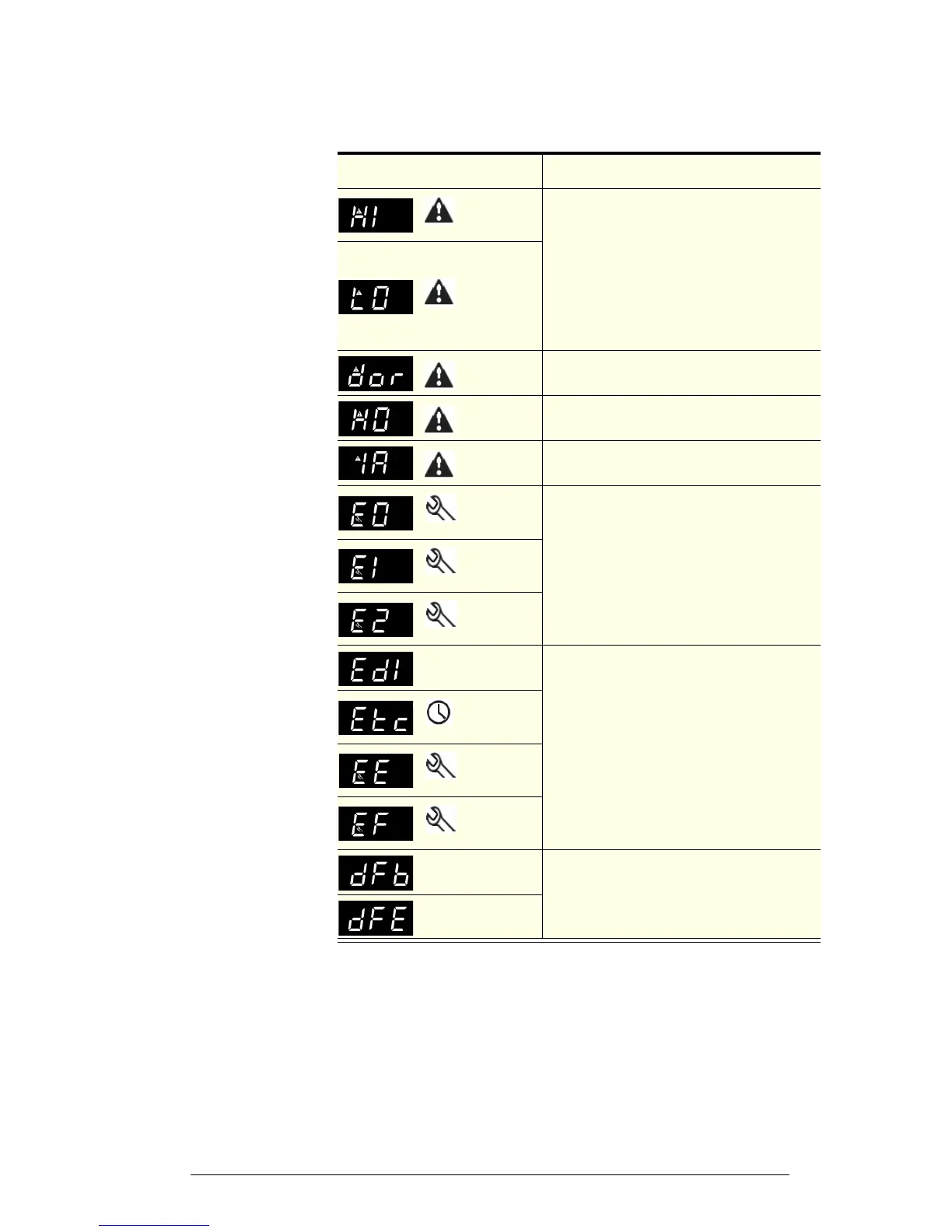
Alarms The following table explains messages that the electronic controller displays
and related alarms. Alarms signal unexpected operational changes in the
freezer and stop when action is taken to resolve the problem.
Code Display
Icon
Alarm
Description
Initial Action
Flashing
Product HIGH
temperature
alarm
1. Check the cabinet product loading to ensure
ventilation slots are not blocked and that product
does not overhang the shelves.
2. Ensure the cabinet is installed with good
refrigeration unit ventilation.
3. Check and clean the condenser coil (see
page 12).
4. Unplug cabinet from the power supply for 1
minute, then reconnect to power supply.
If problems persist, contact SKOPE
Flashing
Product LOW
temperature
alarm
Door open
alarm
Check door is closed.
High ambient
alarm
Check ventilation and operating conditions (see
page 5).
High pressure
alarm
Check and clean the condenser coil (see page 12).
Flashing
Control probe
fault
Contact an authorised service agent to replace
probe.
Flashing
Evaporator
probe fault
Flashing
Ambient
probe fault
None
Defrost over-
time limit
Unplug cabinet from the power supply for 1 minute,
then reconnect to power supply.
If problems persist, contact an authorised service
agent.
Flashing
Real-time
clock fault
Flashing
Controller E
prom error
Flashing
Controller E
prom error
None
Start defrost
request
None
None
End defrost
request


 To Next Page