8
Operation
User Manual
SKOPE VF Series
Electronic Controller
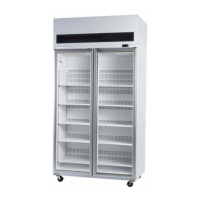
Introduction The electronic controller controls the freezer, displays the freezer
temperature and signals temperature alarms. It uses temperature probes to
collect data and runs the freezer accordingly. The electronic controller is
pre-programmed and usually requires no initial setup or additional
programming. SKOPE does not recommend that the settings be changed
unless necessary.
Note: Twin unit freezers freezers are fitted with two electronic controllers,
one for each refrigeration unit.
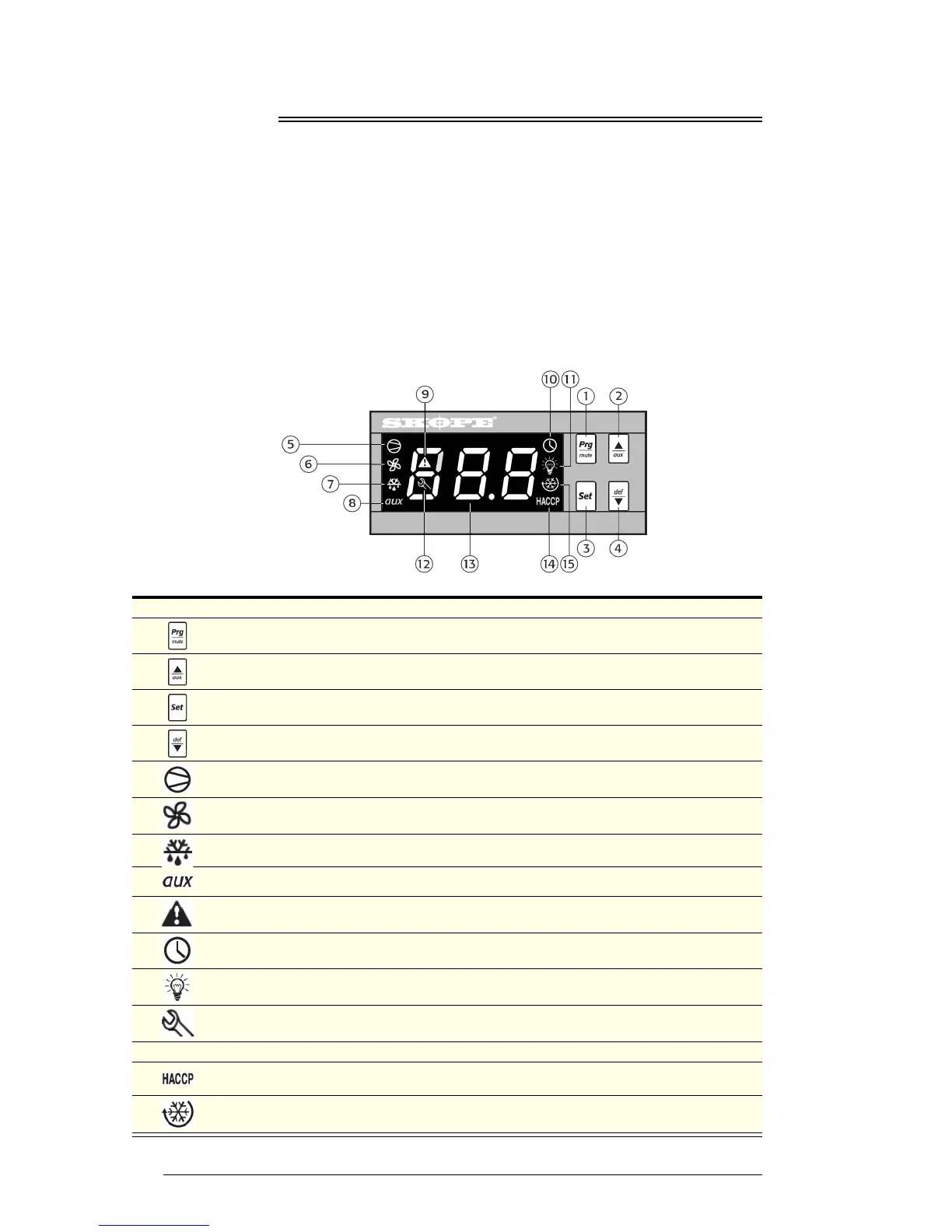
Faceplate Because the electronic controller plays such an important role, it’s helpful to
know the parts of the faceplate you may use.
No. Item Description
1
Prg / mute: To initiate program sets, press for 5 seconds. Mutes the audible alarm (buzzer).
2
UP / aux: To switch light/s on and off. To scroll settings UP (in program mode).
3
Set: If pressed for more than 2 seconds displays and / or enables changing the temperature
setpoint (see page 9).
4
DOWN / def: To scroll settings DOWN (in programme mode).
5
COMPRESSOR: ON when the compressor and condenser fan starts. Flashes when activation of
the compressor is temporarily delayed.
6 FAN: Shows when fan is operational.
7
DEFROST: ON when the defrost is activated. Flashes when the activation of the defrost is
temporarily delayed due to procedures in progress.
8 AUX: n.a.
9 ALARM: Flashes in the event of alarms.
10 CLOCK: On when real time clock is enabled.
11 LIGHT: On when the cabinet lighting is activated.
12 SERVICE: Flashes in the event of malfunctions.
13 DISPLAY: Shows the cabinet temperature.
14 HACCP: n.a.
15 CONTINUOUS CYCLE: On when freezer is running in continuous run mode.


 To Next Page