13
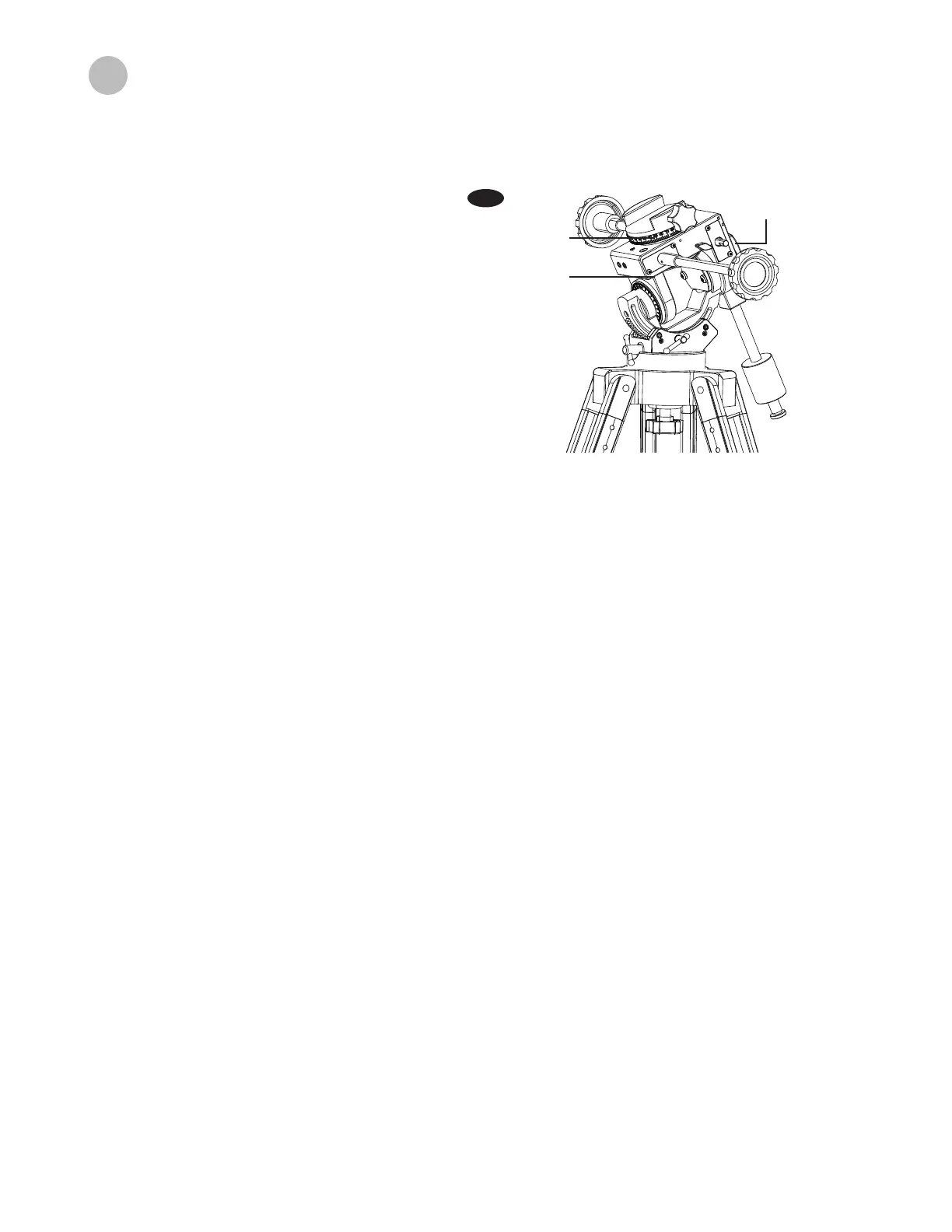
The telescope`s R.A. Setting circle is scaled in hours, from 1 through 24, with small lines in between representing
10 minute increments. The upper set of numbers apply to viewing in the Northern Hemisphere, while the numbers
below them apply to viewing in the Southern Hemisphere (Fig.19).
In order to set your Right Ascension circle you must rst nd a star in your eld of view with known coordinates.
A good one would be the 0.0 magnitude star Vega in the Constellation Lyra. From a star chart we know the R.A.
Coordinate of Vega is 18h 36m. Loosen the R.A. And DEC. Lock knobs on the mount and adjust the telescope so
that Vega is centered in the eld of view of the eyepiece. Tighten the R.A. and DEC lock knobs to lock the mount
in place. Now rotate the R.A. Setting circle until it reads 18h36m. You are now ready to use the setting circles to
nd objects in the sky.
Reading the R.A. setting cirde
Setting (calibrating) the R.A. setting circle
The quickest way to nd objects is to learn the Constellations and use the Red Dot Finder for aiming. Downloading
a star chart on a smartphone or tablet helps nding the position of faint objects which are not visible by the naked
eye. Estimate their position compared to easily visible stars and aim there. Search with the low power eyepiece in
that area. This is the so called “star hopping” method.
Another, more traditional approach, is using
the setting circles on your mount. Setting
circles enable you to locate celestial objects
whose celestial coordinates have been deter-
mined from star charts.
Your telescope must be polar aligned and the
R.A setting circle must be calibrated before
using the setting circles. The DEC setting
circle was set at the factory, and does not
require calibrating the same manner as the
R.A. setting circle.
Using the setting circles
Fig.19
Right ascension
Clutchknob
DEC setting circle
RA setting circle




 To Next Page