6
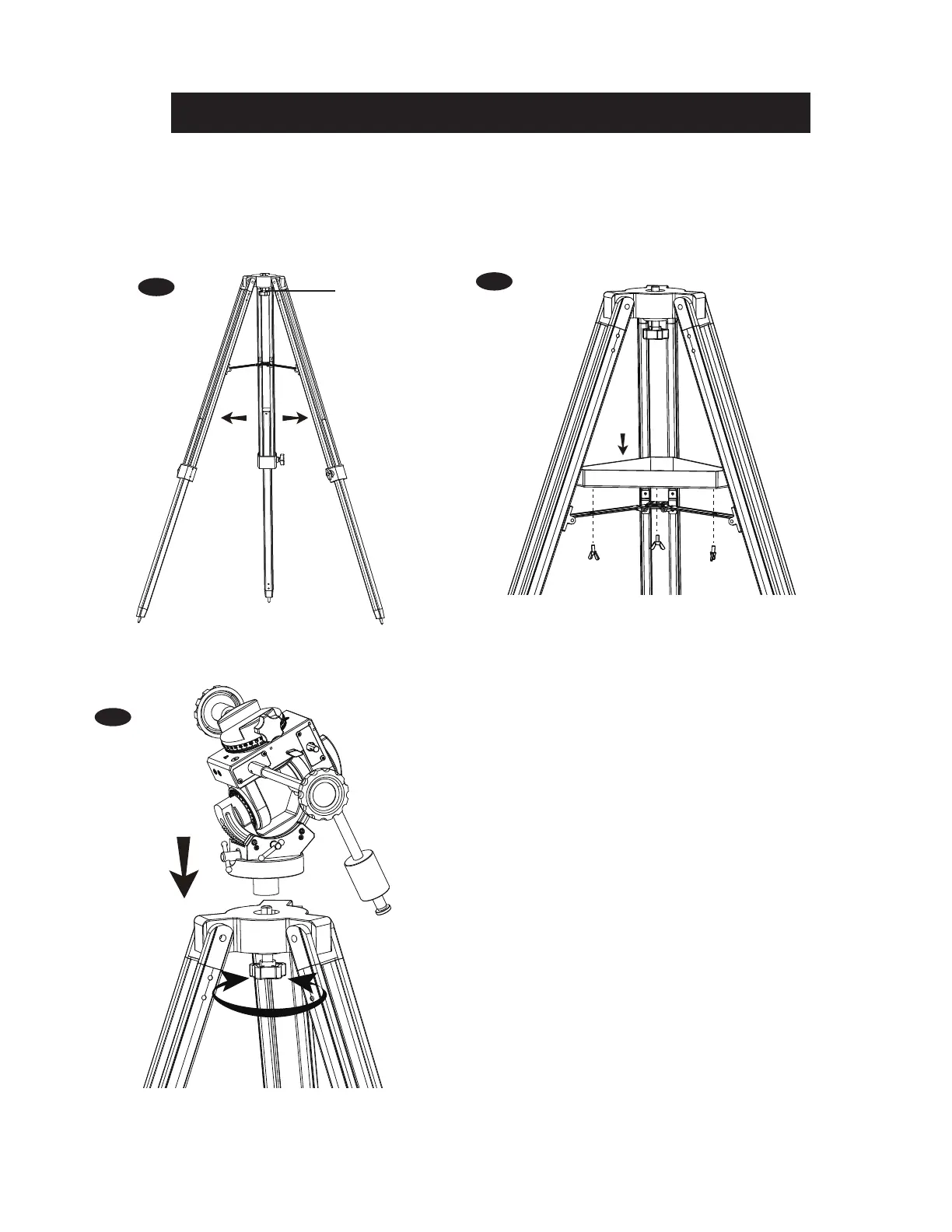
Fully expand the three legs of the standard tripod (Fig.1).
Install the accessory tray on the tripod as shown in (Fig.2).
Extend the legs to the desired height and, by adjusting each leg separately, make sure the tripod head is level.
Align the M10 socket at the base of the mount with the M10 bolt on the tripod head. Lock the mount on the
tripod by tightening the bolt (Fig.3).
WARNING:The accessory tray of the standard tripod ensures
that the tripod legs are rmly expanded, which prevents the
tripod from accidentally tipping over. When using the CQ40 on
the standard tripod, an accessory tray should always be used
to ensure stability.
1.
2.
3.
4.
SETTING UP THE CQ40 MOUNT AND TRIPOD
TightenLoosen
Fig.3
Fig.1
Fig.2
M10 bolt




 To Next Page