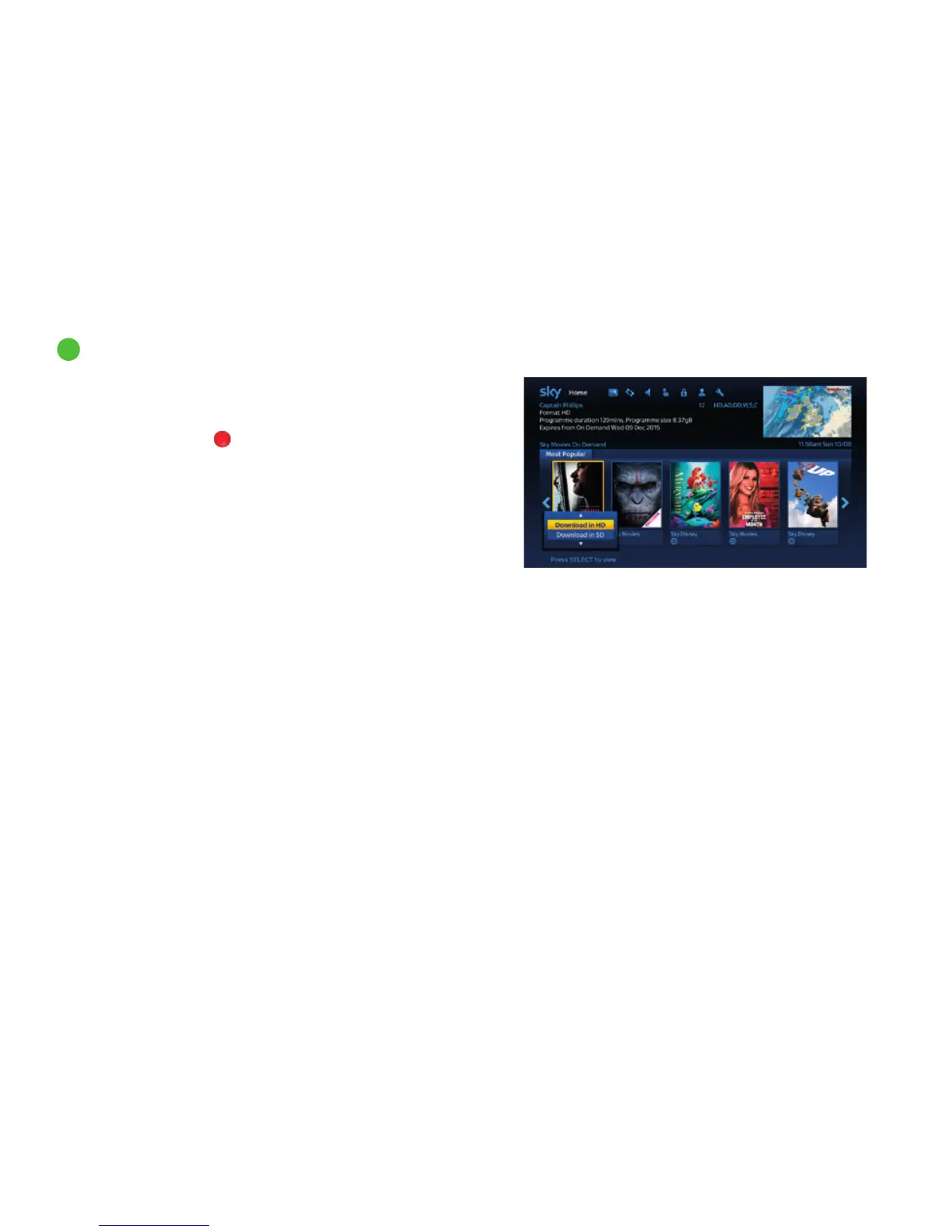
4 If you’ve highlighted a programme then a brief description
of the programme appears in the top left of the screen.
Press the i button for more detailed programme information.
5 If available, press the
red button (View Trailer) to show
a mini trailer.
6 Press select to start downloading the programme to your
Planner.
Where the programme is available in HD and SD (dependent on your
subscription) you can choose which version to download. Use the
up/down arrows to highlight your choice and press select.
Use the ‘On Demand download format’ setting in the Settings->
Customise menu to choose whether this option is displayed.
Find out more about this setting on page 41.
A notification will appear on screen when the programme is ready
to be watched.
2
Discover a world of entertainment
2
Seeing what’s available to watch (continued)
35



 To Next Page