Battery Memory Set and Call Out
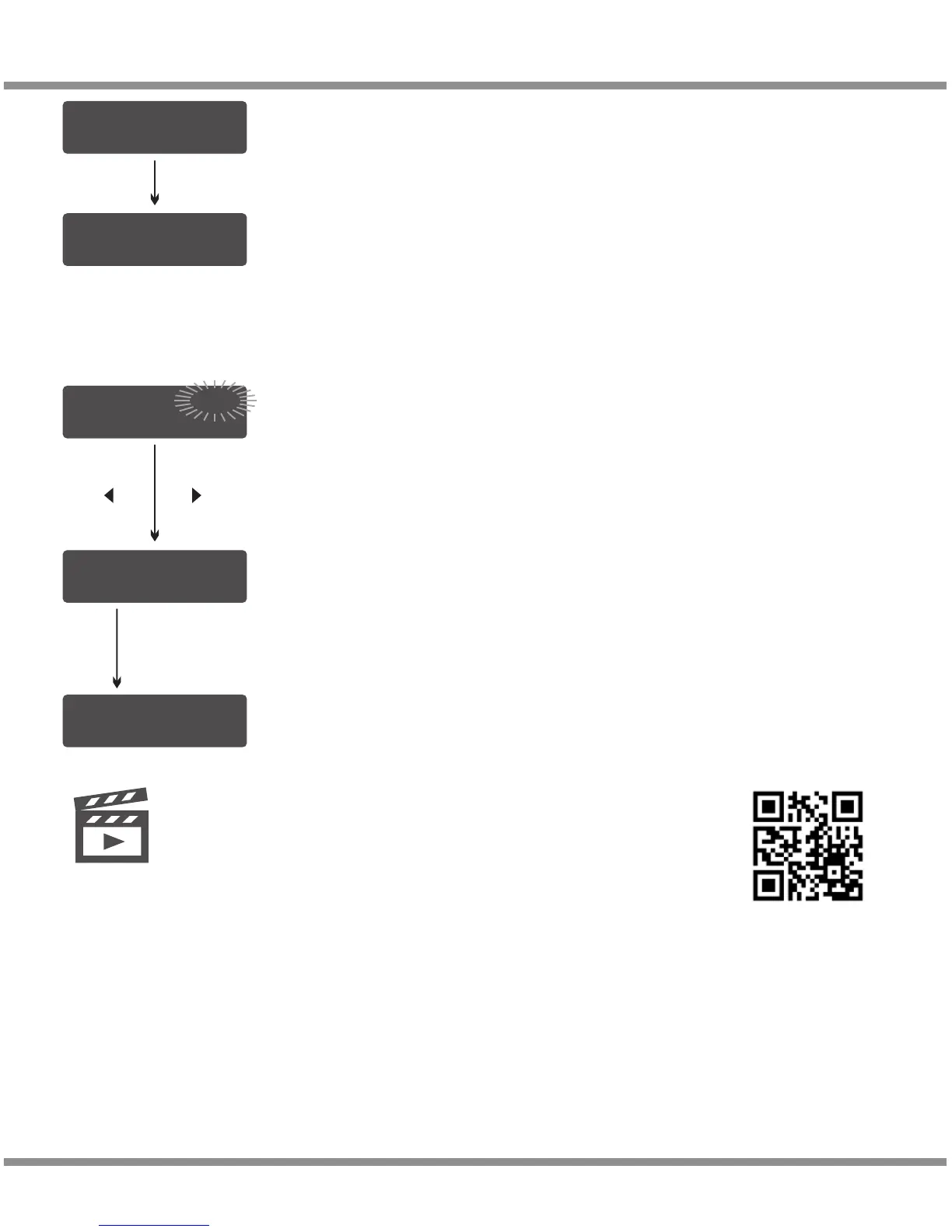
L i P o B A L A N C E CH G
5 . 0 A 2 2 . 2 V ( 6S )
S A V E P R O G R A M
S A V E .
[ B A T T M E M O R Y 1 ]
L i P o 2 2 . 2 V ( 6 S)
[ B A T T M E M O R Y 1 ]
C : 5 . 0 A D : 2 . 0A
Indicate the battery type and battery cell of the saved profile.
2. Battery Memory Call Out
Press START/ENTER for 3 seconds to start the process.
START/ENTER
>2 Seconds
· 26
D100v2
Please scan and watch the tutorial video above how to set
battery memory and call out.
Video
Tutorial
[ B A T T M E M O R Y 1 ]
C : 5 . 0 A D : 2 . 0A
DEC INC
e.g. Select memory 1
Press and hold the START/ENTER for 2 seconds to
call out the memory.
Press the DEC/INC to select memory number.


 To Next Page