If you have a question or a problem, please contact
1-844-SKY-WELL(759-9355) or email service@skywell.com for assistance.
6
DISPENSING HOT WATER
After water generation, the Skywell is able to heat the water up to 203
degrees Fahrenheit within 15-20 minutes. Hot water available for dispense will be
aligned with overall water generation, which is influenced by the ambient
conditions.
1. Place your cup on the center of the drip tray.
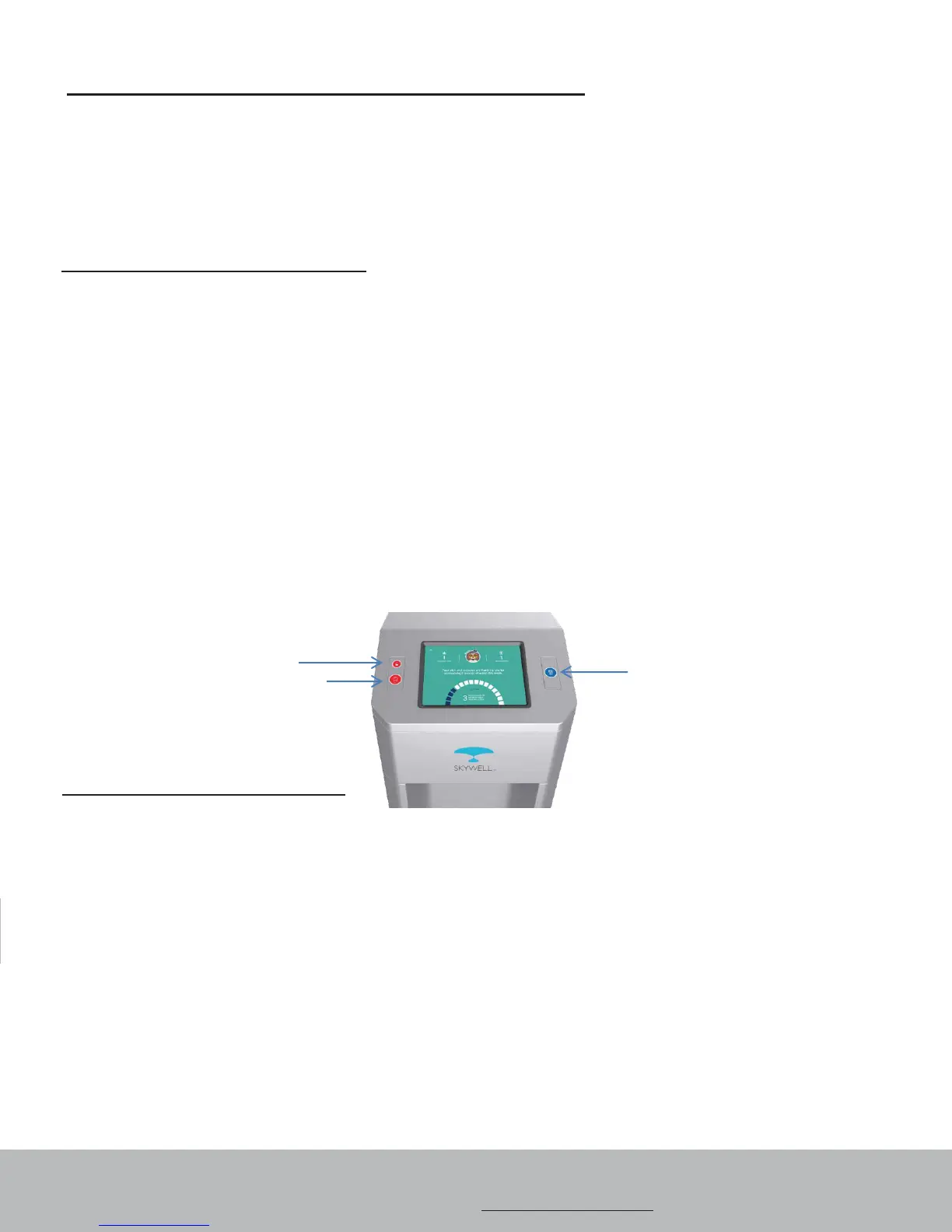
2. Press and release the top red unlock button (Child Safety Lock) on the left of
the touch screen. You have approximately 10 seconds to begin hot water
dispense before the red unlock button will need to pressed again.
Press the bottom red circle button (below the red unlock button) to dispense
hot water. Use with caution.
3. Press the red circle button for the duration of the dispense until the desired fill
level is obtained.
4. Never allow children to dispense hot water without proper and direct adult
supervision.
OPERATING AND USING YOUR SKYWELL
DISPENSING COLD WATER
After water generation, it will take up to 90 minutes for the water to reach its
maximum cold temperature. During this time, the compressor may run
continuously. Cold water available for dispense will be aligned with overall water
generation, which is influenced by the ambient conditions.
1. Place your cup on
the center of the drip tray.
2. Press the blue circle button to the right of the touch screen to dispense cold
water.
3. Press the blue circle button for the duration of the dispense until the desired fill
level is obtained
Cold Dispense Button
Child Safety Lock
Hot Dispense Button


 To Next Page