14 / 17
Copyright (c) 2009-2017 RoboPeak Team
Copyright (c) 2013-2017 Shanghai Slamtec Co., Ltd.
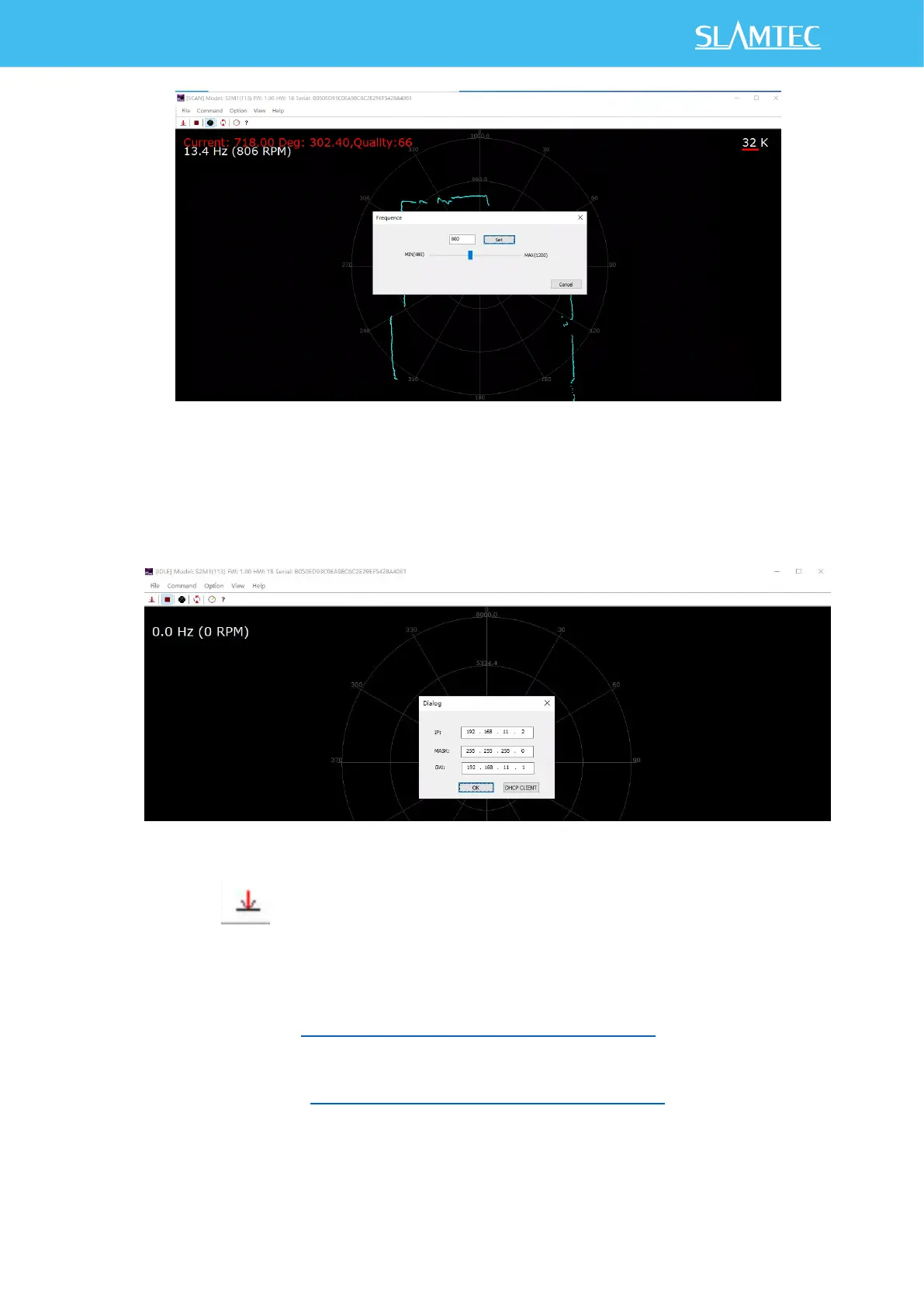
Figure 3-7 Lidar Speed Regulation
7)Click Command >IP Config to configure the IP address. As Figure 3-7
shows resetting the device after the configuration is complete. For SDK, see
setLidarIpConf and reset.
Figure 3-8 IP Configuration
8)Click to download single point cloud data.
ROS/ROS2 Usage
1) Please refer to https://github.com/Slamtec/rplidar_ros for ROS,and run
roslaunch rplidar_ros view_rplidar_s2e.launch to perform visual tests.
2) Please refer to https://github.com/Slamtec/sllidar_ros2 for ROS2 ,and
run ros2 launch sllidar_ros2 view_sllidar_a3_launch.py to perform
visual tests.


 To Next Page