13 / 17
Copyright (c) 2009-2017 RoboPeak Team
Copyright (c) 2013-2017 Shanghai Slamtec Co., Ltd.
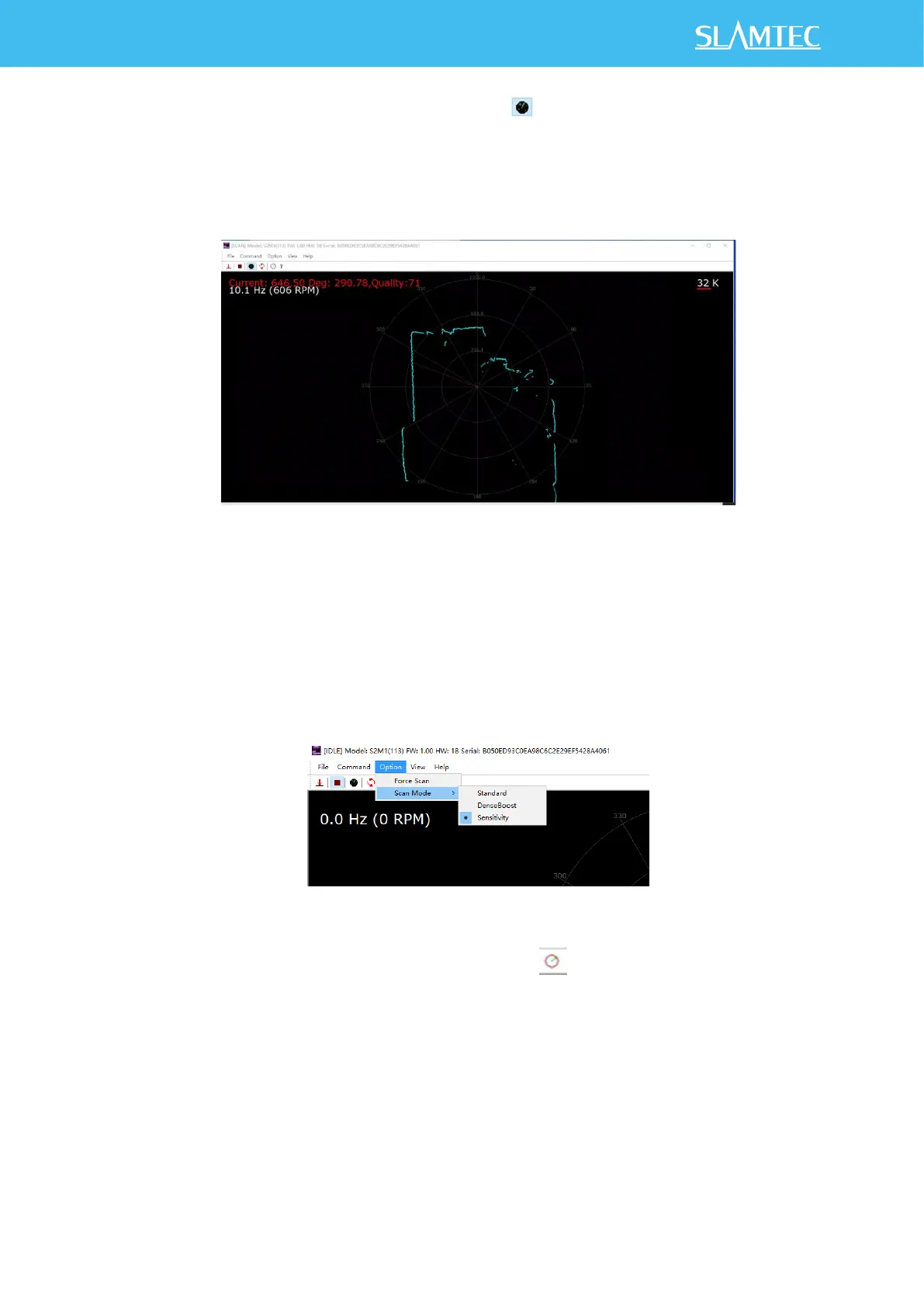
4)Click "OK" in Figure 3-3 and then click to scan point cloud, as shown
in Figure 3-5. For SDK, please refer to startScanExpress and
grabScanDataHq.
Figure 3-5 Point Cloud Display Interface
5)The RPLIDAR S2E supports three scan modes. The Sensitivity mode can
output range, angle and intensity information, as well as internal lidar time
stamps for each 96 point cloud data. For details, please refer to the
communication protocol documents on the official website.
Figure 3-6 Scan Mode Selection
6)After starting lidar scanning, you can click to adjust the speed. Please
check the SDK checkMotorCtrlSupport and setMotorSpeed.


 To Next Page