7 / 17
Copyright (c) 2009-2017 RoboPeak Team
Copyright (c) 2013-2017 Shanghai Slamtec Co., Ltd.
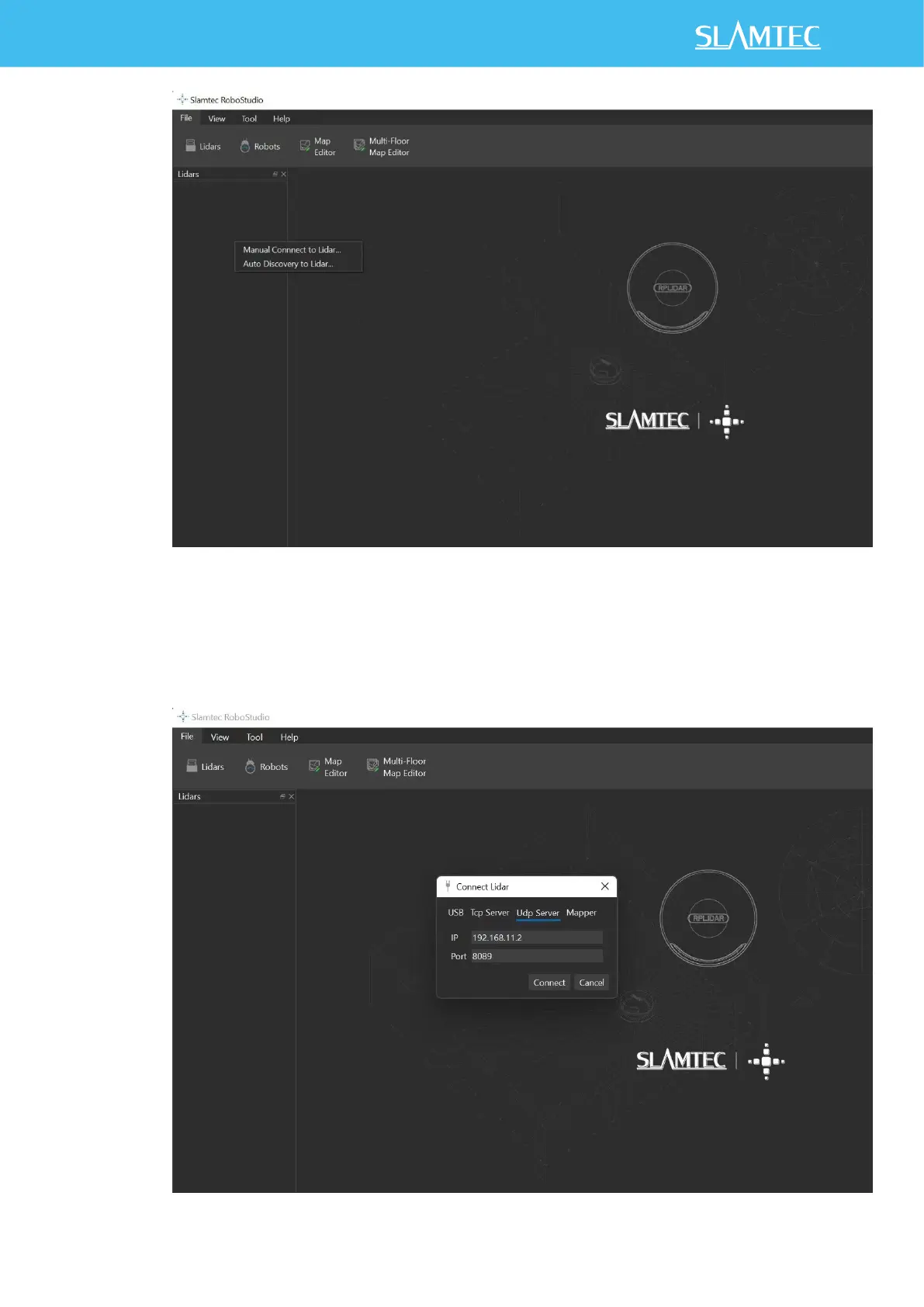
Figure 2-5 Manual Connection Menu for RoboStudio
3) Click on " Manual Connect to Lidar.. ", select "Udp Server" connection
mode in the dialog box, configure the Lidar IP address (192.168.11.2) and
port (8089), and then click "Connect".


 To Next Page