8 / 17
Copyright (c) 2009-2017 RoboPeak Team
Copyright (c) 2013-2017 Shanghai Slamtec Co., Ltd.
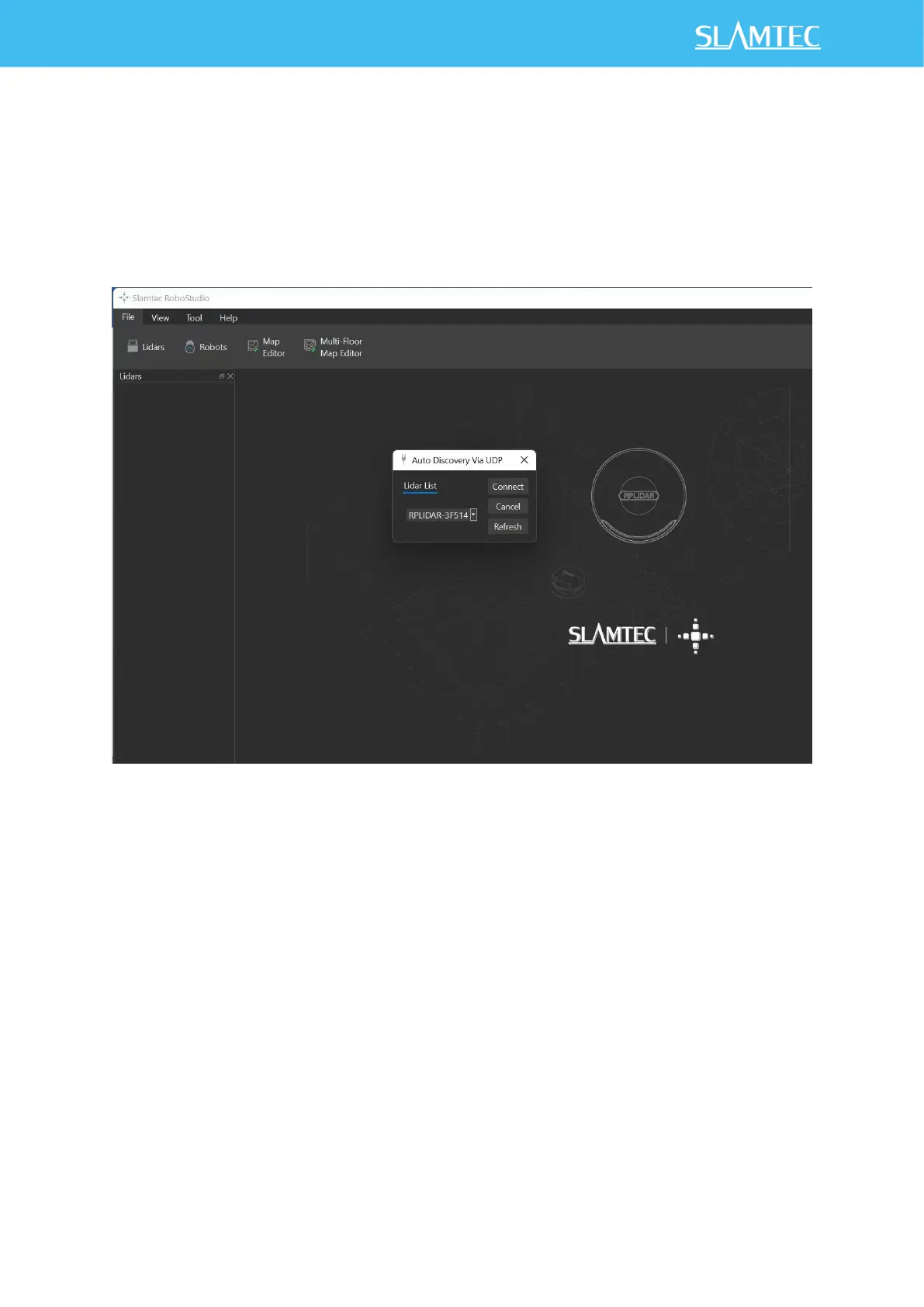
Figure 2-6 Udp Connection Interface of RoboStudio
4) Or click on " Auto Discovery to Lidar... "Use the device discovery function
of RPLIDAR S2E to find the automatic detection lidar, and the lidar
connected to PC will appear in the list. Click the lidar icon to expand the
list of tool ICONS below the lidar, and click the toolbar button to open
the toolbar options on the main interface, as shown below:
Figure 2-7 Lidars Plugin Work Interface of RoboStudio
The lidar display window shows the serial number, version and model
information of the current connected lidar. All the operations available for
RPLIDAR are listed in the toolbar:


 To Next Page