SMA Solar Technology AG 5 Connection
Installation Manual 485i-Module-IA-en-19 15
Connecting the Cable to the 485 Data Module
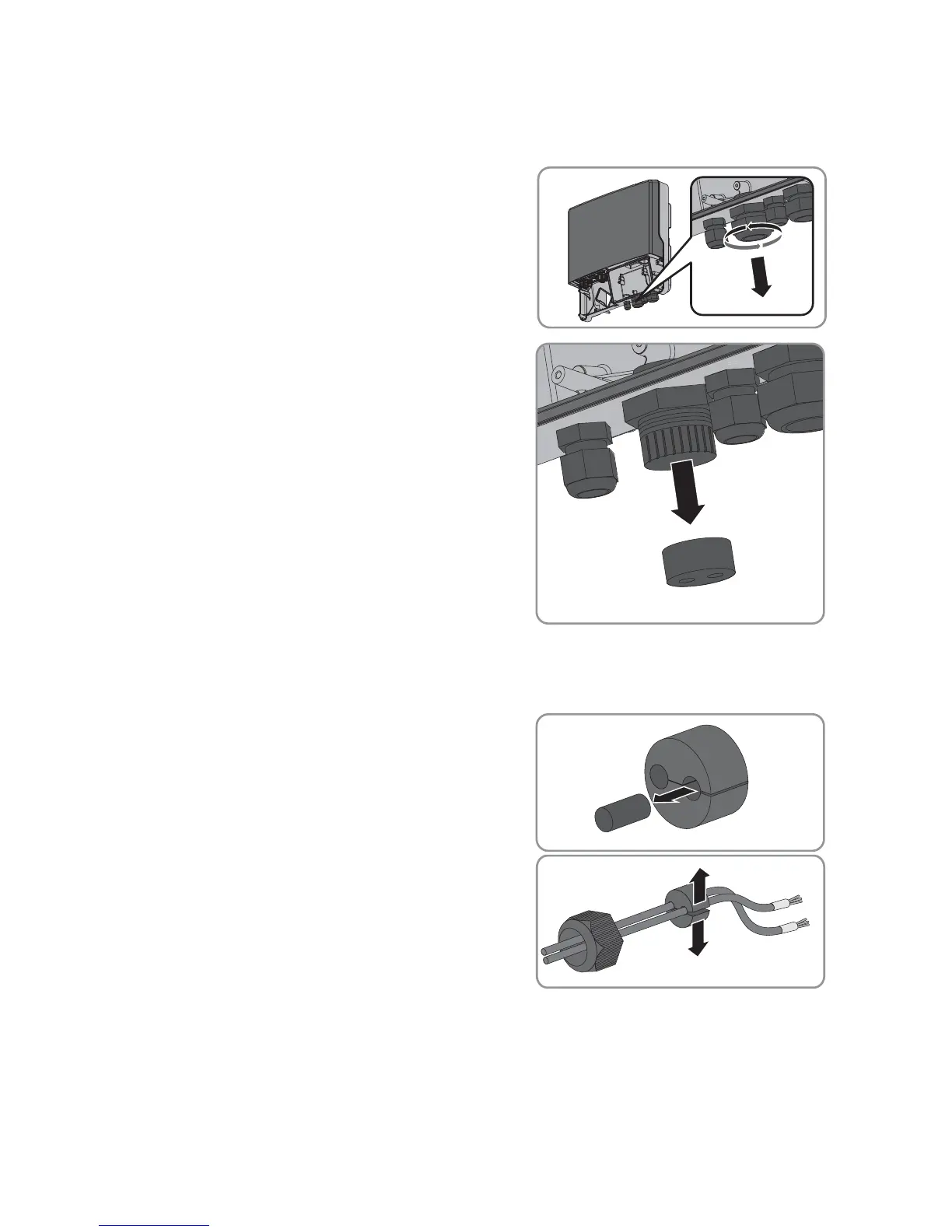
1. Flip the display up until it snaps into place.
2. Unscrew the swivel nut of the cable gland on the
inverter.
3. Press the seal out of the cable gland from the inside.
4. Route the cable from the outside into the inverter through the unfastened swivel nut and the
cable gland.
5. Remove one of the filler-plugs from the seal for each
cable.
6. Insert the cable into the seal.
7. Press the seal into the cable gland. Ensure that any unused cable openings are sealed with filler
plugs.
8. Screw the swivel nut of the cable gland on loosely.


 To Next Page