5 Connection SMA Solar Technology AG
16 485i-Module-IA-en-19 Installation Manual
9. Remove or connect the terminator:
• If two cables are connected, open the spring clamp terminals of the plug with the connected
terminator and remove the terminator.
• If one cable is connected, the terminator in the unused plug must be connected in terminals
2 and 7.
10. Open the spring clamp terminals on the plug.
11. Connect the insulated conductors to the plug terminals and note down the color of the insulated
conductors. The allocation of cables to plugs can be done in any order.
12. Close the spring clamp terminals.
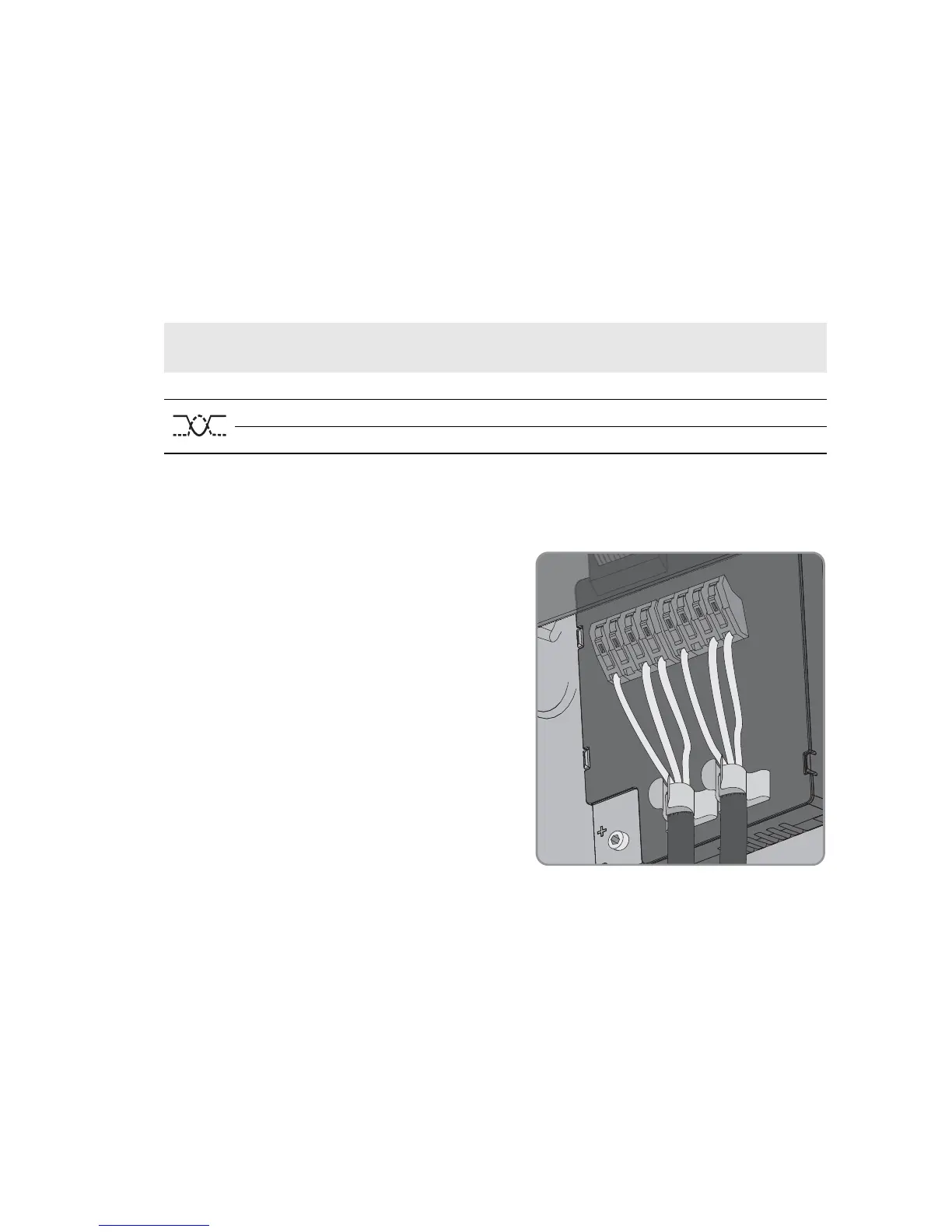
13. Push the cable with the cable shield into the shield connection terminal on the 485 Data
Module.
☑ Two cables are connected to the 485 data
module.
Signal 485 Data Module RS485 bus Insulated
conductor color
GND 5 5
Data+ 2 2
Data- 7 7


 To Next Page