Installation
1.7
REMOTE HALL SENSOR
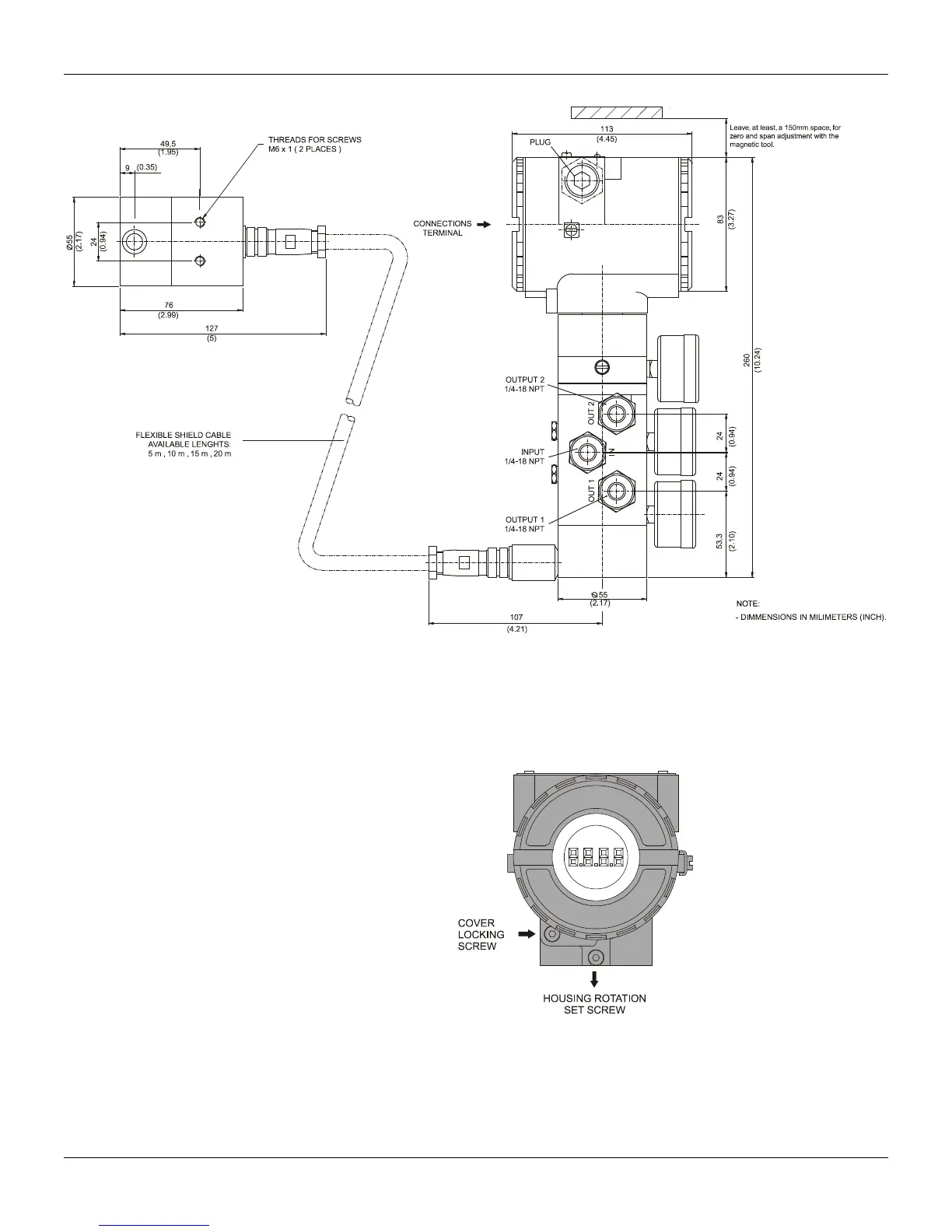
Figure 1.5 – FY301 Dimensional Drawing
Electronic Housing Rotating
The electronic housing can be rotated in order to offer a better to position the digital display and/or
better access to the field connections. To rotate it, release the housing rotation set screw. See figure
1.6. The local indicator itself can also be rotated. See section 5, figure 5.2.
Figure 1.6 - Housing Rotation Set Bolt



 To Next Page