Installation Manual STR7202 TAG4 & SFM7704 TAG1
DBCI-0512-0052-V013
STR7202 2-Side Trimmer & SFM7704 Square Fold Module
4. Preparation (continued)
Contents
4.3 Preparing the STR (continued)
4.4.2 Wheel Cover (continued)
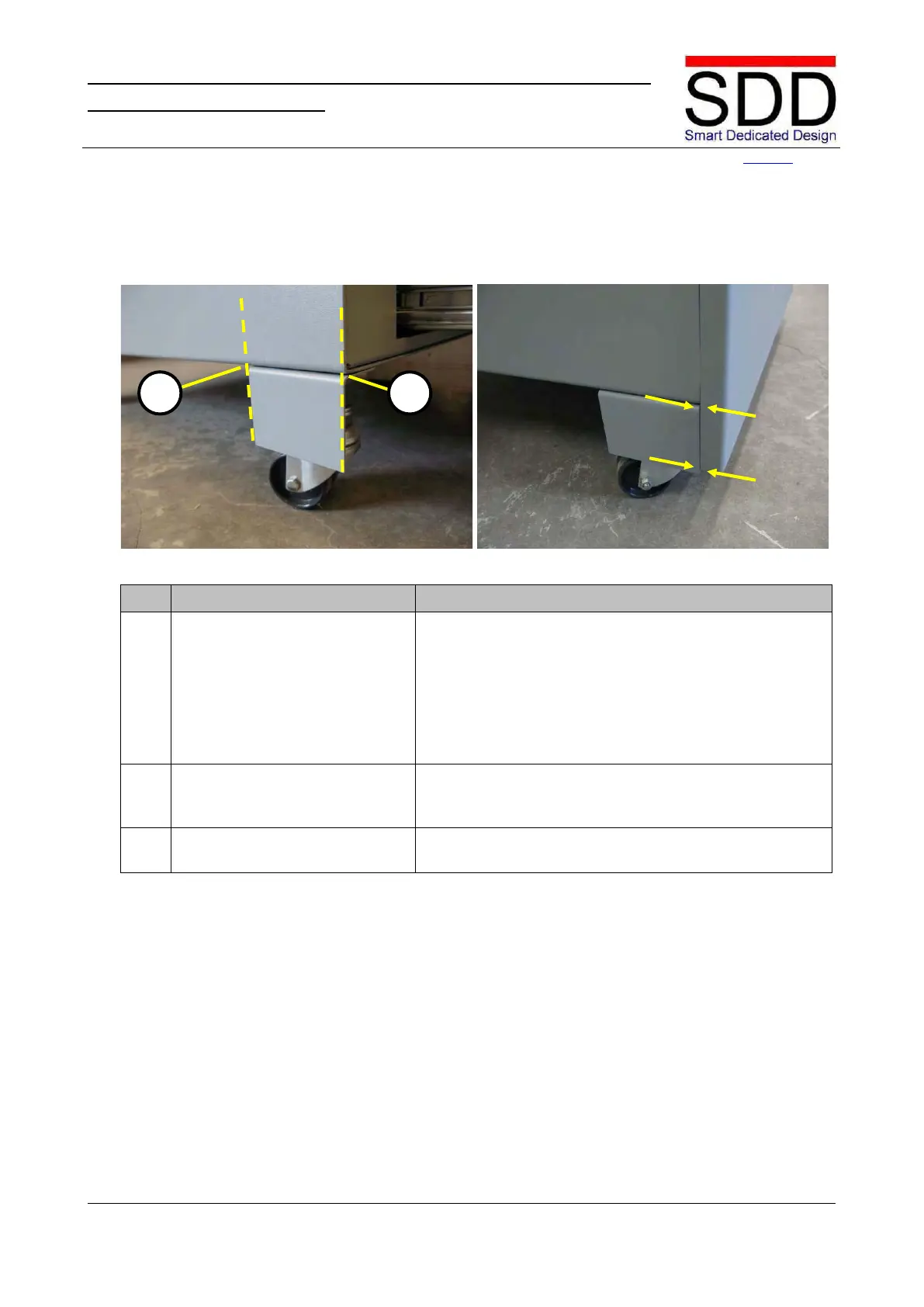
Fig. 4.4.2.3 Fig. 4.4.2.4
Take the Wheel Cover out of the box with accessories.
Place the Wheel Cover on the Allen Screw and Upper
Wheel Nut under the Base (Fig. 4.4.2.3) and then tighten
these screws lightly by hand.
Make sure the Wheel Cover is in line with the Front [C]
and the Side of the Base [D].
Check Wheel Cover alignment
Close the Trim Waste Bin Drawer and check that the
Front of the Drawer aligns with the Base and the Wheel
When correctly aligned, tighten Allen screw [A] from step
4.4.2.2 (Fig. 4.4.2.2).



 To Next Page