Installation Manual STR7202 TAG4 & SFM7704 TAG1
DBCI-0512-0052-V013
STR7202 2-Side Trimmer & SFM7704 Square Fold Module
4. Preparation (continued)
Contents
4.4 Preparing the STR (continued)
4.4.3 Connection Kit (D1 only)
IMPORTANT:
Skip step 4.4.3 for Canon F1 Trimmer. Connection Kit only to be mounted for D1 Trimmer.
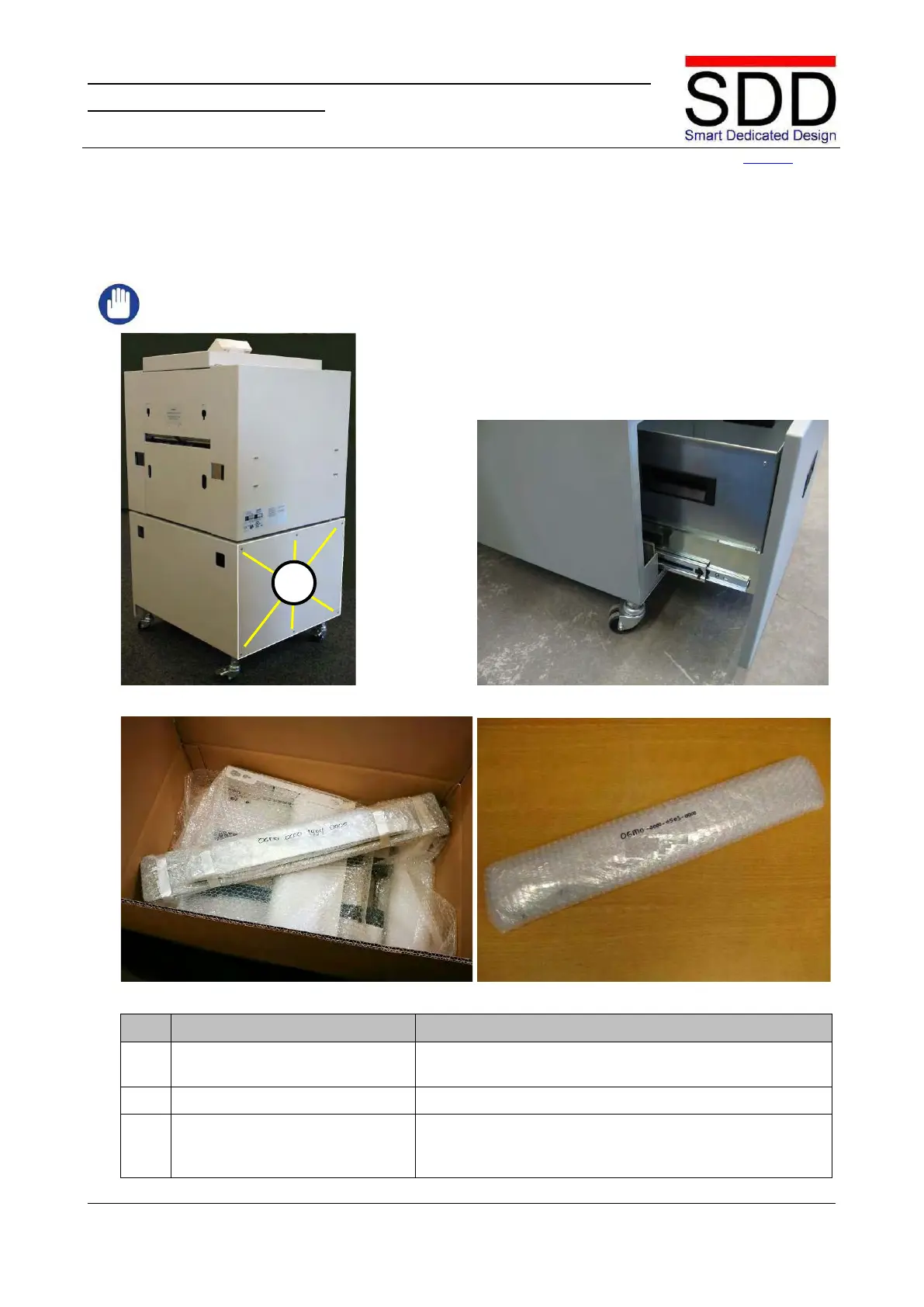
Fig. 4.4.3.1 Fig. 4.4.3.2
Fig. 4.4.3.3 Fig. 4.4.3.4
Remove Lower Right Cover.
Loosen and remove 6x M4 Hexagon bolts [A] and remove
Cover (Fig. 4.4.3.1).
Remove Coupling Plate from Belt Stacker Box and
unwrap OGMO-0000-0902-0000 for D1 (Fig. 4.4.3.3 &



 To Next Page