Installation Manual STR7202 TAG4 & SFM7704 TAG1
DBCI-0512-0052-V013
STR7202 2-Side Trimmer & SFM7704 Square Fold Module
5. Installation (continued)
Contents
5.1 Mechanical Installation (continued)
5.1.2 STR behind Canon Booklet Trimmer D1 (continued)
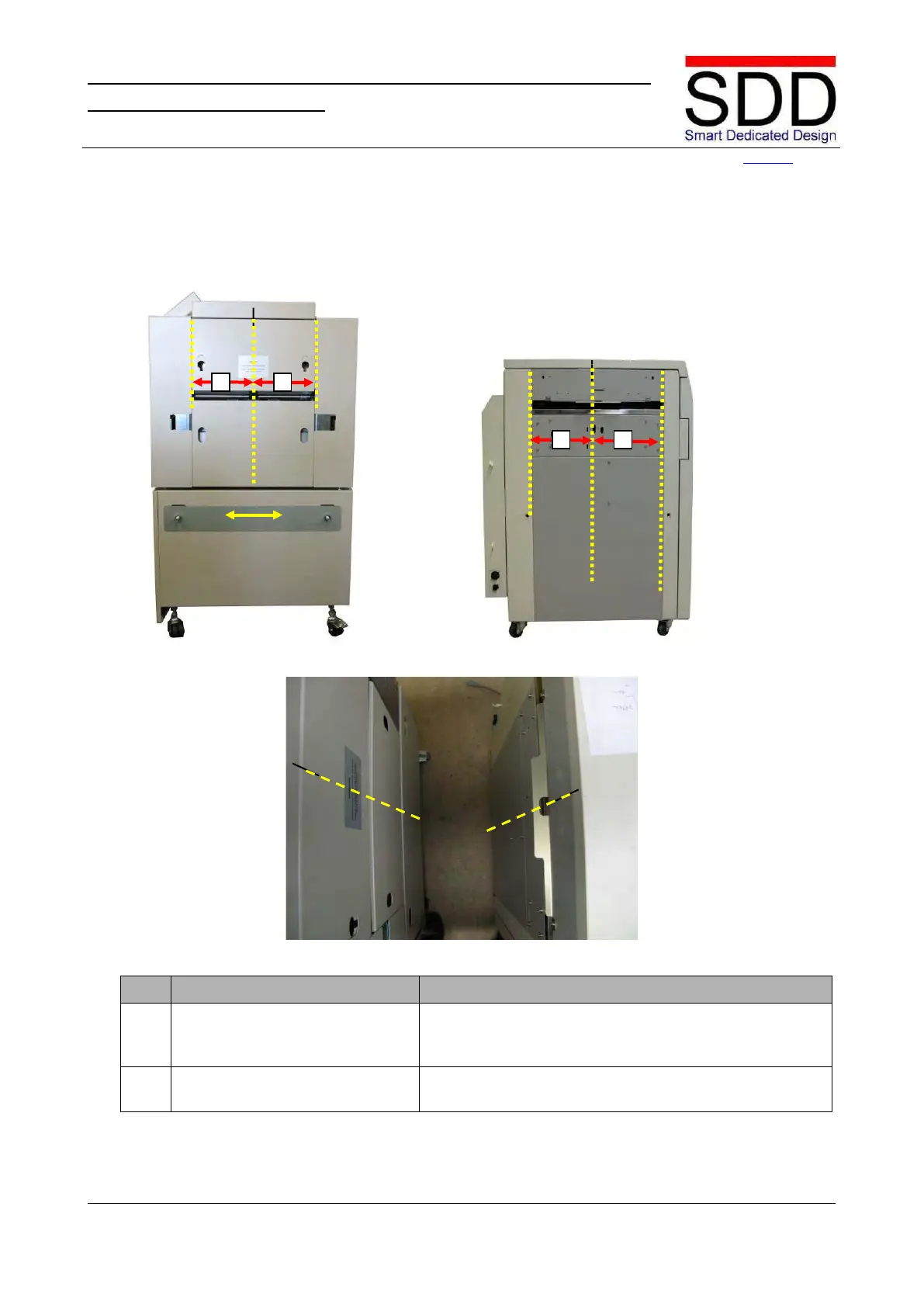
Fig. 5.1.2.3 Fig. 5.1.2.4
Fig. 5.1.2.5
Determine the vertical center line of the in- and outfeed
slot on the machines and mark in an appropriate way
Vertically center align the STR Infeed slot and Canon
Booklet Trimmer Outfeed slot.



 To Next Page