Installation Manual STR7202 TAG4 & SFM7704 TAG1
DBCI-0512-0052-V013
STR7202 2-Side Trimmer & SFM7704 Square Fold Module
5. Installation (continued)
Contents
5.2. Electrical Installation (continued)
5.2.3 Installing Start/Stop Interface in Canon Booklet Trimmer F1 (continued)
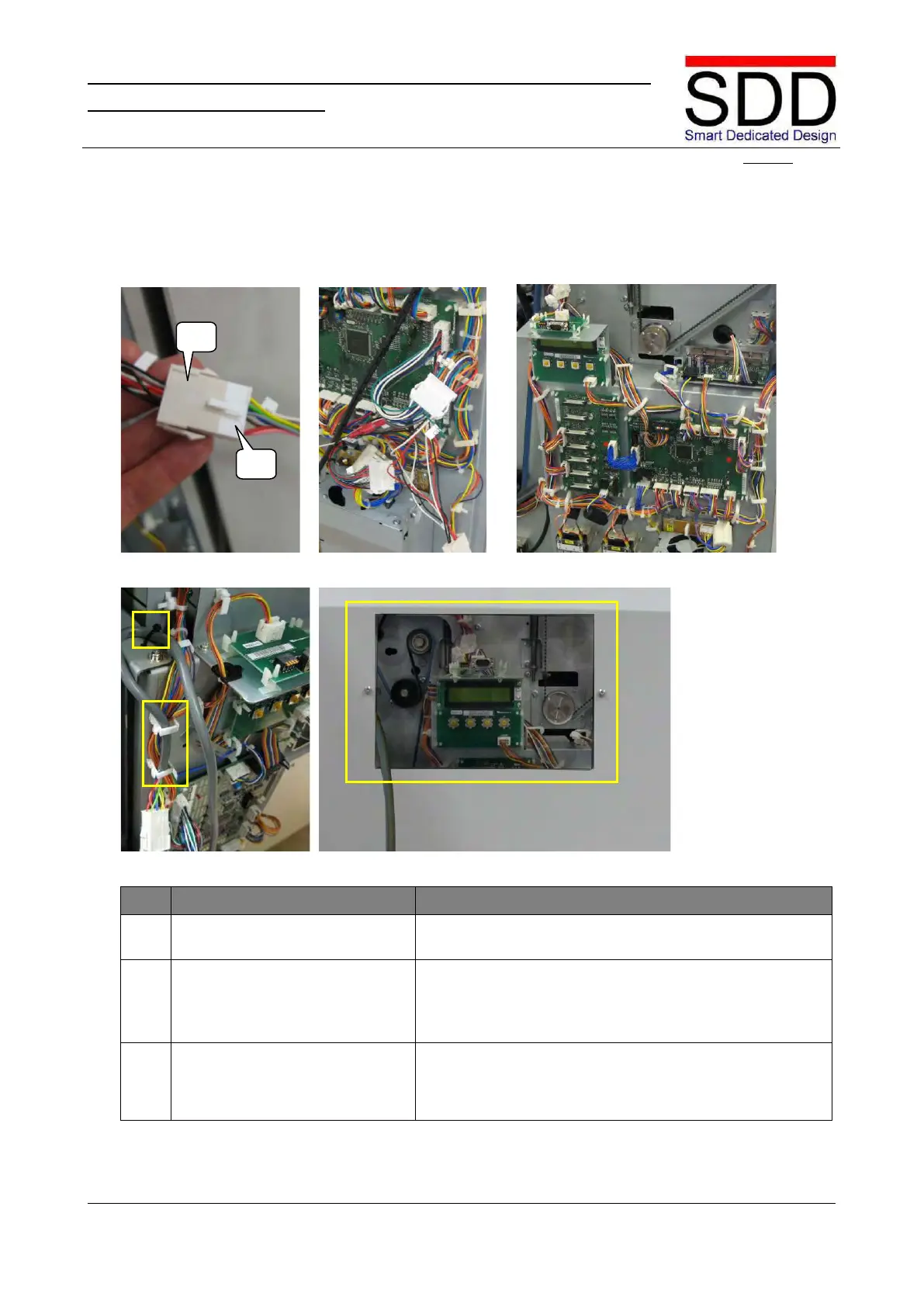
Fig. 5.2.3.13 Fig. 5.2.3.14 Fig. 5.2.3.15
Fig. 5.2.3.16 Fig. 5.2.3.17
Install Communication Cable.
Connect [J5] to [P5] on the Communication Cable (Fig.
5.2.3.13).
Secure Start/Stop Interface &
Communication Cables.
• Bundle and Secure multi-core cable with Tie Wraps
(Fig. 5.2.3.14).
• Place Communication Cable in clamps and fasten with
Tie Wrap as marked in Fig. 5.2.3.15 & Fig. 5.2.3.16
Lead out Communication Cable via aperture in Rear
Cover (Fig. 5.2.3.17) and mount cover back in place by
reversing step 5.2.3 #2.



 To Next Page