Installation Manual STR7202 TAG4 & SFM7704 TAG1
DBCI-0512-0052-V013
STR7202 2-Side Trimmer & SFM7704 Square Fold Module
5. Installation (continued)
Contents
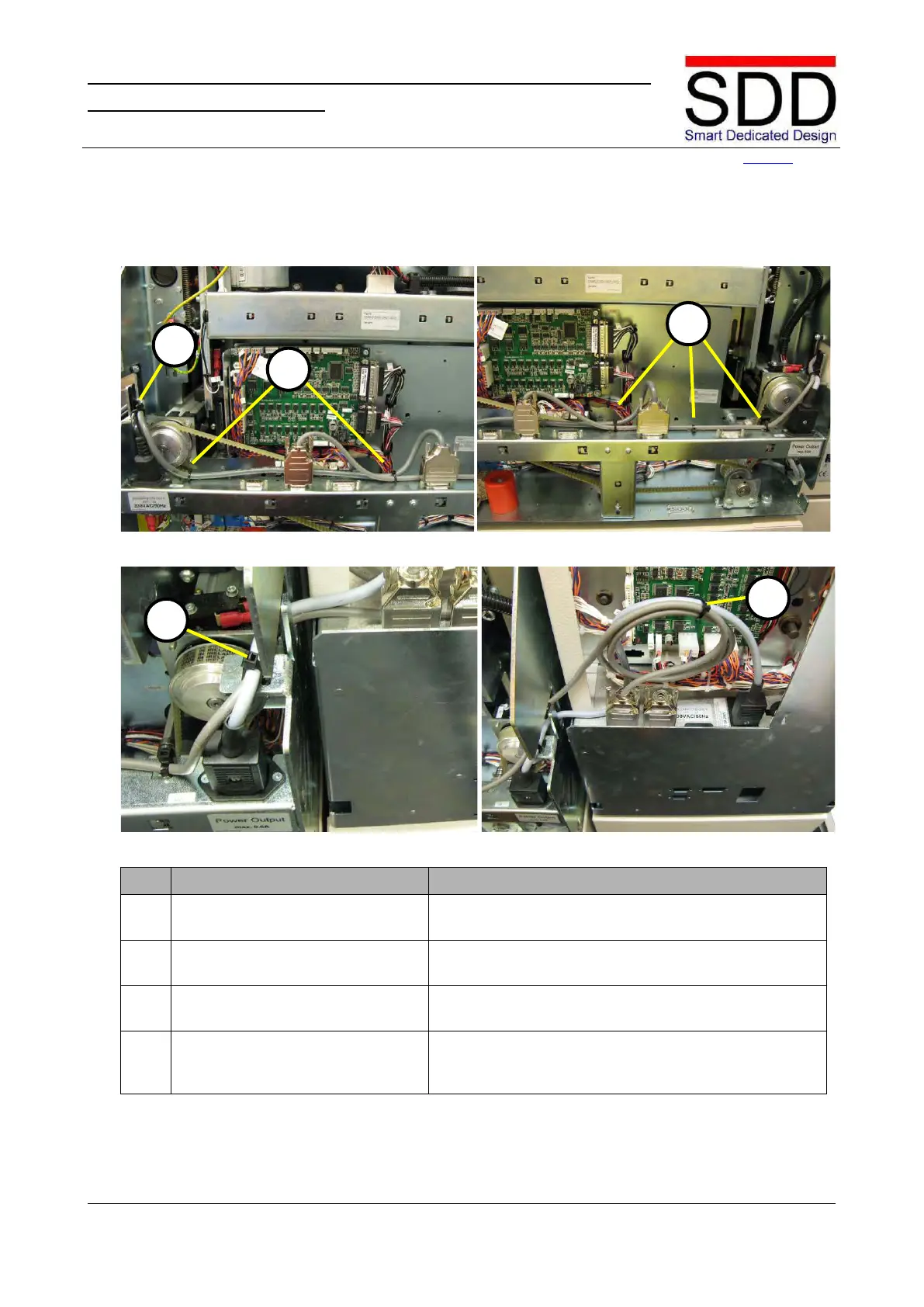
5.3 Securing cables in STR & SFM
Fig. 5.3.1 Fig. 5.3.2
Fig. 5.3.3 Fig. 5.3.4
Secure Power and Start/Stop
Interface cable.
Secure the Power and Start/Stop Interface cable with a
tie wrap at [A] (Fig. 5.3.1)
2. Secure Start/Stop Interface cable. Secure the Start/Stop Interface cable with a tie wrap at
Secure Communication cable.
Secure the Communication cable(s) with tiewraps at
cut-outs [C]. (Fig. 5.3.2)
Communication cable.
Secure the Power and Communication cable in the
STR with a tiewrap at cut-out [D] (Fig. 5.3.3) and in the



 To Next Page