28 iGlucose®
applying a blood sample
•
Place the lancing device against your fingertip and press the
release button as indicated in the drawing below.
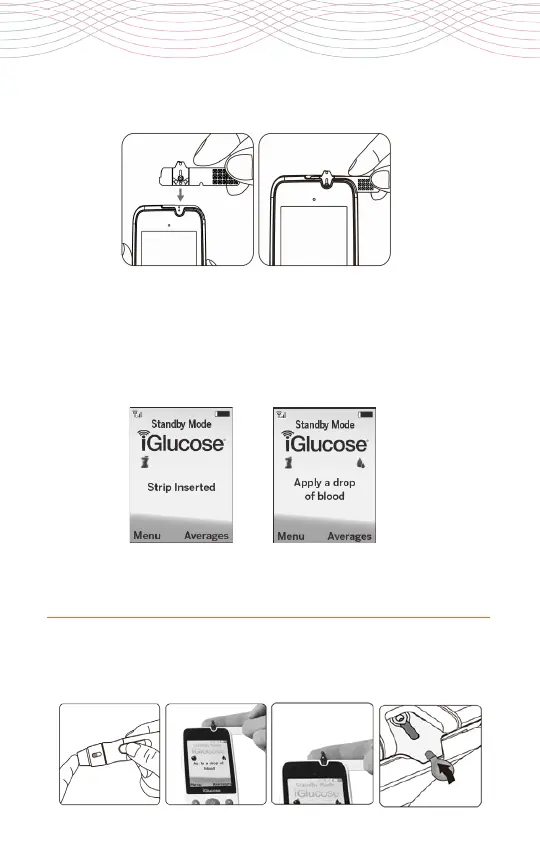
4. The meter goes through an internal check that takes 3 seconds.
Wait until a blood drop icon and “Apply a drop of blood”
message appears
on the display window. Once the message
appears, apply the blood sample within 120 seconds.
3a
4a
3b
4b



 To Next Page