G
WARNING
Before driving off, you should be familiar
with the operation of the functions which
you consider the most important. Never try
out new functions while the vehicle is in
motion. This will distract you from the
traffic conditions and may result in an
accident.
Operate the radio only in such a manner as
to allow you to retain full control of your
vehicle in all traffic conditions.
Bear in mind that, at a speed of 50 km/h,
your vehicle is already covering a distance
of 14 m per second.
i
You can find an overview of audio sys-
tem basic's controls in the Overview of
controls section (Y page 6).
Switching on audio system basic
If the radio was on when the key was turned
back in the ignition lock:
X
Turn the key to position 1 or 2 in the
ignition lock.
or
X
Press the q button.
The radio calls up the last active func-
tion.
i
When the radio is switched on without
the ignition, the radio switches off
again automatically after 30 minutes.
Switching off audio system basic
X
Turn the key to position 0 in the ignition
lock.
or
X
Press the q button.
Radio Data System (RDS)
Audio system basic is equipped with a
Radio Data System (RDS).
RDS provides additional information
broadcast inaudibly over the FM waveband.
This information is broadcast by most
radio stations. The available information
may include such things as the name of the
current programme or alternative frequen-
cies over which the same station can also
be received.
Audio system basic continuously updates
the memory. The audio receiver is there-
fore able to switch automatically to an
alternative frequency with a better signal.
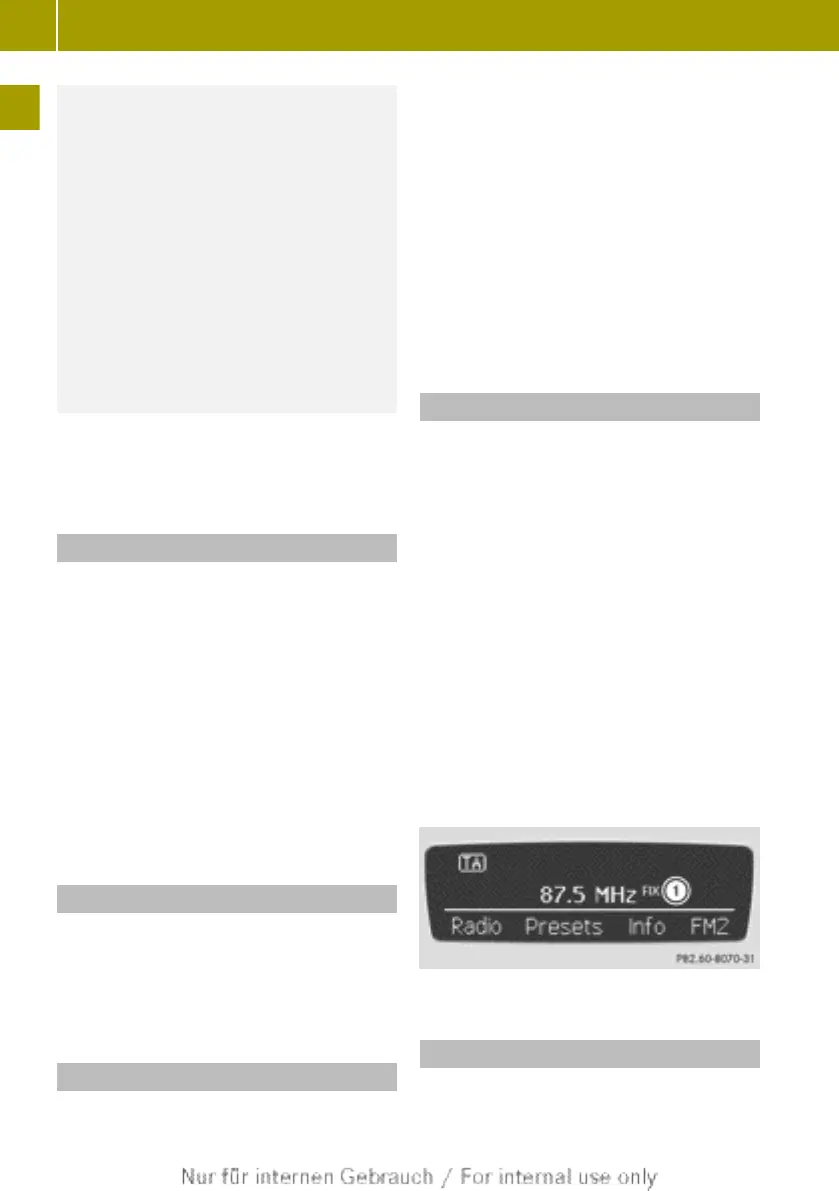
Fixing the frequency
To ensure that the reception of the set
radio station is always of the best-possi-
ble quality, an alternative frequency is
selected automatically if necessary. You
can deactivate this function by fixing the
frequency.
To do this, proceed as follows:
X
Press the $ button.
X
Press the : arrow button repeatedly
until Frequency fix is selected.
X
Press 9 to confirm.
The O icon shows that the currently
selected frequency has been fixed.
X
Press the back button to exit the menu.
The fixed frequency is followed by the
word FIX.
:
Fixed frequency activated
Volume settings
The set volume applies to both radio mode
and USB/AUX mode.
8
Basic functions
>> At a glance.



 To Next Page