ped in the closing area in the process. This
poses an increased risk of injury or even
fatal injury.
Make sure that no parts of the body are in
the closing
area. To stop the closing proc-
ess, release the switch or push the switch
again to reopen the side window.
Opening or closing the side windows
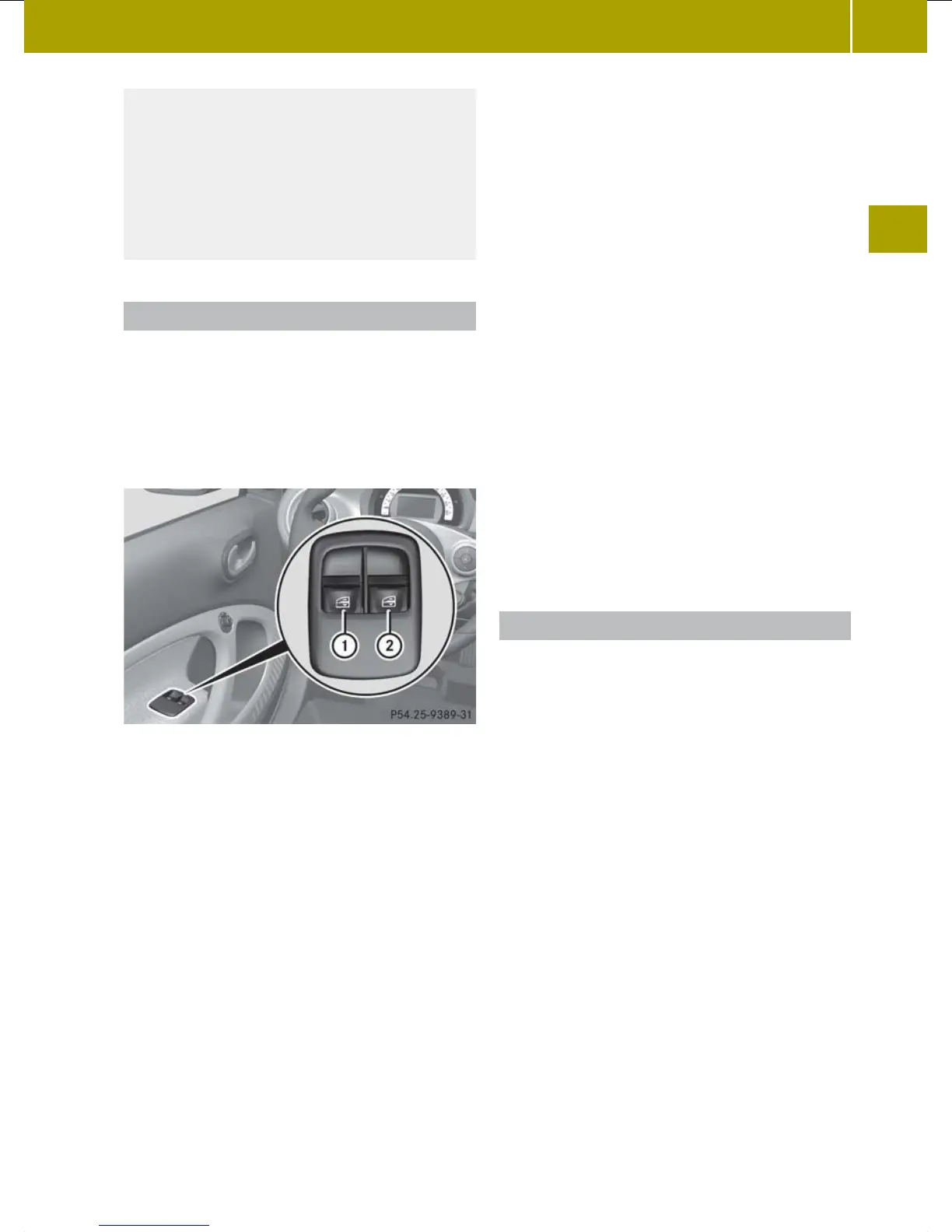
The switches for both side windows are
located on
the driver's door. There is also a
switch for the front-passenger side window
on the front-passenger door.
The switch on the driver’s door takes prec-
edence.
:
Left
;
Right
X
Turn the key to position 1 or 2 in the
ignition lock.
X
To open manually:
press
and hold the cor-
responding button.
X
To open fully: press
the button beyond the
point of resistance and release it.
Automatic closing is started.
X
To close manually: pull the correspond-
ing button and hold it.
X
Vehicles with the comfort package:
To close fully:
pull the button beyond the
point of resistance and release it.
Automatic closing is started.
X
To interrupt automatic opening/closing:
press/pull the corresponding switch
again.
i
If
you
press the switch beyond the point
of resistance while opening, automatic
operation is started. In vehicles with
the comfort package, you can also start
automatic operation when closing. To do
so, pull the switch beyond the point of
resistance.
You can stop automatic operation by
pressing again.
i
You can continue to operate the side
windows after turning the key to position
0 in the ignition lock or removing the
key. This function remains active for 3
minutes or until you open a door.
Resetting the side windows
You must reset each side window if:
R
the side window opens again slightly
after being closed fully.
R
the side window can no longer be fully
opened or closed.
X
Close all doors.
X
Turn the key to position 2
in
the ignition
lock.
X
Pull the corresponding switch on the
door control
panel until the side window
is completely closed (Y page 73).
X
Hold the switch for an additional second.
If the side window opens again slightly:
X
Immediately pull the corresponding
switch on the door control panel until the
side window is completely closed
(Y page 73).
X
Hold the switch for an additional second.
X
If the corresponding side window
remains closed after the button has been
released, the side window has been reset
Side windows
73
>> Opening and closing.
Z














 To Next Page