EasyManua.ls Logo

SMART radio five - Radio Data System

SMART radio five
15 pages
Print Icon
To Next Page IconTo Next Page
To Previous Page IconTo Previous Page
Loading...
Radio
Data
System
(RDS)
The
Radio
Data
System
(RDS)
transmits
inaudible
additional
information
on
the
FM
wavelength.
Most
radio
stations
transmit
this
type
of
information.
Examples
of
this
type
of
information:
-
name
of
the
station
-
alternative
frequencies
for
receiving
the
same
station.
3-6
Radio
mode
Radio
Data
System
(RDS)
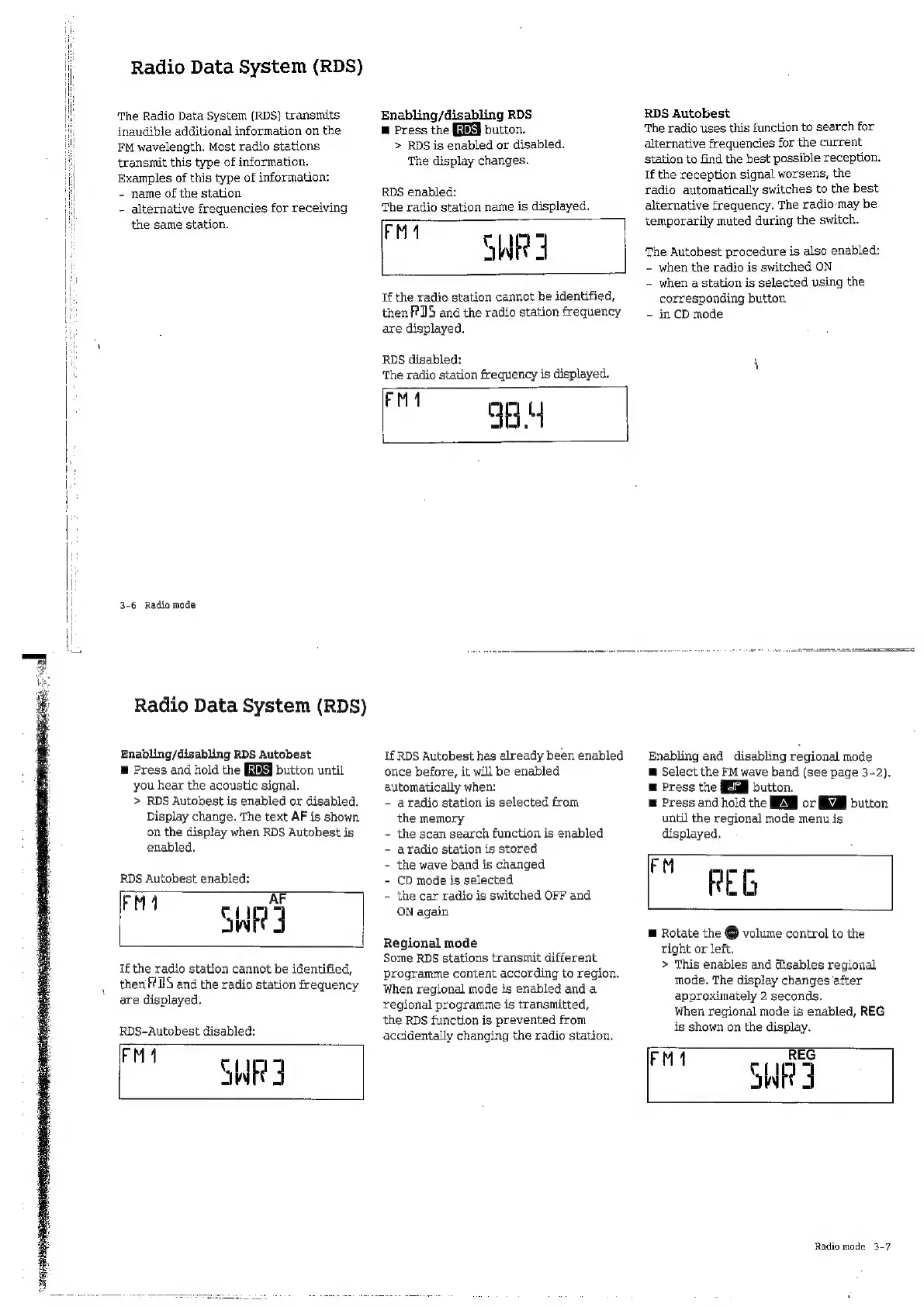
Enabling/disabling
RDS
Autobest
E
Press
and
hold
the
button
until
you
hear
the
acoustic
signal.
>
RDS
Autobest
is
enabled
or
disabled.
Display
change.
The
text
AF
is
shown
on
the
display
when
RDS
Autobest
is
enabled,
RDS
Autobest
enabled:
FM
1
AF
WE
3
If
the
radio
station
cannot
be
identified,
then
TS
and
the
radio
station
frequency
are
displayed.
RDS-Autobest
disabled:
Pr
SWRI
Enabling/disabling
RDS
m
Press
the
button.
>
RDS
is
enabled
or
disabled,
The
display
changes.
RDS
enabled:
The
radio
station
name
is
displayed,
rut
HR
Tf
the
radio
station
cannot
be
identified,
then
RIS
and
the
radio
station
frequency
are
displayed.
RDS
disabled:
The
radio
station
frequency
is
displayed.
"2
gay
If
RDS
Autobest
has
already
been
enabled
once
before,
it
will
be
enabled
automatically
when:
-
aradio
station
is
selected
from
the
memory
~
the
scan
search
function
is
enabled
-
aradio
station
is
stored
-
the
wave
band
is
changed
-
CD
mode
is
selected
~
the
car
radio
is
switched
OFF
and
ON
again
Regional
mode
Some
RDS
stations
transmit
different
programme
content
according
to
region.
When
regional
mode
is
enabled
and
a
regional
programme
is
transmitted,
the
RDS
function
is
prevented
from
accidentally
changing
the
radio
station.
RDS
Autobest
The
radio
uses
this
function
to
search
for
alternative
frequencies
for
the
current
station
to
find
the
best
possible
reception.
If
the
reception
signal
worsens,
the
radio
automatically
switches
to
the
best
alternative
frequency.
The
radio
may
be
temporarily
muted
during
the
switch.
The
Autobest
procedure
is
also
enabled:
-
when
the
radio
is
switched
ON
-
when
a
station
is
selected
using
the
corresponding
button
-
in
CD
mode
Enabling
and
disabling
regional
mode
E
Select
the
FM
wave
band
(see
page
3-2).
E
Press
the
button.
E
Press
and
hold
the
EH
or
button
until
the
regional
mode
menu
is
displayed.
"o
REG
m
Rotate
the
O
volume
control
to
the
right
or
left.
>
This
enables
and
disables
regional
mode.
The
display
changes
after
approximately
2
seconds.
When
regional
mode
is
enabled,
REG
is
shown
on
the
display.
FM
REG
SWE
3
Radio
mode
3-7

Related product manuals