EasyManua.ls Logo

SMART radio five - Page 13

SMART radio five
15 pages
Print Icon
To Next Page IconTo Next Page
To Previous Page IconTo Previous Page
Loading...
CD
mode
Switching
to
CD
mode
m
Load
a
CD.
or
E
Recall
CD
mode.
Loading
the
CD
A
Danger
of
accidents!
Only
load
a
CD
in
the
radio
when
the
vehicle
is
stopped,
Loading
a
CD
when
the
vehicle
is
moving
will
distract
you
from
driving
and
could
lead
to
an
accident.
The
radio
cannot
play
audio
CDs
with
copy
protection.
m
Insert
the
CD
in
the
slot
with
the
printed
side
facing
upwards.
CD
mode
Title
jump
forward/backwards
The
title
jump
function
can
also
be
operated
using
the
controls
on
the
multifunction
steering
wheel*
(see
the
instructions
for
using
the
vehicle)
where
this
is
fitted
to
your
car.
m
Repeatedly
press
the
E
«ES
button
until
you
reach
the
title
required.
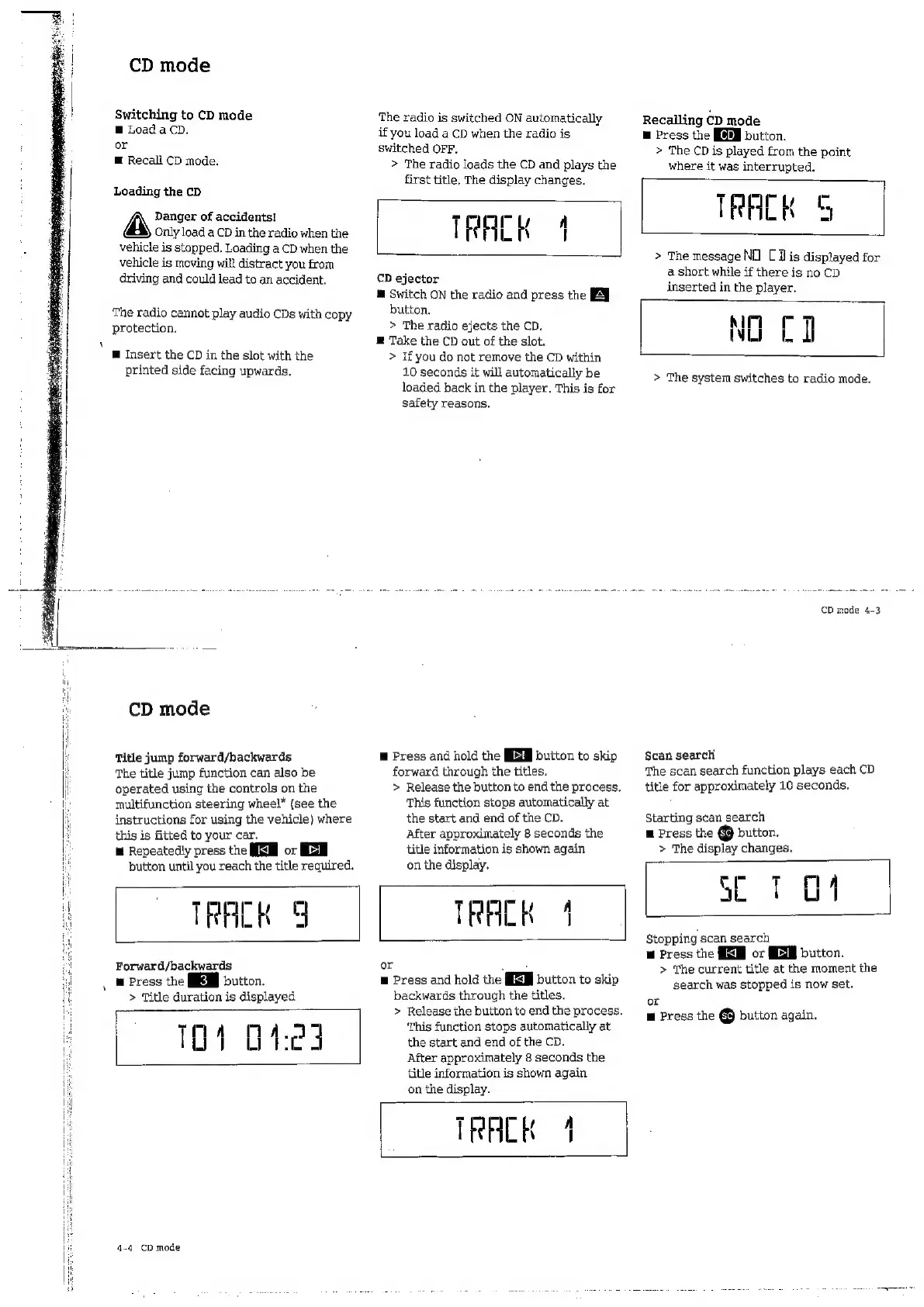
The
radio
is
switched
ON
automatically
if
you
load
a
CD
when
the
radio
is
switched
OFF,
>
The
radio loads
the
CD
and
plays
the
first
title,
The
display
changes.
TRACK
4
CD
ejector
m
Switch
ON
the
radio
and
press
the
PY
button.
>
The
radio
ejects
the
CD.
E
Take
the
CD
out
of
the
slot.
>
Ifyou
do
not
remove
the
CD
within
10
seconds
it
will
automatically
be
loaded
back
in
the
player.
This
is
for
safety
reasons.
E
Press
and
hold
the
EEB
button
to
skip
forward
through
the
titles.
>
Release
the
button
to
end
the
process.
This
function
stops
automatically
at
the
start
and
end
of
the
CD.
After
approximately
8
seconds
the
title
information
is
shown
again
on
the
display.
TRACK
9
TRACK
1
Forward/backwards
m
Press
the
button.
>
Title
duration
is
displayed
101
Digi
4-4
CD
mode
or
Ln
E
Press
and
hold
the
MEM
button
to
skip
backwards
through
the
titles.
>
Release
the
button
to
end
the
process.
This
function
stops
automatically
at
the
start
and
end
of
the
CD.
After
approximately
8
seconds
the
title
information
is
shown
again
on
the
display.
TRACK
4
Recalling
CD
mode
m
Press
the
button.
>
The
CD
is
played
from
the
point
where
it
was
interrupted.
TRACK
5
>
The
message
NO
[Vis
displayed
for
a
short
while
if
there
is
no
CD
inserted
in
the
player.
NO
CI
>
The
system
switches
to
radio
mode.
CD
mode
4-3
Scan
search
The
scan
search
function
plays
each
CD
title
for
approximately
10
seconds.
Starting
scan
search
m
Press
the
[sc]
button,
>
The
display
changes.
- +
mA
SE
101
Stopping
scan
search
m
Press
the
EEB
or
MEM
button.
>
The
current
title
at
the
moment
the
search
was
stopped
is
now
set.
or
m
Press
the
@
button
again.

Related product manuals