User Manual
33
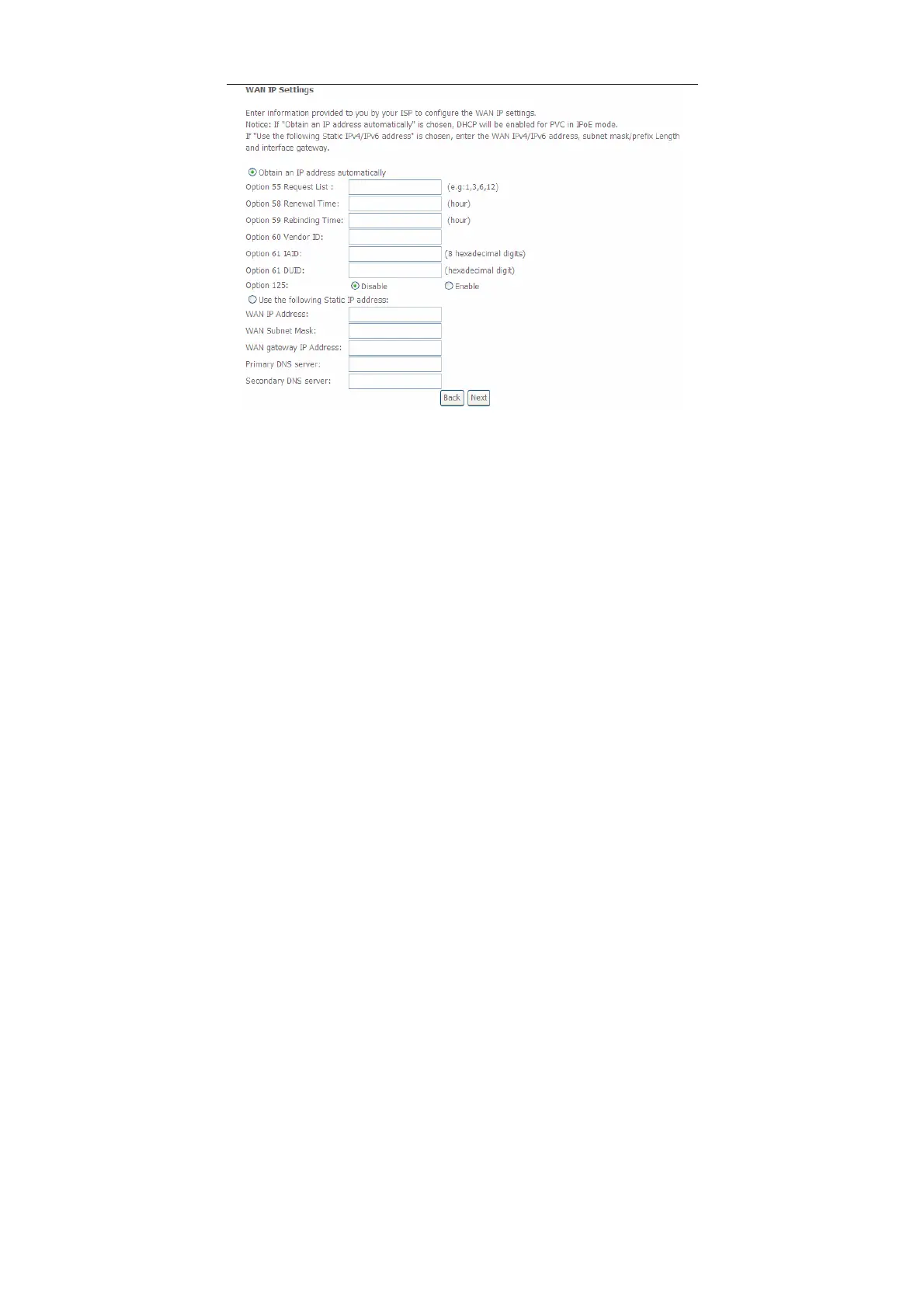
Step4 In this page, you may modify the WAN IP settings. You may select obtain
an IP address automatically or manually enter the IP address provided by
your ISP. Click Next and the following page appears.
Note:
If selecting Obtain an IP address automatically, DHCP will be enabled for PVC in
MER mode.
If selecting Use the following Static IP address, please enter the WAN IP address,
subnet mask and gateway IP address.


 To Next Page