SMARTRG INC. PROPRIETARY AND CONFIDENTIAL. ALL RIGHTS RESERVED. COPYRIGHT © 2016
11
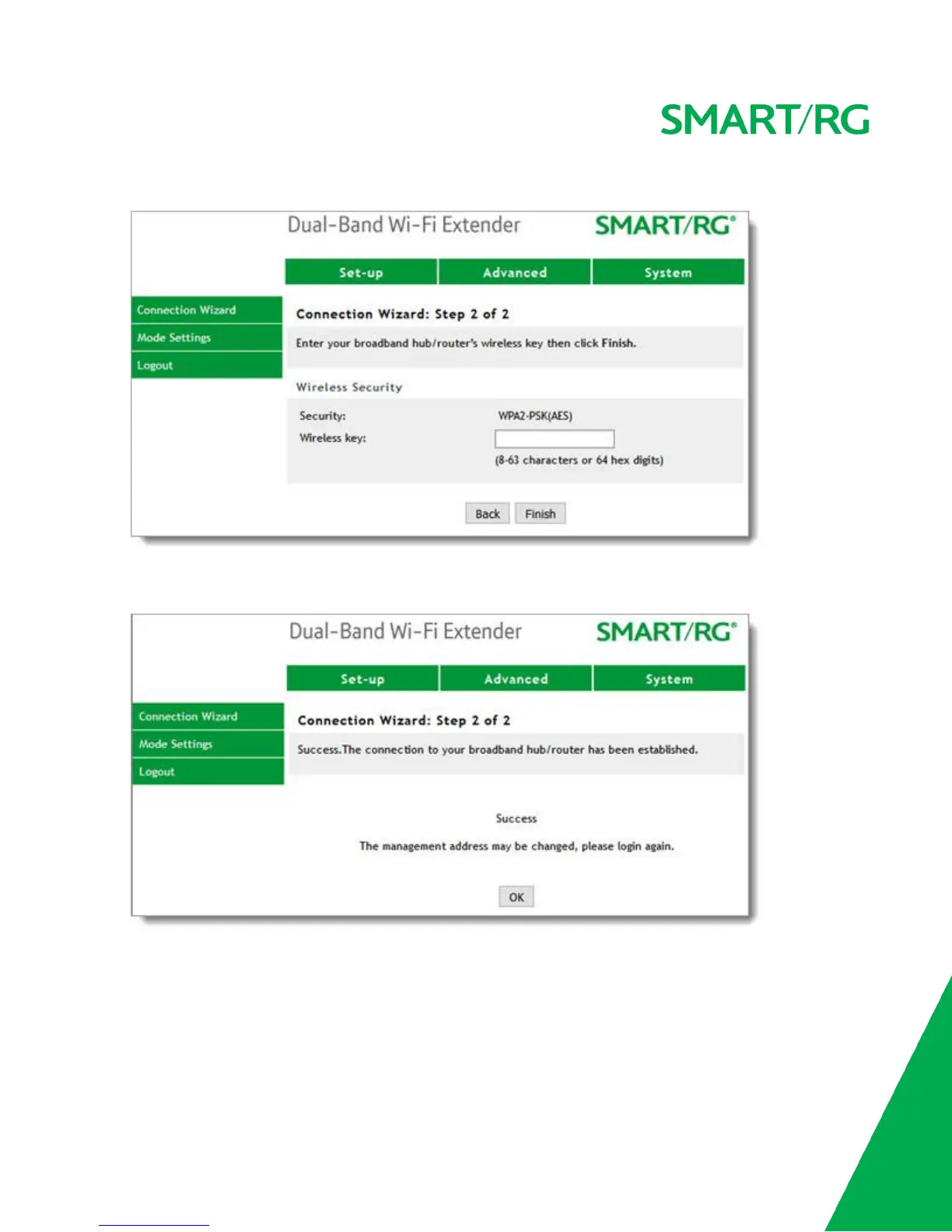
5. Select the SSID to which you want to connect and click Next. The Step 2 of 2 page appears.
6. Enter the Wireless key (Passphrase) for the network you selected and click Finish. After a short wait, a
success message appears on the page.
You are connected to the selected network. The WE65ac automatically detects and broadcasts the new
SSID. A message about the management address appears. Click OK.
7. Log into your router and look at the ARP table for the MAC address of the WE65ac. This is the MAC address
printed on the back of the extender and the Quick Start Guide.
8. Note the IP address associated with that MAC address. That is the new IP address of the extender.



 To Next Page