SMARTRG INC. PROPRIETARY AND CONFIDENTIAL. ALL RIGHTS RESERVED. COPYRIGHT © 2016
22
Firmware Upgrade
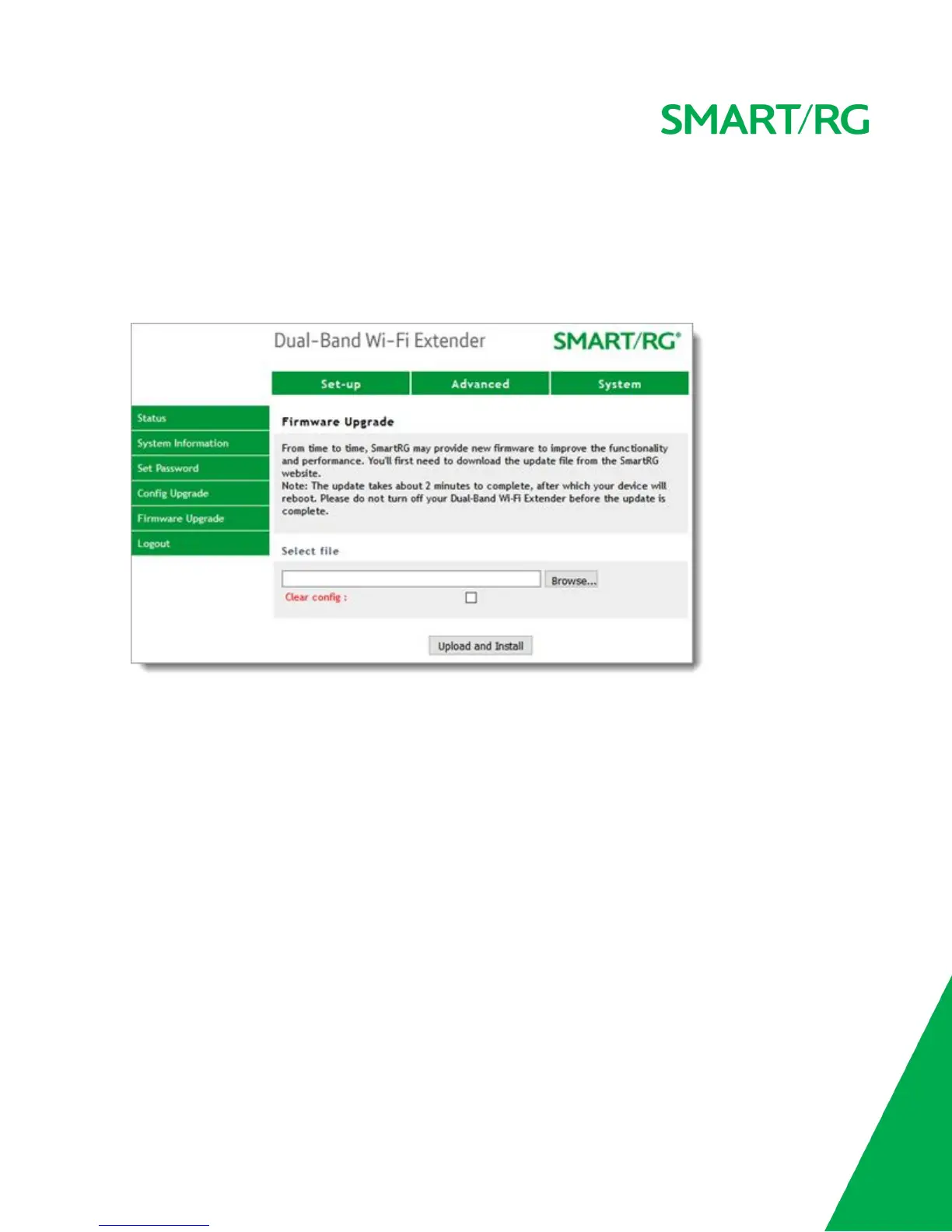
On this page, you can upgrade the extender's firmware.
1. In the top navigation bar, click System and then click Firmware Upgrade in the left menu. The following
page appears.
2. Click Browse to select the firmware file that you want to upload.
3. To clear the current configuration settings, click the Clear config checkbox.
4. Click Upload and Install. The extender reboots and a progress message appears, counting down from 40
seconds. When the browser is ready, the login window opens.


 To Next Page