SMARTRG INC. PROPRIETARY AND CONFIDENTIAL. ALL RIGHTS RESERVED. COPYRIGHT © 2016
14
Advanced
In this section, you can configure connection details, extended wireless network settings, WPS settings, and
manage device access.
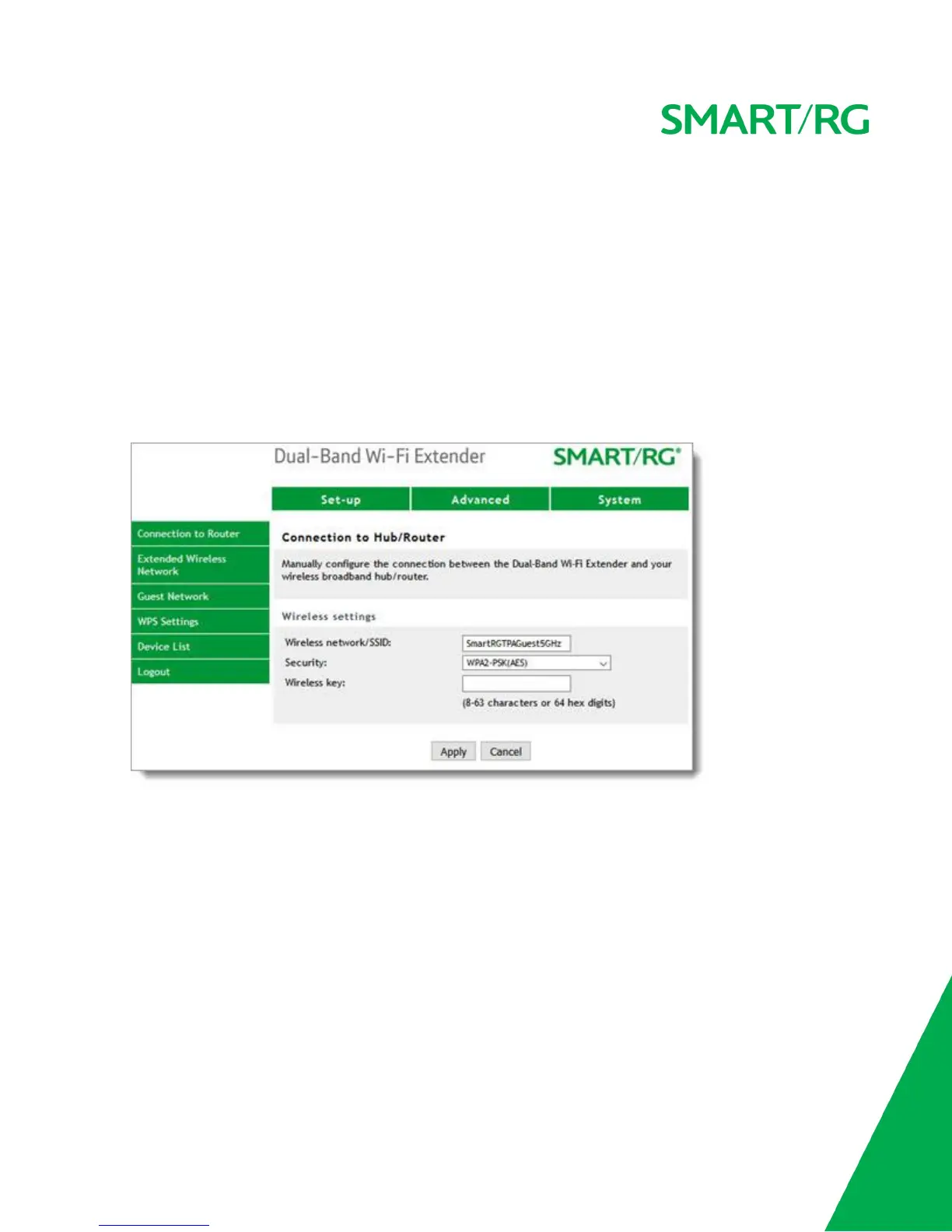
Connection to Router
On this page, you can configure the SSID and authentication method, and enter a new key phrase for your
gateway.
1. In the top navigation bar, click Advanced. The Connection to Hub/Router page appears.
2. Modify the settings as needed. The default values are generated from your selections during setup.
3. Click Apply.
Extended Wireless Network
On this page you can configure the SSIDs, authentication method, and wireless key for both channels on the
extender.
1. In the top navigation bar, click Advanced and then click Extended Wireless Network in the left menu.
The Extended Wireless Network page appears.


 To Next Page