SMARTRG INC. PROPRIETARY AND CONFIDENTIAL. ALL RIGHTS RESERVED. COPYRIGHT © 2016
13
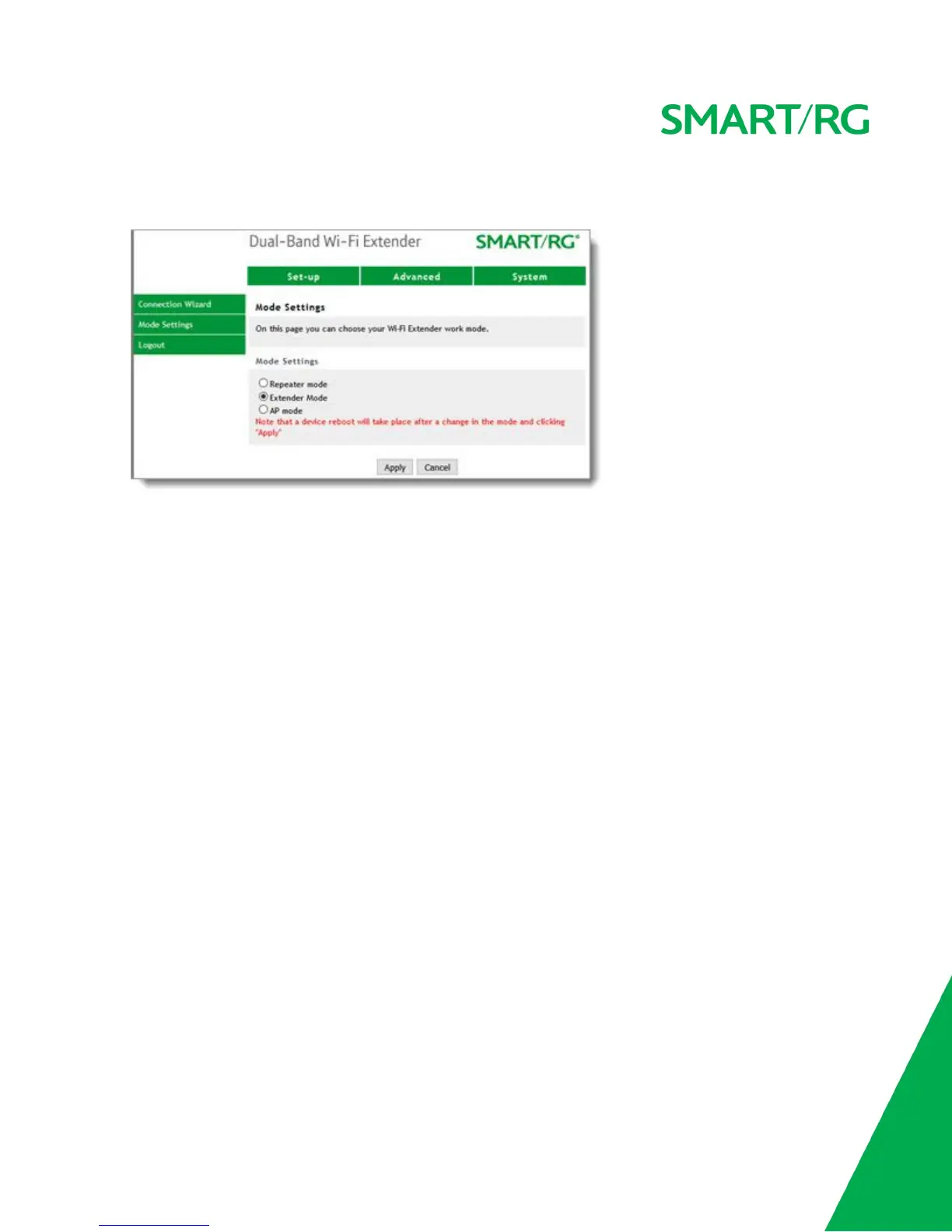
1. In the top navigation bar, click Set-up and then click Mode Settings in the left menu. The following page
appears.
2. To change the mode, accept the default of Extender mode.The other options are Repeater mode, , and
AP mode are not supported in the initial GA release of this product.
3. Click Apply.


 To Next Page