Hydro:Evolved Start-Up Guide
Page 4 ©2022 Smartrise Engineering, Inc. All Rights Reserved Jul 14, 2022
1.2 Floor Openings
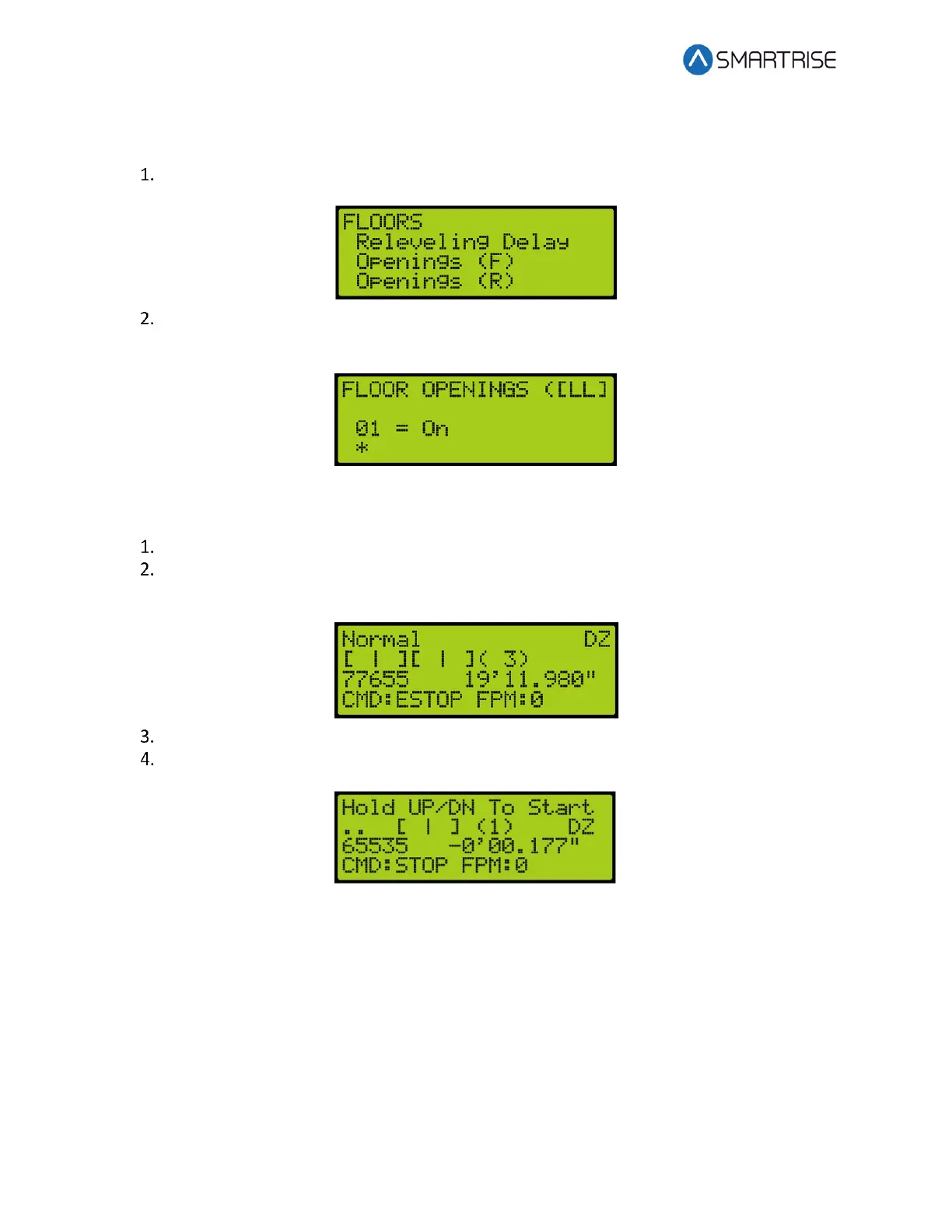
Navigate to MAIN MENU | SETUP | FLOORS | OPENING (FRONT AND REAR).
From the FLOOR OPENING (Front and Rear) menu, verify the front and rear doors for
the floors are going to open.
1.3 Learning the Hoistway
Bring the car to the top or bottom floor terminal.
Check the top right corner of the Main screen to verify the DZ input to the CT board is
high by.
On the MR board, turn on DIP 5A.
The Main screen changes from Normal to Hold UP/DN To Start.



 To Next Page