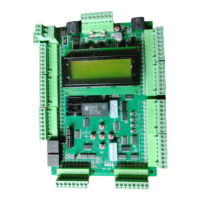
The provided document is a startup manual for the Smartrise C4 HPV900-Induction Drive, specifically version 3.0, dated March 5, 2020. This manual outlines the procedures for setting up, wiring, powering up, operating, and troubleshooting the HPV900-S2 induction AC drive.
Function Description
The Smartrise C4 HPV900-Induction Drive is an induction AC drive designed for elevator systems. Its primary function is to control the operation of an induction motor, facilitating the movement of an elevator car. The drive works in conjunction with a Smartrise C4 Controller, which provides job-specific parameters and control signals. The manual emphasizes the importance of verifying equipment and settings against job-specific parameters for proper operation, as detailed in the C4 Controller sheet 01 "Getting Started Parameter Table."
Important Technical Specifications
While the manual doesn't list a comprehensive set of technical specifications in a dedicated section, it references several key parameters that are crucial for the drive's operation and configuration. These parameters are typically found in the "Job Specifications" section of the C4 Controller sheet 01 and are used to configure the Magnetek drive.
Key Parameters for Configuration (Adjust A0, Configure C0):
- Drive A1: This parameter relates to the drive's internal settings.
- Encoder Pulses (Encoder PPR): The manual specifies common encoder pulse rates of 1024 or 2048, indicating the resolution of the encoder feedback for precise motor control.
- Power Convert - A4:
- Input L-L Volts: This refers to the line-to-line voltage supplied to the drive.
- Motor - A5: This section contains critical motor data for the drive to operate correctly:
- Rated Mtr Power (Kw): The rated power of the motor in kilowatts.
- Rated Mtr Volts (VAC): The rated voltage of the motor in AC volts.
- Rated Exit Freq (60Hz): The rated output frequency of the drive, typically 60 Hz.
- Rated Motor Curr (FLA – Amps): The full load amperage (FLA) of the motor.
- Motor Poles: The number of poles in the induction motor, which affects its speed characteristics.
- Rated Mtr Speed (RPM): The rated rotational speed of the motor in revolutions per minute.
- User Switches - C1: This section involves configuring user-defined switches.
- Motor Rotation: Settings for defining the forward/reverse direction of motor rotation.
- Encoder Connect: Settings for defining the forward/reverse direction of the encoder connection.
Wiring References:
The manual provides a "Terminal Descriptions" table (Table 1) for the drive's TB1 terminal block, detailing the signals and their descriptions:
- 17 (V+ Pwr): +5V Power
- 18 (V- COM or GND): Common or Ground
- 1 (A+ A): Encoder A+ signal
- 2 (A- A/): Encoder A- signal
- 3 (B+ B): Encoder B+ signal
- 4 (B- B/): Encoder B- signal
- 5 (Shield): Shield Ground
Additionally, a "Wiring References for Common Encoders" table (Table 2) lists color codes for various encoder brands (Imperial / PG-X3, Magil, IH740 / IH950, Accucoder, Wachendorff, Industrial Encoder (Canada)) for PWR, COM, A, /A, B, /B, Z, /Z, DATA, /DATA, CLOCK, /CLOCK, and SHIELD signals. This table serves as a reference, but users are advised to follow the actual pin-out instructions provided with their specific encoder.
Usage Features
The manual guides users through the initial setup and operational checks of the HPV900-Induction Drive.
Construction Mode:
During construction mode, all safety inputs are functional. The manual provides detailed steps for wiring the "Construction Box" and configuring the controller for this mode:
- Connecting jumpers from L120 to LFT, LFM, and LFB (and LRT, LRM, LRB for rear doors).
- Connecting jumpers from H120 to PIT, BUF, BFL, and TFL.
- Connecting M120 to SFM if a secondary brake is present.
- Connecting H120 through the machine room Run/Stop switch to SFH. If no switch is used, H120 is connected directly to SFH.
- Connecting the "run bug" (Up button to CUP, Down button to CDN, Enable to CEN, or jumped high if not available). If no run bug is used, inputs are left unwired.
- Enabling the "Run box" option in Setup | Miscellaneous | Enable Const. Box to ON. This disables onboard inspection buttons.
- Connecting a jumper from 24VDC to MM.
- Verifying Car Door Bypass and Hoistway Bypass switches are OFF.
- Placing the Inspection switch to INSPECTION.
A critical note states that "ONCE CAR IS BEING PUT INTO INSPECTION MODE, ALL JUMPERS MUST BE REMOVED BEFORE RUNNING THE CAR ON INSPECTION."
Powering Up:
The power-up sequence involves:
- Closing the main disconnect to apply external power.
- Closing the two-pole breaker and all pushbutton breakers.
- Verifying that the LCDs on both the Smartrise board and the Magnetek Drive power up.
Operation:
Once powered up, the car is run, and a checklist is completed during verification. Key operational checks include:
- No Faults: Ensuring the car moves without triggering faults on the SRU Board or the drive.
- Proper Direction: Verifying the car moves in the commanded direction (Up/Down) from the Run Bug.
- At Speed: Confirming the car moves at the proper inspection speed (approx. 50 fpm).
- Under Control: Ensuring the car is under full control, stops when commanded, and runs without faults for at least 10 seconds.
Maintenance Features
The manual primarily focuses on initial setup and troubleshooting rather than ongoing maintenance. However, the troubleshooting section can be considered a guide for diagnosing and resolving common issues that might arise during the drive's operational life or initial commissioning.
Troubleshooting:
- Drive Fault / Encoder Fault: This is identified as the most common startup fault.
- Checks: Solid shield-to-ground connection (motor and drive), correct encoder wire colors to terminals.
- Resolution: Swapping A+ / A- on terminal TB1 (#1 and #2). If swapped, it might be necessary to change the direction of the C1 - Encoder Connect.
- Brake Not Lifting:
- Checks: Brake wiring according to C4 Controller sheet 05 "Brake Connection," secondary brake wiring (if applicable) to J1/J2, proper DC voltage between K1/K2 and J1/J2 (if secondary brake), and at the brake coil(s) when commanded to pick.
- Verification: Actual brake voltage matches the brake coil voltage on the C4 Controller sheet 01 "Getting Started Parameter table."
- Wrong Direction:
- Checks: IO CUP activates for UP command, IO CDN activates for DOWN command on the Smartrise controller board.
- Resolution: Swapping two motor leads (T1 with T2).
- Car Moving to Slow or Rough:
- Resolution: Swapping A+ / A- on terminal TB1 (#1 and #2), potentially changing the direction of the C1 - Encoder Connect, and verifying brakes are lifting fully.
- Setup Fault One: This fault occurs when the HPV900 is programmed with motor data (A5) that conflicts with the drive software.
- Resolution:
- Unplugging the drive COM cable from the MR board to restore access to the HPV LCD screen.
- Navigating to A5 – Motor Parameters – Motor Poles and verifying the correct number of poles.
- Navigating to A5 – Motor Parameters – Rated Motor Speed, lowering the RPM by 15-20 rpms, and saving.
- Plugging the COM cable back into the MR board.
The document serves as a crucial guide for technicians and installers, ensuring the correct and safe commissioning of the Smartrise C4 HPV900-Induction Drive in elevator applications. It emphasizes adherence to wiring diagrams and parameter settings provided in the accompanying C4 Controller sheets.



 To Next Page
 General