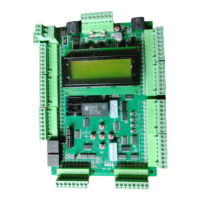
Drive Startup Manual HPV900-Induction
March 5, 2020 ©2020 Smartrise Engineering, Inc. All Rights Reserved Page 5
The Encoder Wiring List, shown in the table below, is just a partial list of common encoder cable
codes for reference only. This may not represent the actual cable you have received with your
encoder. Follow the actual pin-out instructions that came with your existing encoder.
Table 2: Wiring References for Common Encoders
Encoder Imperial / PG-X3 Magil
IH740 /
IH950
Accucoder Wachendorff
Industrial
Encoder
(Canada)
COM
/DATA
Construction
All safety inputs are functional during Construction mode on the C4 product. When these safety
devices are installed, they are connected per C4 Controller sheet 02 Machine Room I/O of the
prints, even if still on Construction mode. The following includes instructions for when none of
these devices have been installed prior to beginning on Construction mode.
Perform the following to wire the Construction Box. See the C4 Controller sheet 01 – Getting
Started for job specific information.
Connect a jumper from L120 to terminals LFT, LFM, and LFB.
a. If rear doors are used, connect LRT, LRM, and LRB.
Connect a jumper from H120 to PIT, BUF, BFL, and TFL.
If secondary brake is present, connect M120 to SFM.
Connect H120 through your machine room Run/Stop switch and connect it to SFH. A
closed switch indicates run; an open switch indicates stop. If no Run/Stop switch is being
used, connect H120 to SFH.
Connect your run bug. Wire the Up button to input CUP and the Down to input CDN.
Wire the Enable to CEN, jump high if not available.
a. If no run bug is being used, leave the inputs unwired.



 To Next Page
 Loading...