17
16. Troubleshooting
PROBLEM COUNTERMEASURE
No projection
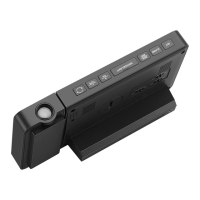
1. Switch the projection button on the
back to ON state.
2. Connect the clock with DC power
adapter.
Projection not clear.
1. Keep the projection distance to
5~13ft (1.5 ~ 4m).
2. The projection is only visible in a
dark environment.
Projection image is
upside down.
Long press "-" button to adjust the
angle by 180 degrees.
Projection or the backlit
does not stay on
continuously.
Connect the clock with the DC power
adapter.
Backlit is too bright or
too dark.
Press "-" to adjust 4 brightness levels:
light - medium - low - out.
Can’t receive the
outdoor temperature.
1. Replace battery for outdoor remote
sensor.
2. Make the channels of the clock and
outdoor remote sensor same (refer to
the manual on page 13:
11.Wireless
Remote Sensor Pairing
).
3. Long press "+" button to receive the
signals manually.
Fuzzy projection /
Missing pixels projection
image / USB charger
does not work/ Have
trouble with manual
setting.
Contact after-sales service.
Email: support@smartro.co
Phone Number: 323-287-5798


 To Next Page