EasyManua.ls Logo

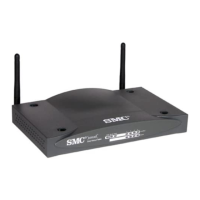
SMC Networks 7004VBR - User Manual

SMC Networks 7004VBR
112 pages
Print Icon
To Next Page IconTo Next Page
Loading...
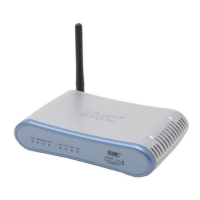
Barricade
TM
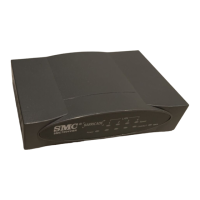
Broadband Router
Broadband Router with 4-Port Switch
Multi-User Internet Access via Single User Account
EZ 3-Click Installation Wizard
Configurable Parental Control
Stateful Packet Inspection and DoS Support
Supports a Wide Variety of Internet Applications
Virtual Private Network Using PPTP, L2TP, IPSec
Pass-Through
User Guide
SMC7004VBR

Questions and Answers

  • J
    Jamie MerrittJul 26, 2025
    What to do if the power LED is off on my SMC Networks 7004VBR Wireless Router?
    • A
      Alexandra AlexanderJul 26, 2025
      If the power LED is off, the external power supply may have failed or is disconnected. Check the connections between the Barricade, the external power supply, and the wall outlet. If the power indicator remains off when plugged in, there might be an issue with the power outlet, power cord, or external power supply. Also, inspect for loose power connections, power losses, or surges if the unit powers off after running. If the problem persists, the external power supply may be defective.
  • A
    Allen NguyenJul 31, 2025
    How to fix ping issues on my SMC Networks 7004VBR?
    • C
      Craig CaldwellJul 31, 2025
      If you cannot ping the Barricade from the attached LAN, or the Barricade cannot ping any device on the attached LAN, verify that the IP addresses are properly configured. For most applications, use the Barricade’s DHCP function to dynamically assign IP addresses to clients on the LAN. If you manually configure IP addresses, ensure that the same network address and subnet mask are used for both the Barricade and the LAN devices. Also, make sure that the device you want to ping (and the device from which you are pinging) have been configured for TCP/IP.
  • A
    Amy BennettAug 7, 2025
    Why can't I connect to my SMC Networks 7004VBR using a web browser?
    • M
      Matthew GrahamAug 7, 2025
      If you cannot connect using the web browser, be sure you've configured the Barricade with a valid IP address, subnet mask, and default gateway. Also, check that you have a valid network connection to the Barricade and that the port you are using has not been disabled. Inspect the network cabling between the management station and the Barricade.
  • R
    robertchapmanAug 13, 2025
    How to troubleshoot a Link LED that is OFF on my SMC Networks 7004VBR Wireless Router?
    • J
      Jennifer McdanielAug 13, 2025
      If the Link LED is off, verify that the Barricade and the attached device are powered on. Ensure the cable is properly plugged into both the Barricade and the corresponding device. Make sure the correct cable type is used and that its length does not exceed the specified limits. Confirm that the network interface on the attached device is configured for the proper communication speed and duplex mode. Check the adapter on the attached device and cable connections for possible defects, and replace any defective adapter or cable if necessary.
  • T
    Tanya BellAug 18, 2025
    What to do if I forgot the password for my SMC Networks Wireless Router?
    • H
      Henry SmithAug 18, 2025
      If you forgot or lost the password, press the Reset button on the front panel, holding it down for at least five seconds, to restore the factory defaults.

Summary

Compliances and Safety Information

FCC and EC Conformance

Details on regulatory compliance with FCC and European directives.

Safety Compliance Statement

Information regarding Underwriters Laboratories compliance and safety precautions.

Barricade Router Setup and Configuration

Introduction and Features

Overview of the Barricade router, its purpose, and key features and benefits.

Installation and Package Contents

Lists package contents and initial installation steps for the Barricade router.

Client PC TCP;IP Setup

Steps to configure TCP/IP settings on client computers for network access.

Barricade Router Configuration

Guide to configuring the Barricade via web interface, Setup Wizard, and advanced settings.

Troubleshooting and Specifications

Troubleshooting Common Issues

Diagnosing and resolving common problems with LEDs, connections, and management.

Technical Specifications

Details on standards, interfaces, features, dimensions, weight, and power.

SMC Networks 7004VBR Specifications

General IconGeneral
BrandSMC Networks
Model7004VBR
CategoryWireless Router
LanguageEnglish

Related product manuals