EasyManua.ls Logo

SMC Networks INR-244-780 - User Manual

Default Icon
57 pages
Print Icon
To Next Page IconTo Next Page
Loading...
Doc. no. HEC-OM-S002
Aug 2014
PRODUCT NAME
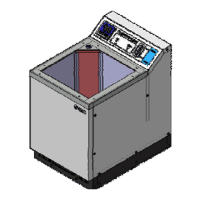
THERMO ELECTRIC BATH
MODEL / Series / Product Number
Model No. INR-244-780
INR-244-781
INR-244-782
Keep this manual available whenever necessary.
© 2014 SMC CORPORATION All Rights Reserved
Copying, duplicating or transferring any part or the entirety of this manual without the
prior permission of SMC is strictly prohibited.

Table of Contents

Questions and Answers

  • D
    Daniel HartAug 6, 2025
    Why does the ALARM LED light up red on my SMC Networks INR-244-780?
    • B
      benjamin14Aug 6, 2025
      The red ALARM LED on your SMC Networks Laboratory Equipment might be triggered by several factors. It could be due to high-level electrical noise affecting the power supply, ground, or signal lines; try moving the equipment to a less noisy environment and restarting it. Also, verify that the power supply voltage is within the correct range (100-240VAC). Ensure that the bath liquid is not excessively heated and that the water level is adequate. Check that the facility water supply has the appropriate flow rate. If the water level in the bath is low, increase it.
  • K
    Kristin JordanAug 12, 2025
    What to do if the ALARM LED (red) lights up on SMC Networks Laboratory Equipment?
    • W
      William GonzalesAug 12, 2025
      If the red ALARM LED is illuminated on your SMC Networks Laboratory Equipment, several issues could be the cause. Begin by checking the air vents to ensure they are not blocked. Also, confirm that the facility water flow rate is within the specified range of 3-7L/min and the temperature is between 10-35°C. The ambient temperature should also be within 10-35°C and humidity within 35-85%. Additionally, verify that an instantaneous power supply cutoff has not occurred frequently.
  • M
    Melanie JensenAug 18, 2025
    How to fix ALARM LED (red) lighting up on SMC Networks INR-244-780 Laboratory Equipment?
    • I
      Ian EspinozaAug 18, 2025
      To address a red ALARM LED on your SMC Networks Laboratory Equipment, start by inspecting the float for any trapped foreign matter; clean the tank if necessary or consider replacing the level switch. If there's a possibility of contact failure with the thermostat or level switch connector, try unplugging and re-plugging the connector. Also, make sure that the level switch is mounted vertically. If raising the float and supplying power doesn't resolve the issue, replace the level switch.
  • B
    bryantbriannaAug 25, 2025
    Why is my SMC Networks INR-244-780 showing a red ALARM LED?
    • M
      matthew90Aug 25, 2025
      A red ALARM LED on your SMC Networks Laboratory Equipment can indicate several problems. The internal temperature of the product may be too high, leading to the DC power supply not working correctly; ensure the air vents are not plugged. Also, the circuit protector of the product or the GFCI installed on the primary side may have tripped. Confirm that the bath liquid is not excessively heated.
  • A
    Angel GonzalezAug 30, 2025
    What could cause the ALARM LED (red) to turn on in SMC Networks INR-244-780 Laboratory Equipment?
    • V
      Victor RichardsonAug 30, 2025
      The red ALARM LED on your SMC Networks Laboratory Equipment can be triggered by a few things. High-level electric noise on the power supply, ground, or signal lines can cause it; try moving the product to a less noisy environment. Also, an incorrect power supply voltage to the system can be a reason; make sure it's 100~240VAC. Additionally, check if foreign matter is caught in the float, causing it to fail.

Summary

Chapter 1 Safety Instructions

1.1 Dangers, Warnings, and Cautions

Explains hazard levels, symbols, and cautions used in the manual.

1.2 Hazard Warning Labels

Details the content and location of hazard warning labels on the product.

1.3 Product Label Locations

Identifies locations of Alarm, Piping, Connector, and Model labels on the product.

1.4 Safety Measures and Precautions

Outlines essential precautions, protective equipment, storage, and disposal guidelines.

1.5 Safety Interlocks

Lists the safety interlock functions and how to reset them.

Chapter 2 Description and Function of Each Part

2.1 Thermo Electric Bath Components

Details the main parts and their functions via diagram and table.

Chapter 3 Transporting and Installation

3.1 Transporting Guidelines

Provides guidelines and warnings for safely transporting the product.

3.2 Installation Conditions and Procedures

Specifies installation conditions, clean room, pollution degree, and bracket installation.

3.3 Wiring and Connections

Covers electrical wiring precautions, procedures, power source, and connectors.

3.4 Facility Water Piping Installation

Guides the installation of facility water piping connections.

Chapter 4 System Set-up

4.1 Pre-checks and Facility Water

Lists pre-checks, discusses facility water quality, and run-through procedures.

4.2 Bath Liquid Handling

Covers preparation, filling, and precautions for the bath liquid.

4.3 Power ON and Value Setting

Explains the power-on procedure and how to set operational values.

4.4 Operation Control Cautions

Highlights important precautions for controlling the operation of the product.

Chapter 5 Operation

5.1 Controller Operation Details

Details the operation and functions of the controller panel, buttons, and indicators.

5.2 Data and Mode Setting

Describes data setting, mode selection (operation/setting), and function adjustment.

5.3 Operation Mode Selection

Guides the selection of different operation modes like temperature indication and offset setting.

5.4 Setting Mode Navigation

Explains how to enter and navigate the setting modes for initial and control settings.

5.5 Control Setting Mode Selection and Details

Guides selection and details of control settings like PID parameters.

5.6 Initial Values and Setting Ranges

Summarizes initial values and setting ranges for various operational modes.

5.7 Alarms and Troubleshooting

Lists and explains controller alarms and provides troubleshooting steps for common issues.

Chapter 6 Maintenance

6.1 Regular Maintenance Procedures

Outlines routine maintenance tasks including strainer check, liquid replacement, and cleaning.

6.1.1 Draining Bath Liquid

Provides instructions for safely draining the bath liquid.

6.1.2 Strainer and Bath Cleaning

Explains how to check and clean the strainer and the bath.

6.2 Product Return Procedures

Details procedures for returning the product for repair or maintenance.

Chapter 7 Appendix

7.1 Outline Dimensions

Presents the physical dimensions for all product models.

7.2 Technical Specifications

Lists the detailed technical specifications for the Thermo Electric Baths.

7.3 Performance Charts

Displays performance charts for cooling and heating capacities of the models.

7.4 Applicable Standards and Regulations

Lists the standards and regulations the product complies with.

SMC Networks INR-244-780 Specifications

General IconGeneral
BrandSMC Networks
ModelINR-244-780
CategoryLaboratory Equipment
LanguageEnglish

Related product manuals