Use and maintenance manual FP560 - FP560A - FP870A
37
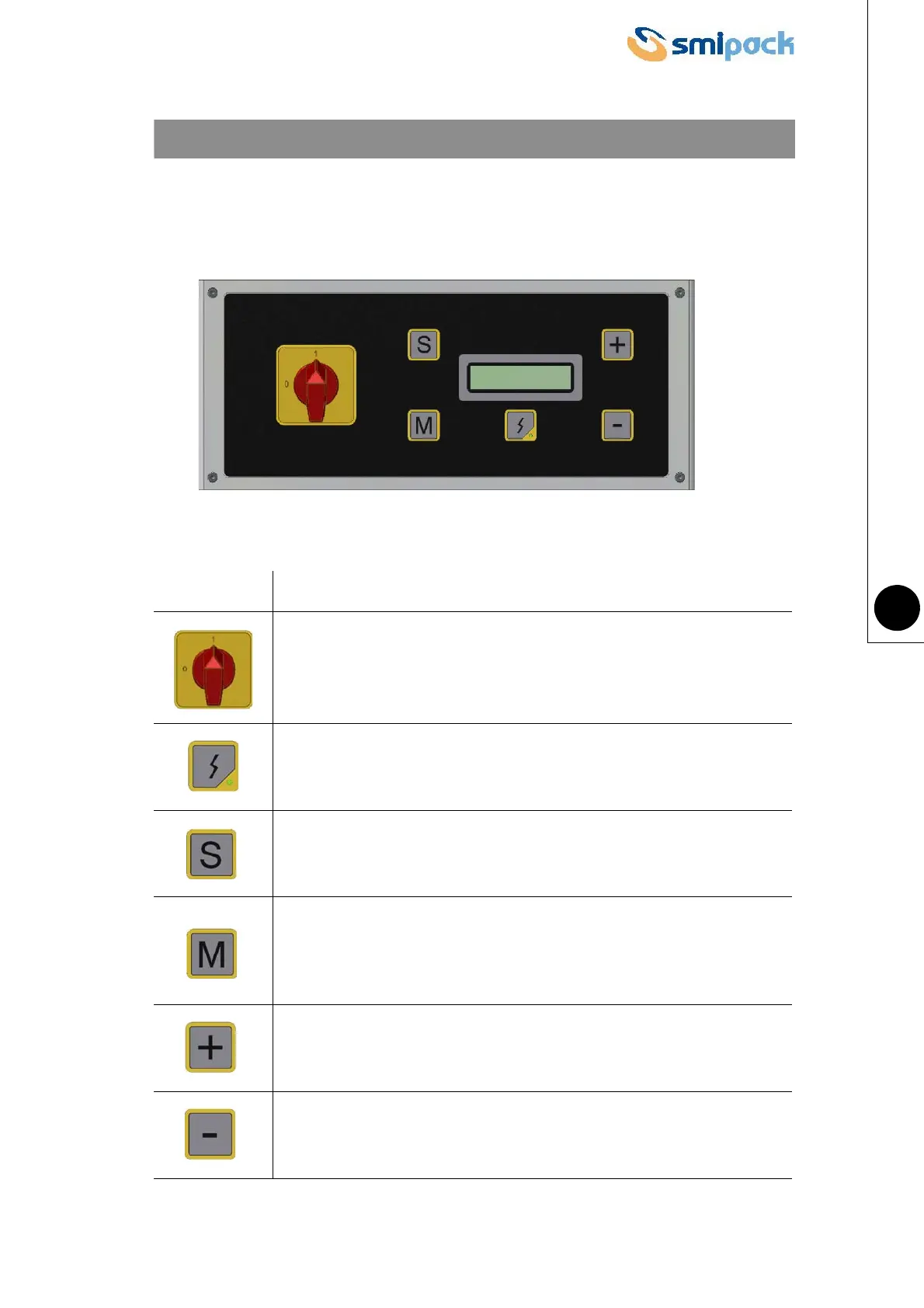
5.1 OPERATOR PANEL INTERFACE
KEY FUNCTIONS
Switches the machine on and off.
Insert power after switching on the machine;
Signals correct power supply to the machine with the indicator light on.
Displays the parameters in the active program. (memory M.. selected).
Allows selecting the programmable memories available (M1-M2-M3-
M4-M5-M6-M7-M8-M9-M10);
Memorises modified data concerning the parameters of the active
memory.
Increases the value of the selected parameter.
Decreases the value of the selected parameter.
CHAPTER 5 - OPERATION AND USE



 To Next Page