How to Start Typing
_____________ ,..,,
NO~UMDEIU IN THIS MANUAL FOLLOWING A FEATURE NAME INDICATE REF-
ERENCE TO THE DIAGRAM ON PAGE
4.
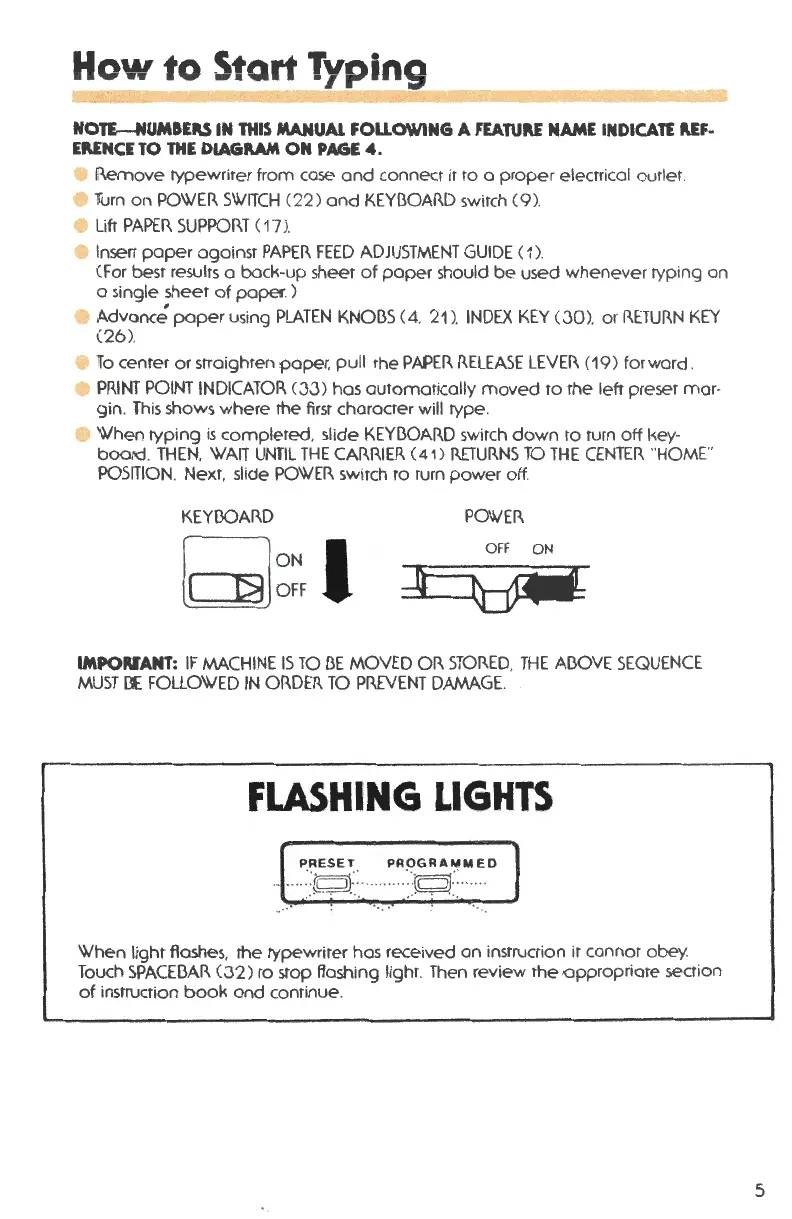
Remove typewriter from case and connect it to a proper electr ical outlet .
Turn on POWER SWITCH (22) and KEYl3OARD switch (9).
Lift PAPER SUPPOl<.T ( 17 ).
Insert paper against PAPER FEED ADJUSTMENT GUIDE ( 1).
(For best results a bock -up sheet of paper should be used whenever typing on
o single sheet of paper . )
Advance;' paper using PLATEN KNOl3S (4. 21 ). INDEX KEY
(JO) , or 1<.ETUl<.N KEY
(26).
To center or straighten paper , pull the PAPER !<.ELEASE LEVEi<. ( 19) forward .
• PP.INT POINT INDICATOR
(JJ) hos automatically moved to rhe left preset mar-
gin. This shows where the first character
will type .
• When typing is completed , slide KEYl3OAP.D switch down ro turn off l~ey-
boo rd . THEN, WAIT UNTIL THE CAP.Rim
( 41) RETUP.NS TO THE CENTER "HOME"
POSITION. Next , slide POWER switch to turn power off.
KEYl30AP.D
POWrn
Q~~,,
OFF ON
IMPORrANT: IF MACHINE IS TO 13E MOVED OP. STOP.ED. THE Al3OVE SEQUENCE
MUST
Cl£ FOLLOWED IN OP.DER TO PREVENT DAMAGE.
FLASHING LIGHTS
PRESET PROGRAMMED
-···-Jqf_-· ....... J~f-···"
· ...
When light flashes , the typewriter hos received on instruction it cannot obey.
Touch SPACEl3AR (32 ) to stop flashing light . Then review the,opproprio te section
of instruction book and conrinue .
5



 To Next Page