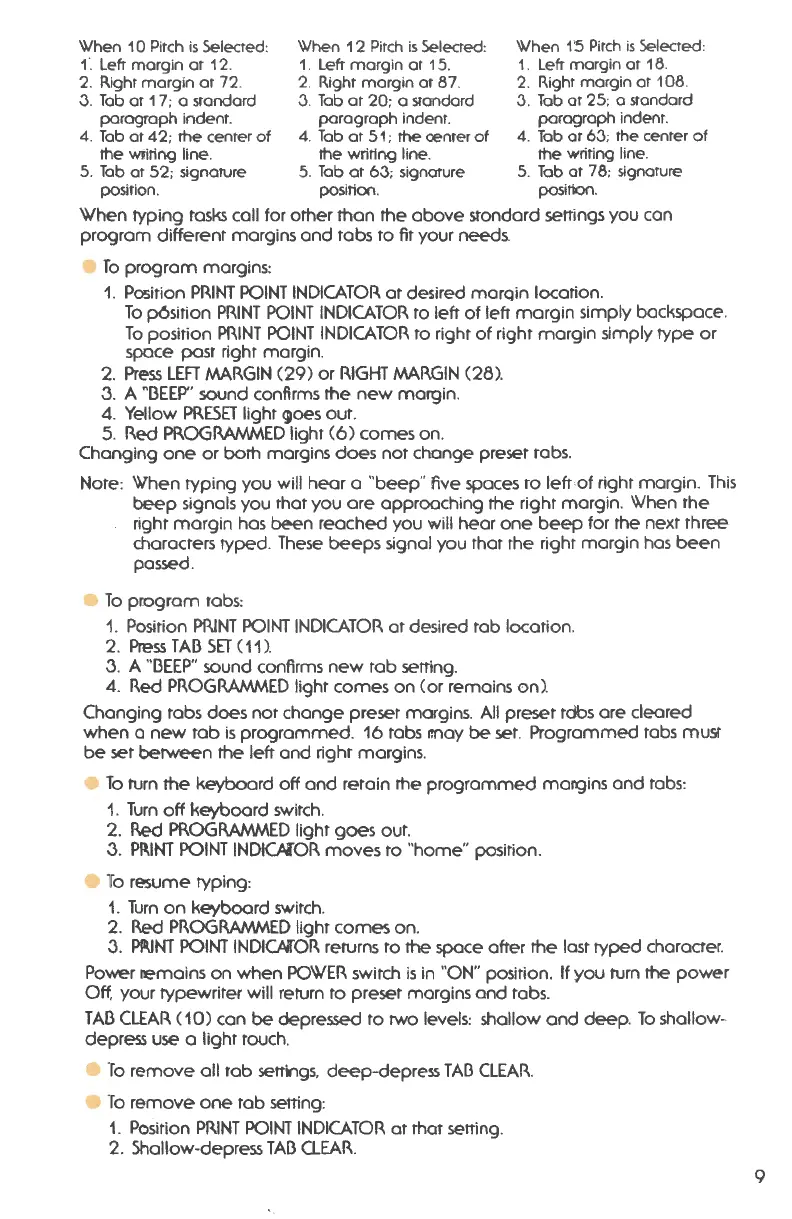
When 10 Pitch is Selected: When 12 Pitch is Selected: When 1'5 Pitch is Selected:
f . Left margin at 12. 1. Left marg in at 15. 1. Left margin at 18.
2. Right margin at 72. 2. Right margin at 87. 2. Righr margin at 108.
J. Tab or 17 ; a standard J. Tab at 20 : a standard J. Tab or 25: o standard
paragraph indent . paragraph indent. paragraph indent.
4. Tab at 42 ;
rhe center of 4. Tab at 51 ; rhe oenter of 4. Tab or 6J; the center of
rhe wi:iting line. rhe writing line. the writing line.
5. Tab or 52 ; signature 5. Tab at 63 ; signature 5. Tab at 78: signature
pasIt1on. position . position.
When typing tasks call for other than the above standard settings you can
program different margins and tabs to fit your needs.
• To program margins :
1. Position PRINT POINT INDICATOR at desired marqin location.
To p6sition PRINT POINT INDICATOR to left of letr margin simply backspace .
To position PRINT POINT INDICATOR to right of right margin simply type or
space post right margin .
2. Press LEFT MARGIN (29) or RIGHT MARGIN (28) .
3. A "BEEP" sound confirms the new margin .
4. Yellow PRESET light ()Oes out .
5. Red PROGRMV-AED light (6) comes on.
Changing one or both margins does not change preset robs.
Note: When typing you will hear a "beep " five spaces to left of right margin . This
beep signals you that you ore approaching the right margin . When the
right margin hos been reached you
will hear one beep for the next three
characters typed . These beeps signal you that the right margin hos been
passed.
• To program tabs:
1. Position PRINT POINT INDICATOR at desired tab location .
2. PressTABSET(11).
3. A "BEEP" sound confirms new tab setting.
4. Red PROGRMV-AED light comes on (or remains on) .
Changing tabs does not change preset margins . All preset rdbs ore cleared
when a new tab is programmed . 16 tabs r.noy be set. Programmed tabs must
be set between
the left and right margins .
• To turn the keyboard off and retain the programmed margins and tabs:
1. Turn off keyboard switch.
2.
Red PROGRMV-AED light goes out.
3. PP.INT POINT INDICAlOR moves ro "home" position .
• To resume typing:
1. Turn on keyboard switch.
2. Red PROGRMV-AED light comes on.
3. Pll.lNT POINT INDIC.MOR returns to the space ofter
the lost typed character.
Power remains on when POWER switch is in "ON" position . If you turn the power
Off, your typewriter will return to preset margins and tabs.
TAB CLEAR ( 10) con
be depressed to two levels: shallow and deep . To shallow -
depress use a light touch.
• To remove all tab settings, deep-depress TAB CLEAR.
• To remove one tab setting:
1. Position PRINT POINT INDICATOR at that setting.
2. Shallow-depress TAB CLEAR.
9




 To Next Page